Need help?
Do you have a question about the NEC VT670/K and is the answer not in the manual?
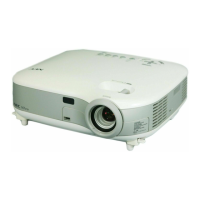
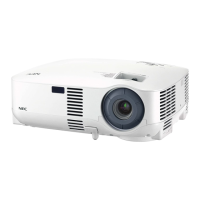
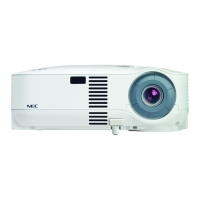
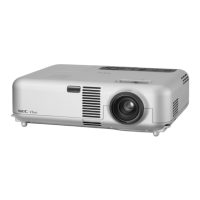
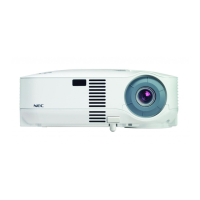
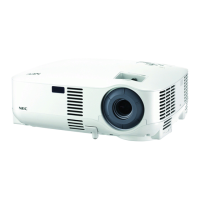
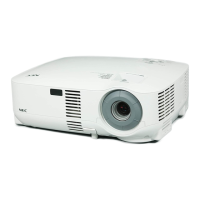
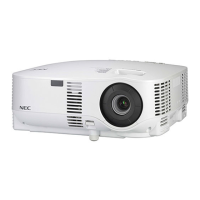
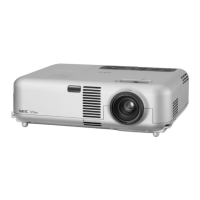
The NEC VT470/570/670 Installation Guide provides comprehensive instructions for setting up and maintaining these projectors, designed for both ceiling-mounted and desktop applications. These projectors are versatile display solutions, capable of projecting images across a wide range of screen sizes, from 21 inches to 300 inches diagonally, making them suitable for various environments, from small meeting rooms to large auditoriums.
The NEC VT470/570/670 series consists of 3-panel LCD projectors. The VT470 model features an 800x600 resolution, while the VT570 and VT670 models offer a higher 1024x768 resolution, ensuring crisp and clear image quality. The VT670 specifically utilizes a 0.7" p-Si TFT with MLA (Micro Lens Array) for enhanced performance. These projectors are equipped with manual zoom and manual focus capabilities, allowing users to precisely adjust the image size and sharpness to fit their specific projection needs. The throw ratio, ranging from 1.5-1.8:1 for a 100-inch diagonal screen, and an offset angle of 9.6°-11.5° for the same screen size, provide flexibility in projector placement relative to the screen.
The projectors offer multiple input options, including VIDEO IN (L/MONO AUDIO R), S-VIDEO IN (L/MONO AUDIO R), COMPUTER 1 IN, and COMPUTER 2 IN, along with corresponding audio inputs. There's also an AUDIO OUT and MONITOR OUT for connecting external audio systems or a secondary display. A PC CONTROL port (D-Sub 9P) is available for remote control and integration into a larger control system.
The installation guide emphasizes the importance of proper placement and provides detailed diagrams and distance charts to assist users in setting up the projector. For ceiling-mounted installations, the guide includes specific dimensions for the projector and an optional ceiling mount (Model #: VT70CM), ensuring compatibility and secure installation. The ceiling must be strong enough to support the projector, and all installations must comply with local building codes.
The distance charts provide recommended throw distances (C), vertical offset (B and D), and projection angles (α) for popular 4:3 screen sizes, ranging from 21 to 300 inches diagonally. For screen sizes not listed in the charts, the guide provides projection formulas that use image width (W) as the primary variable for calculation. These formulas allow users to determine precise measurements for throw distance, vertical offset, and projection angle, ensuring optimal image geometry. The formulas are based on a 4:3 aspect ratio, and all distances are provided in inches.
The control codes section details the commands for various projector functions, such as POWER ON/OFF, INPUT SELECT (COMPUTER 1, COMPUTER 2, VIDEO, S-VIDEO), PICTURE MUTE ON/OFF, and SOUND MUTE ON/OFF. These codes facilitate remote control of the projector, which is particularly useful in ceiling-mounted setups or integrated AV systems. The communication protocol for the PC Control connector specifies a baud rate of 19200 bps, 8 data bits, no parity, and one stop bit, with full duplex communication. For longer cable runs, it is recommended to set the communication speed within the projector menus to 9600 bps for stable operation.
While the guide primarily focuses on installation, it indirectly touches upon maintenance aspects by providing cabinet dimensions and highlighting key components. The diagrams show the location of the exhaust and intake vents, which are crucial for proper airflow and preventing overheating. Regular cleaning of these vents would be implied for maintaining optimal performance. The location of the lamp is also indicated, suggesting that lamp replacement is a user-serviceable task. The guide's emphasis on secure mounting and proper ventilation contributes to the longevity and reliable operation of the projector. The detailed dimensions for the projector, including its width, height, and depth, are important for planning installation and ensuring adequate space for operation and maintenance access. The weight of the projector (6.4 lbs) is also provided, which is a critical factor for selecting appropriate mounting hardware and ensuring structural integrity.
 General
| Resolution | 1024 x 768 (XGA) |
|---|---|
| Contrast Ratio | 400:1 |
| Lamp Life | 2000 hours |
| Display Technology | LCD |
| Zoom Ratio | 1.2x |
| Screen Size | 30-300 inches |
| Input Connectors | VGA, Composite, S-Video |
| Power Consumption | 270 Watts |
| Noise Level | 37 dB (Normal mode), 32 dB (Eco mode) |

 To Next Page