22
EN
Embroidery mode-Preparation
Prepare the embroidery thread, the required
thread information will display on the edit
page.
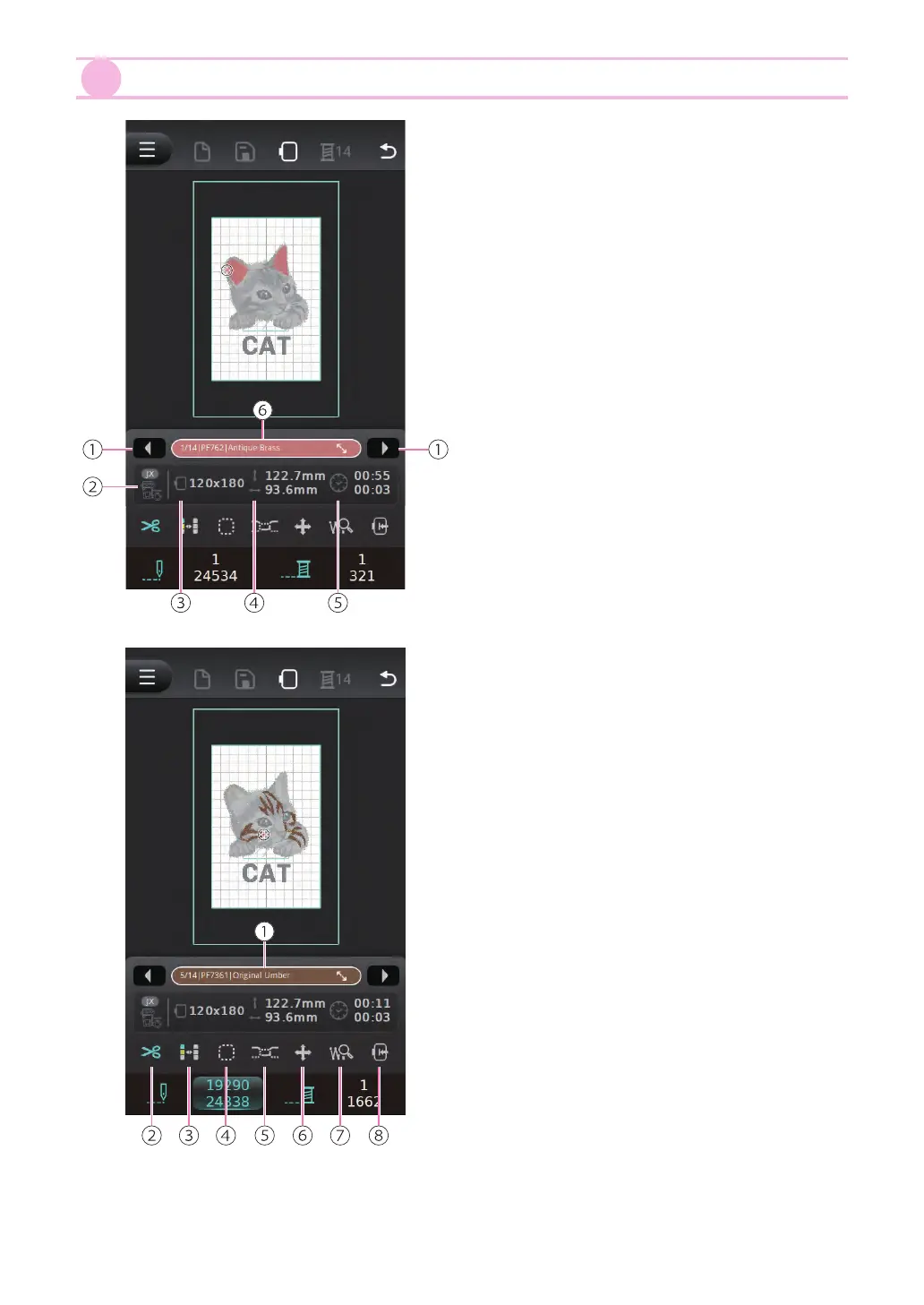
①
The left and right arrow button to switch
the layer
②
Required presser foot icon
③
The current selected embroidery hoop
size
④
Embroidery pattern size
⑤
Required embroidery time
⑥
Thread color information
The embroidery setting can adjust with the
following options:
①
Thread color information
②
Thread cutter
③
Single color / multiple colors
④
Basting stitch
⑤
Thread tension
⑥
Move the patterns
⑦
Enlarge stitch position
⑧
Switch hoop position for threading


 To Next Page