24
EFFECT AND APPLICATION TYPE OF FEEDING
FEED RATIO
REAR: FRONT
SETTING
Waver-free seams, Gathering
Positive differential
feed
1-2
No differential feed Neutral feed 1
Pucker-free seams
Negative differential
feed
0.7-1
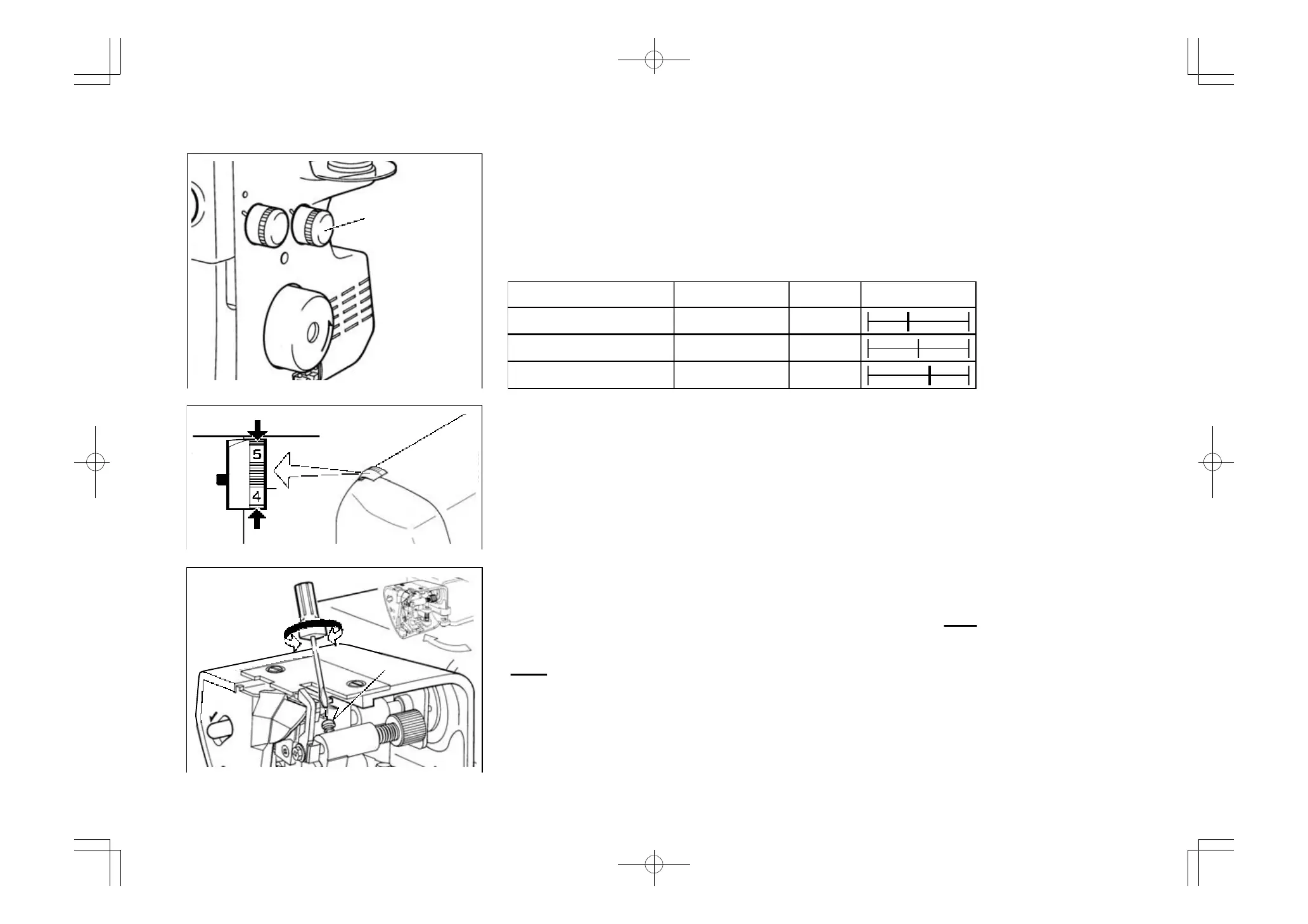
SETTING DIFFERENTIAL FEED
Set by simply turning the differential feed control dial in the direction desired referring to the
chart below.
The adjustment can be made between 0.7 (negative effect) and 2 (Positive effect). These
settings give the best ratio of feeding.
For normal sewing, the dial should be set at 1.
The dial can be reset even while sewing.
FOOT PRESSURE REGULATOR
Presser foot pressure has been correctly set at the factory, so you do not need to adjust it for
most of ordinary sewing. If adjustment is necessary, turn the foot pressure regulator to higher
number to increase or to lower number to decrease pressure.
SEWING WITH EXTRA HEAVYWEIGHT
FABRIC OR MULTIPLE LAYERS OF FABRIC
A wide range of fabric can be overlocked on this machine, but it is recommended to tighten
screw as illustrated, when sewing with extra heavyweight fabrics or mulitiple layers of fabric.
Open working table for adjustment.
Loosen the screw when sewing with light to normal weight fabric or turning overedge cutting
width dial, or otherwise fabric may not be well cut.
The machine is set for normal weight fabrics from the factory.
Differential feed
control dial
Screw
Loosen
Tighten
Decrease
Increase



 To Next Page