KORO PRIME ES
clEaNiNG aND FilliNG
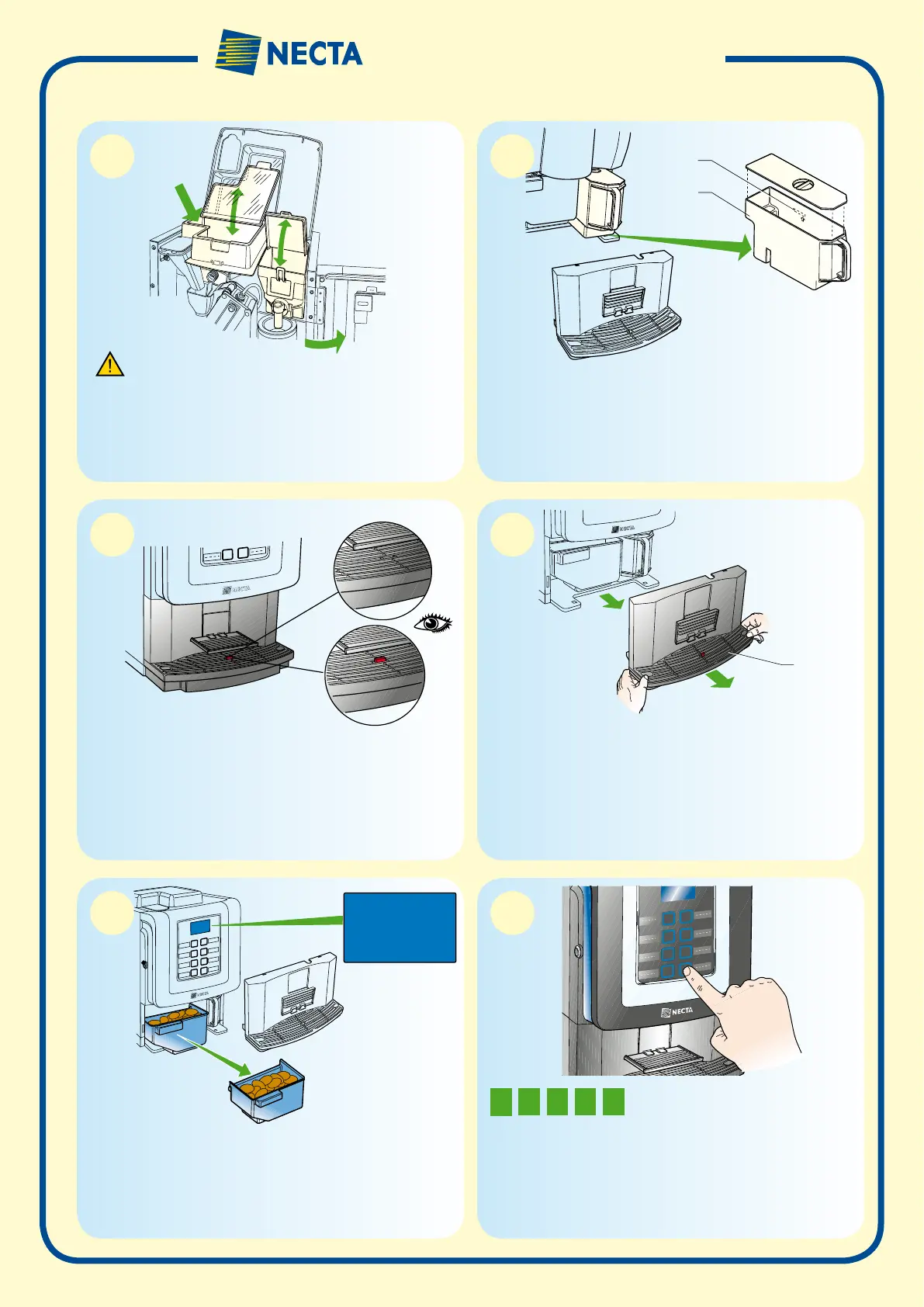
Load products:
• Open the vending machine door.
• Lift the upper panel and open the covers of the canisters.
• Load the instant product without compressing powder.
• Load the coffee beans.
Fill the tank (models with tank only)
• Remove the liquid waste tray.
• Remove the tank (A) by pulling the handle.
• Empty the residual water from the tank and sanitise the tank
• Fill in the tank with drinkable water up to the max level (B).
• Re-position the tank and the liquid waste tray
Empty the liquid waste tray
When the float emerges from the grid, promptly empty the liquid
waste tray.
It is advisable not to wait for the float signal, but to empty the tray at
regular intervals.
Empty the solid waste tray
• Take the tray (A) by its sides, lift it slightly and pull.
• Empty the tray and wash it with a neutral detergent solution.
Empty the solid waste tray
• Take the liquid waste tray by its sides, lift it slightly and pull.
• Remove the solid waste tray
• Empty the tray and wash it with a detergent solution.
• Re-position the trays
Rinse the mixer
• Hold the last key down for 3 seconds
• Enter the mixer rinse password
Rinse the mixer every day and whenever you load products
Make sure that the products to be loaded have been
properly preserved and they are not past their sell-by
date
A
A
B
2
2
3
1
1
1
N
OtE
thE
MixEr
washiNG
passwOrD
M
A
X
WASTE
CONT. FULL
0
1
2
3
4
5
6
7








 To Next Page