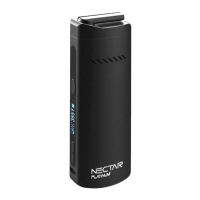
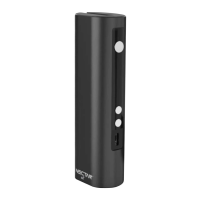
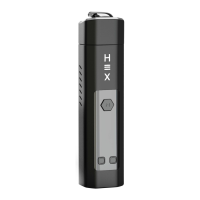
The Nectar Gold is a smart vaporizer designed for both dry herbs and extracts, aiming to provide the benefits of cannabinoids while minimizing the intake of toxins and carcinogens.
Important Technical Specifications
- Dimensions: 11cm x 3.7cm x 2.3cm
- Device Weight: 139g
- Colour: Matte Black
- Battery Capacity: 2900mAh (20A)
- Compatible Ingredients: Dry Herbs + Extracts (Resin/Wax/Hash*). Users are advised to check local jurisdictions for legality.
- Temperature Range: 100°C - 240°C / 212°F - 464°F
- Temperature Precision: 1°C Increments
- Materials: Ceramic Chamber, Aluminium Body, Zirconia Mouthpiece
- Charging Time: Approximately 2 hours
Usage Features
The Nectar Gold offers several features for an optimized vaping experience:
- Eminent Heatup Time: Ensures quick readiness for use.
- Precision Temperature Control: Allows users to set the desired temperature with 1°C increments.
- 2-in-1 Functionality: Capable of vaporizing both dry herbs and concentrates.
- Breathtaking Airflow: Designed for smooth and enjoyable draws.
Operating Guide: Charging
Before first use, it is recommended to charge the device for 1 hour. During charging, the OLED screen displays a blinking battery gauge, which becomes solid when fully charged. Overcharging should be avoided to protect and extend battery life. The device charges via a USB port and has a battery release clip for the 18650 battery.
Operating Guide: Vaping Dry Herbs
- Sterilising: Before initial use and after charging, the device should be sterilised (refer to the sterilisation section for details).
- Packing the Chamber/Bowl: Grind herbs and detach the cooling unit. Fill the chamber at least halfway for best results. Gently compact the herbs to avoid restricting airflow.
- Turning on the Device: Press and hold the power button for 5 seconds. The device will begin to heat up, indicated by a continuously blinking icon on the screen.
- Setting the Temperature: Use the 'up' and 'down' buttons to adjust the temperature. The device vibrates and the icon becomes solid once the desired temperature is reached.
- Vaping: After the desired temperature is reached, wait 20 seconds for even heating. Take long, slow, and smooth draws (5-10 seconds per draw) without pressing any buttons.
- Choosing a Temperature: A starting temperature of 180°C is recommended, increasing by 10°C per session to find personal preference.
Operating Guide: Timer
The device has an automatic 5-minute timer to conserve battery and prevent overheating. A vibration alerts the user when the device turns off. The timer setting can be toggled between 5 and 10 minutes by holding the 'power' and 'up' buttons for 2 seconds.
Operating Guide: Toggles & Indicators
The OLED screen displays:
- Desired Temperature
- Temperature Unit (Celsius/Fahrenheit)
- Battery Power
- Heating Indicator
- Timer
- Real Temperature
To toggle between Celsius and Fahrenheit, hold the 'power' and 'down' buttons simultaneously for 2 seconds.
Operating Guide: Vaping Extracts
- Place the Wax Pad: Ensure the chamber is cool and free of loose leaf/resin. Place the provided extract/concentrate/wax pad into the chamber.
- Adding Extracts: Place a small amount of extract (roughly half a grain of rice) onto the pad, gradually increasing to two grains of rice to find the preferred amount. Avoid overfilling to prevent overspill and blocked airflow holes.
- Heating the Concentrate/Wax: Concentrates require higher boiling points. Set the temperature to 230°C-240°C. After the device vibrates, wait an additional 20 seconds, then take long, slow, and smooth draws (5-10 seconds depending on desired hit strength).
Maintenance Features
Cleaning: Light Clean
A light clean is recommended every 5 sessions and involves three steps:
- Prepare for Cleaning: Allow the device to cool completely. Detach the cooling unit and brush away any loose leaf.
- Cleaning the Mouthpiece: Soak a pipe cleaner in isopropyl alcohol (ISO) and scrub the inside of the mouthpiece. Wipe away ISO and particles with a clean, dry pipe cleaner. Clean the outside with an alcohol pad.
- Cleaning the Heating Chamber: Soak a cotton swab or cleaning brush with ISO. Insert into the chamber and scrub the sides and bottom with a circular motion. Dry with a clean cloth or cotton swab.
Cleaning: Deep Clean
A deep clean is recommended every 20 sessions and involves six steps:
- Dismantle the Cooling Unit:
- Pull the rubber holder out of the cooling unit.
- Invert the rubber holder.
- Push out the rubber holder filter and ceramic holder.
- Pull out the horseshoe slip.
- Detach the ceramic mouthpiece.
- Method 1: Cleaning the Filters: Use alcohol pads to rub away residue from each part individually. Reassemble, sterilise, and use.
- Method 2: Cleaning the Filters: Soak all ceramic and metal parts from the cooling unit in ISO. Scrub each part with an ISO-soaked brush. Rinse with lukewarm water and dry with a clean cloth. Reassemble, sterilise, and use.
- Note: Isopropyl alcohol deforms rubber. Do NOT soak rubber parts for more than 30 seconds.
Sterilising in 3 Steps
- Prepare for Sterilising: Ensure the device is sufficiently charged. If sterilising after a clean, ensure parts are wiped dry.
- Setting Your Temperature: Set the vaporizer to the maximum temperature (240°C) by holding the 'up' button.
- Sterilising: Allow the device to heat for 5 minutes with an empty chamber. The built-in 5-minute timer will turn it off. Repeat this step twice: once with the cooling unit detached and once with it attached.
Warnings
- Liquids & Extracts: Do not submerge the device or chamber in water, ISO, or other substances. Do not use with viscous liquids/oils, as this may block airflow. Extracts should only be used with the wax pad.
- Error Codes: "Out short" or "low voltage" messages indicate a battery issue. Replacing with an original battery should fix it. Contact customer service via WhatsApp if the issue persists.
- Charging: Do NOT charge with a charger exceeding 5V/1A. Avoid leaving the device uncharged for over 2 months to prevent capacity reduction and battery failure.
- Law & Age: Users must check local jurisdictions for legality and minimum age restrictions regarding herbs and extracts.
Warranty and Support
The Nectar Gold comes with a 2-year warranty, which can be activated by registering the device online. Nectar also offers a "Nectar Club Subscription" with benefits like annual refurbished device replacements, lifetime insurance, product value, free upgrades/vaporizers every 2 years, and a lifetime discount.
Customer support is available via WhatsApp, email, and telephone, with specified average response times. YouTube support videos are also provided for cleaning, changing filters, and general usage.

 Need help?
 General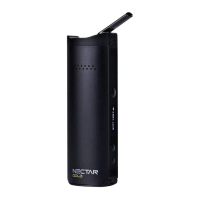

 To Next Page