Need help?
Do you have a question about the Nectar Platinum and is the answer not in the manual?
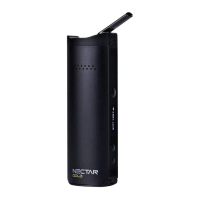
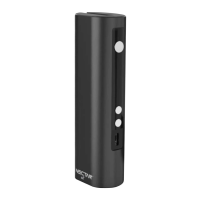
Device dimensions and physical size.
The external finish and color of the device.
Types of materials the device is designed to vaporize.
Operating temperature limits for vaporization.
The total weight of the vaporizing device.
The power storage capacity of the device's battery.
Components and materials used in the device construction.
The granularity of temperature adjustment available.
Instructions for initial charging, battery care, and identifying charge status.
Procedure for sterilizing the device before first use and after cleaning.
How to properly fill the vaporization chamber with ground herbs for optimal results.
Steps to power on the device and initiate the heating process.
Instructions on adjusting the vaporization temperature using device controls.
Guidance on inhaling vapor after reaching temperature for optimal experience.
Recommendations for finding the ideal vaporization temperature for personal preference.
Information on the automatic shut-off timer and its purpose.
How to switch between 5-minute and 10-minute automatic shut-off timer settings.
How to switch between Celsius and Fahrenheit temperature display units.
Explanation of the information displayed on the device screen.
Instructions on inserting the wax pad into the device chamber for concentrate vaporization.
Guidance on how much extract to apply to the wax pad for optimal vaporization.
Recommended temperature settings and inhalation technique for vaporizing concentrates.
Steps to safely prepare the device for cleaning, including cooling and disassembly.
Method for cleaning the mouthpiece using isopropyl alcohol and pipe cleaners.
Procedure for cleaning the heating chamber with isopropyl alcohol and cotton swabs.
Step-by-step guide to disassembling the cooling unit for thorough cleaning.
First method for cleaning filters using alcohol pads for residue removal.
Second method for cleaning filters by soaking parts in isopropyl alcohol.
Preparation steps for sterilizing the device, including charging and drying parts.
Instructions for setting the device to its maximum temperature for sterilization.
The process of sterilizing the device by heating it for a set duration.
Precautions regarding the use of liquids, extracts, and cleaning agents with the device.
Explanation of common error messages and troubleshooting steps for battery issues.
Important warnings about using the correct charger specification to prevent damage.
Information on legal restrictions, legality of use, and minimum age requirements.
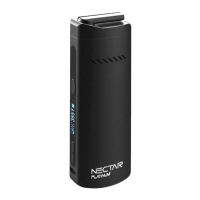
The Nectar Platinum is a smart vaporizer designed for dry herbs and extracts, focusing on providing the benefits of cannabinoids while minimizing the intake of toxins and carcinogens. The device aims for 100% customer satisfaction and offers various support channels for queries.
The Nectar Platinum is a dry herb smart vaporizer that allows users to vaporize both dry herbs and extracts. It features a ceramic chamber and a Zirconia mouthpiece for optimal performance. The device is designed to heat materials evenly, ensuring efficient extraction of cannabinoids. It includes a rechargeable battery and a charging port for convenience.
Getting Started: Before first use, it is recommended to charge the Nectar Platinum for 1 hour. The OLED screen will display a blinking battery charging gauge, which will become solid when fully charged. Overcharging should be avoided to protect and extend battery life. The device charges in approximately 2 hours.
Vaping Dry Herbs:
Vaping Extracts:
Timer Function: The device features an automatic 5-minute shut-off timer to conserve battery and prevent overheating. A vibration will alert the user when the device turns off. The timer setting can be toggled between 5 and 10 minutes by holding the 'power' and 'up' buttons together for 2 seconds.
Temperature Unit Toggle: The temperature unit can be switched between Celsius and Fahrenheit by holding the 'power' and 'down' buttons simultaneously for 2 seconds.
Post-Use Storage: After use, allow the device to cool down completely before storing it in a dry and cool place, away from weather effects and out of reach of children, to prevent damage to the battery.
Cleaning: Regular cleaning is crucial for optimal performance and longevity.
Light Clean (Every 5 Sessions):
Deep Clean (Every 20 Sessions):
Warranty and Support: The Nectar Platinum comes with a 2-year warranty. Users can register their device on the Nectar Medical Vapes website to activate the warranty. Customer support is available via WhatsApp, email, and telephone, with varying average response times. YouTube support videos are also available for cleaning, changing filters, and general usage. A Nectar Club Subscription offers benefits like annual device refurbishment, lifetime insurance, product worth, free upgrades, and discounts.
 General
| Compatibility | Dry Herb |
|---|---|
| Battery Capacity | 2600 mAh |
| Heating Element | Ceramic |
| Charging Time | 3 hours |
| Material | Ceramic |
| Temperature Range | 320°F - 428°F (160°C - 220°C) |

 To Next Page