Operating Guide: Toggles & Indicators
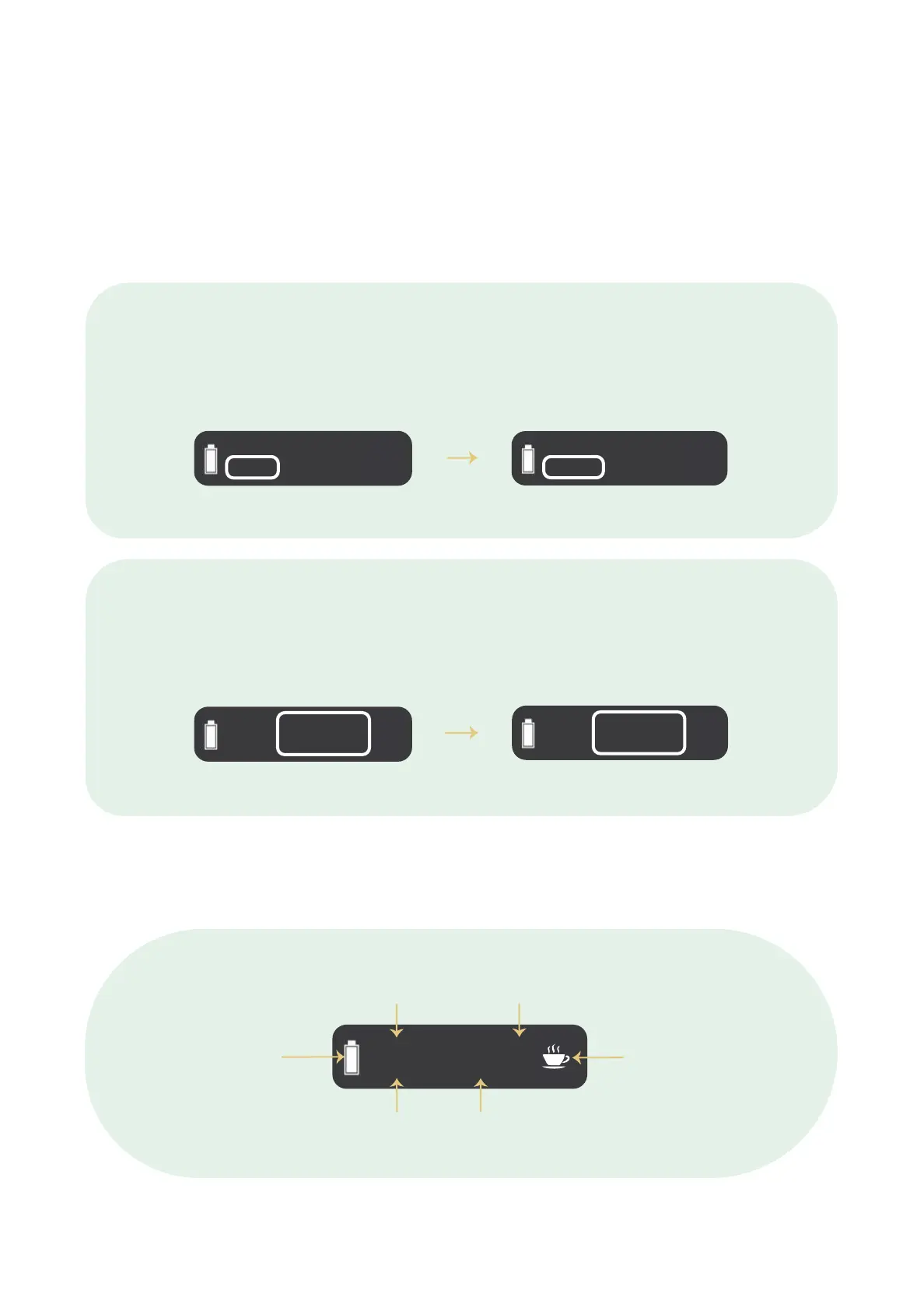
To toggle the timer setting between the 5 minutes and 10 minute settings, hold
the ‘power’ button and ‘up’ button together for 2 seconds.
Timer
Real Temperature
Desired Temperature
Battery Power
Temperature Unit
Heating Indicator
To toggle the temperature setting between Celsius and Fahrenheit, hold the
‘power’ button and ‘down’ button at the same time for 2 seconds
180°C
5 : 00
356°F
356°F
5 : 00
180°C
180°C
10 : 00
180°C
180°C
5 : 00
240°C
187°C
5 : 00
180°C
180°C
8


 To Next Page