4 5 6 7 8
Operating Guide: Toggles & Flip Screen
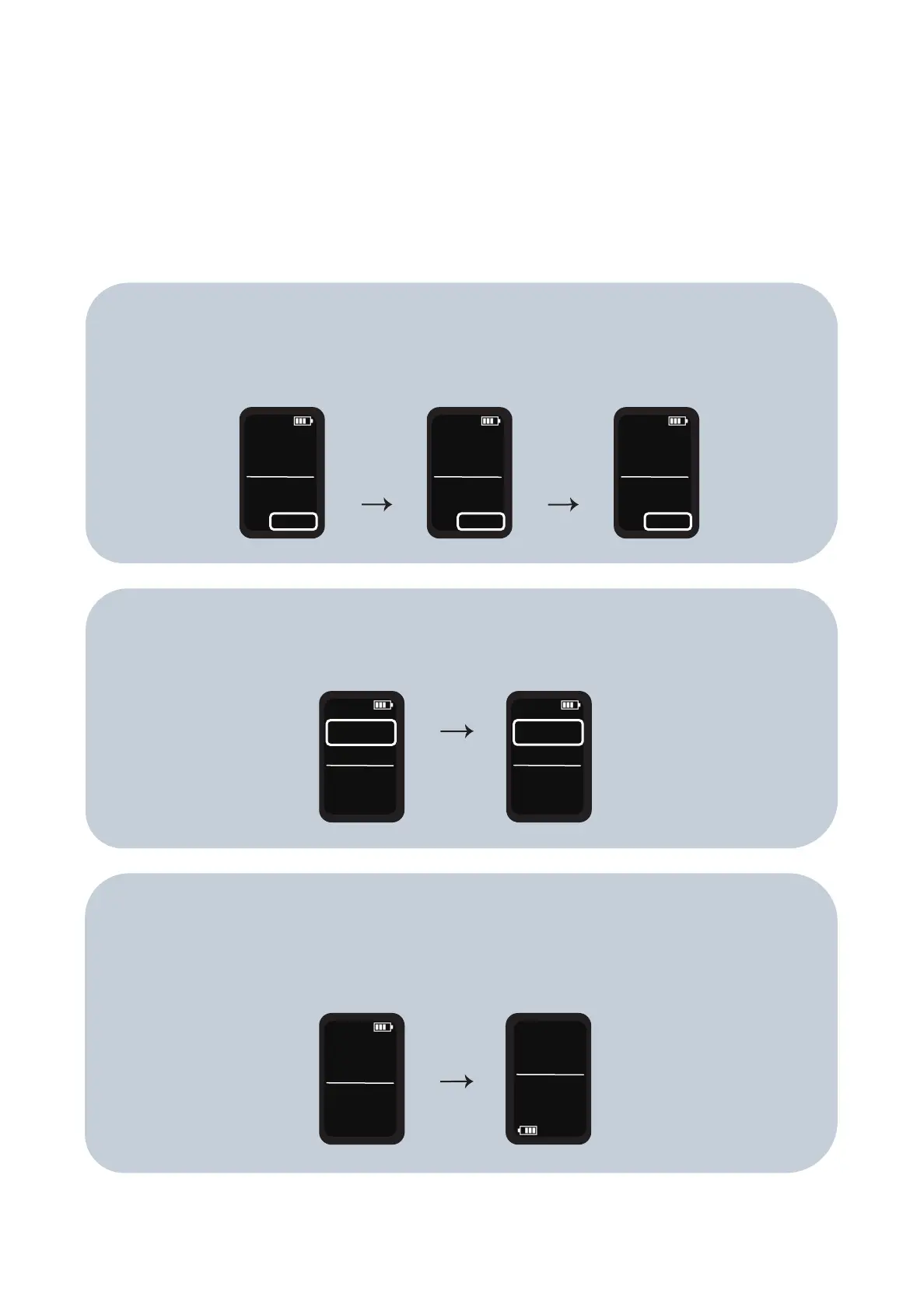
To toggle the session timer between the 3, 6 and 9 minutes options, hold the
‘power’ button and ‘up’ button together for 3 seconds. Then press ‘up’ or ’down’
to toggle the different options.
To toggle the temperature setting between Celsius and Fahrenheit, hold the
‘power’ button and ‘down’ button at the same time for 2 seconds
TEMP
140°C
SET
220°C
TIME
2m56s
SET
3:00m
TEMP
140°C
SET
220°C
TIME
5m56s
SET
6:00m
TEMP
140°C
SET
220°C
TIME
8m56s
SET
9:00m
TEMP
140°C
SET
220°C
TIME
2m56s
SET
3:00m
TEMP
284°F
SET
428°F
TIME
2m56s
SET
3:00m
TEMP
140°C
SET
220°C
TIME
2m56s
SET
3:00m
TEMP
140°C
SET
220°C
TIME
2m56s
SET
3:00m
To flip the screen, hold the power button for 5 seconds. The screen flip is
designed to enable users to observe the screen whilst using the device, in other
words for anyone who wants to time their tokes and regulate their intake.


 To Next Page