28
press the
3
buon several mes
unl the ashing stops. To change the
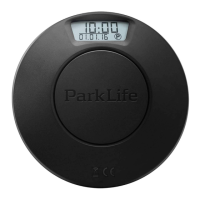
sengs for the PARK LITE, the pro-
cess can be repeated by pressing and
holding the
2
buon unl “Hours”
-digits starts to ash.
It is recommended that the clock set-
ngs are checked regularly, especially
when switching between summer
and winter me.
C: Acvang/deacvang
summer/winterme
By default, the digital clock is set to
switch automacally between sum-
mer me and winter me. For coun-
tries without daylight-saving me, the
funcon can be deacvated as follows:
1. To acvate sengs mode,
press buons
2
and
3
at
the same me unl “Hours”


 To Next Page