Page 6 of 12
Quick guide to the OsCar
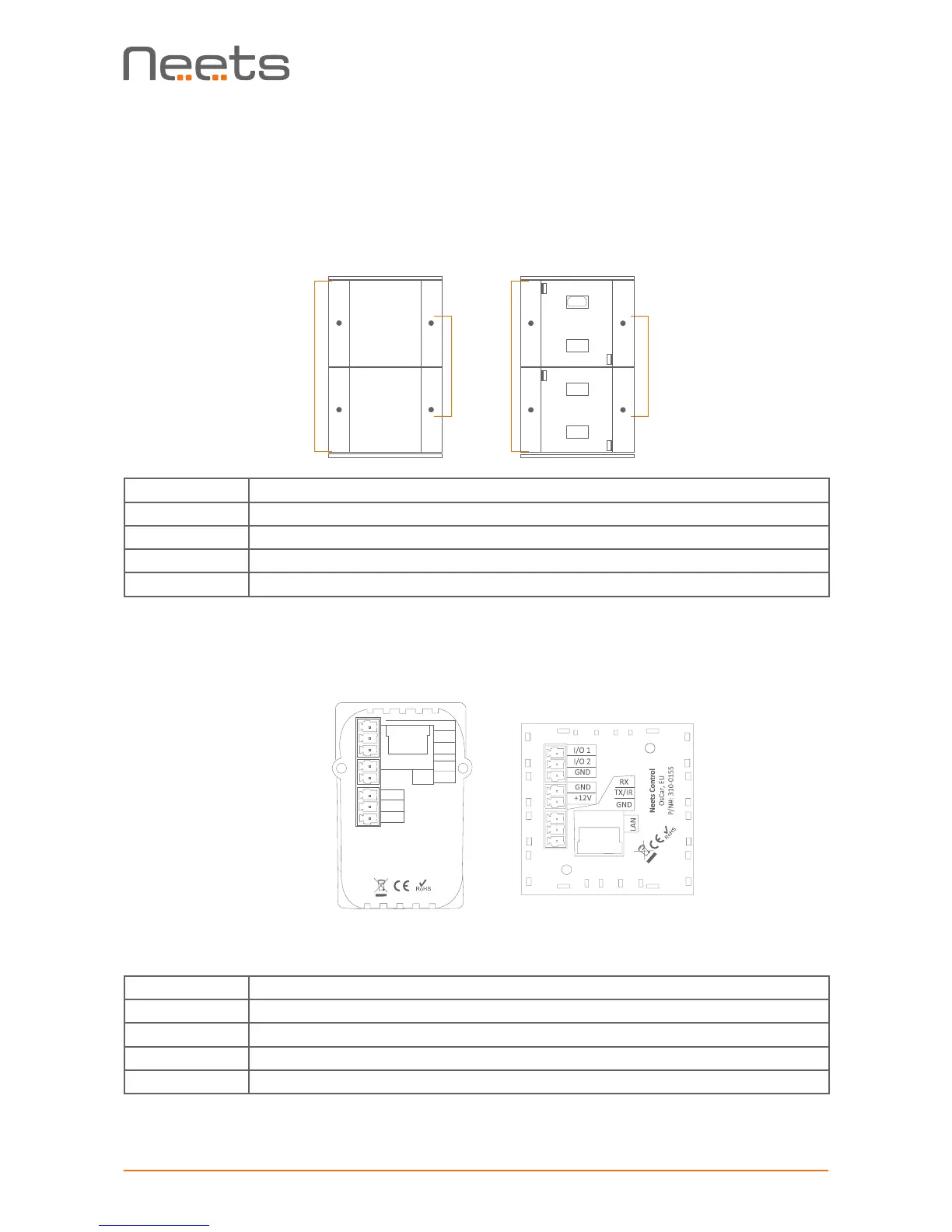
Buttons, indicators and connectors are available on the front and rear panels.
These are shown below:
Front:
Number: Description
1 Push buttons for controlling the AV setup
2 Red LED lights for indication of AV setup status
3 Front cover with label for button description
4 Mini USB for programming (behind front cover)
Rear:
Number: Description
1 External 12V DC input
2 RS-232 or IR control out
3 Input/Output
4 LAN connector
1
MUTE OFF
PC1 PC 2
3
2 1 2
DK version EU version
3
4
2
1
With front cover Without front cover
2
3
1
4
Neets Control
OsCar, DK
P/N#: 310-0255
GND
GND
I/O 2
I/O 1
GND
+12V
RX
LAN
TX/IR
4



 To Next Page