Page 8 of 12
EU version
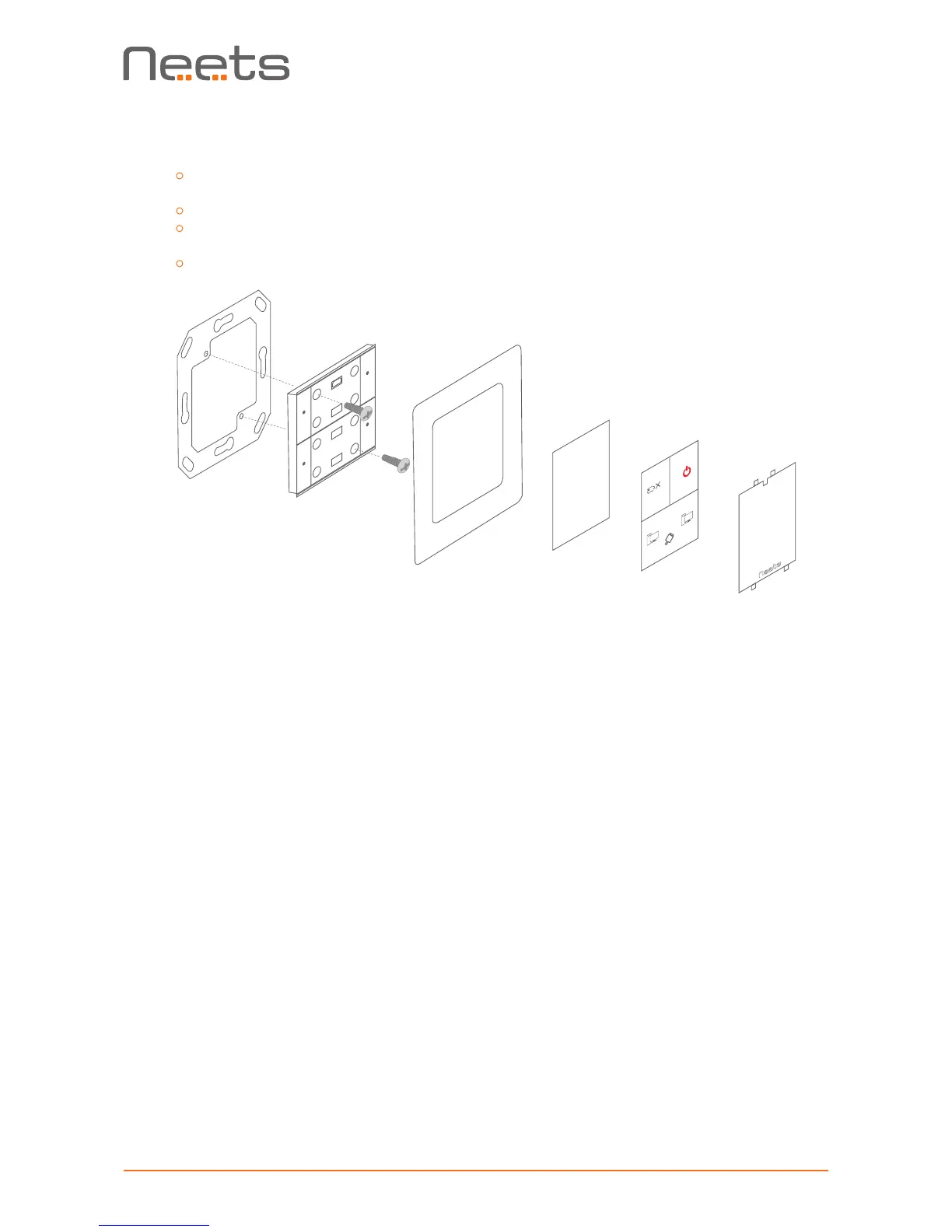
Insert a athead screwdriver gently and pry out the front cover. Remove the
front cover and the paper label behind it.
Insert the control system in a frame matching the back box used.
Insert screws matching the back box or bracket into the two holes. Secure the
control system to the back box or bracket without overtightening the screws.
Remount the paper label, insert a printed transparent label showing the button func-
tions, and mount the front cover. Note that the front cover mounts in only one direction.
4. Connect and apply power to the control system.
5. Congure the control system using the Neets Project Designer.
PC 1
PC 2
BLANK
Paper label
Transparent label
Front cover



 To Next Page