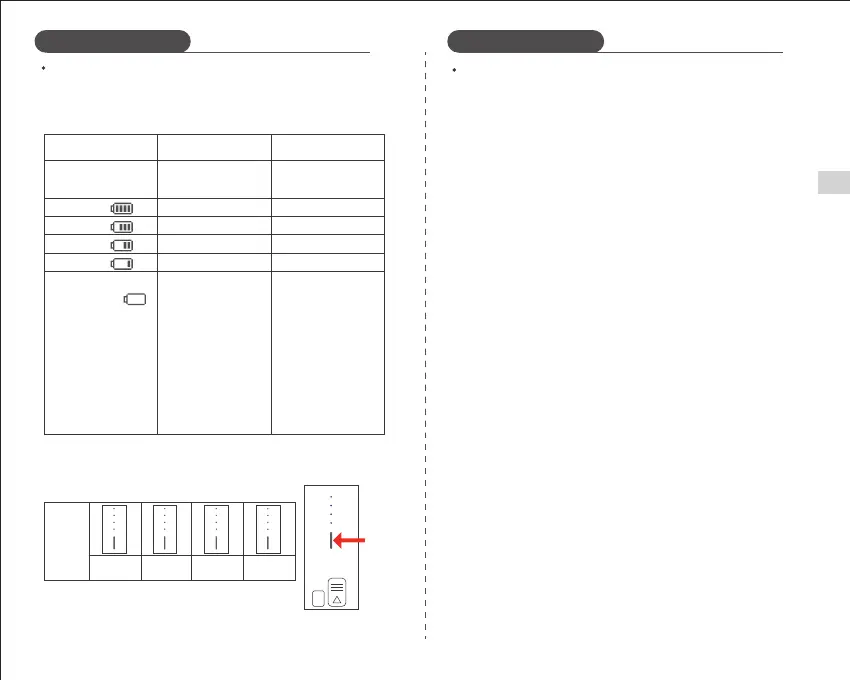
Battery Power Indication
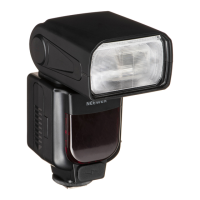
After correctly installing the battery to power the flash, the on-screen
battery icon displays the remaining power which you can check in an
instant.
Note: The indicator bars are purely indicative and should be used as a guide
of battery power remaining.
Battery Power Icon
On LCD display
(Power indication and
management for the
entire flash system.)
(Battery level
management when
battery not discharging)
LED Indicators on
the Battery
LED
Indicators
on the
Battery
Equivalent Power
Percentage
Using Battery power
1. Avoid short-circuiting the positive and negative terminals.
2. The battery is not waterproof and should not be exposed to high levels
of humidity or immersed in water.
3. Keep out of the reach of children.
4. Do not charge the battery for more than 24 hours. Only a compatible,
original charger should be used. Store in a cool dry place.
5. Do not leave the battery unused long periods of time (more than 6 months).
Recharging a battery that has been left unused for too long is a safety hazard.
Do not charge the battery when the voltage of the battery cell is below 9V.
6. Do not place the battery near or in a fire.
7. Dispose of the battery in accordance with local regulations after use.
8. When not in use for a long period of time, please charge to approximately
60% before storing away.
9. When not in use for a long period of time, store the battery in good
condition and leave it half-charged.
10. The battery must not be used while it is being charged.
11. The battery is equipped with an over-temperature protection function. If
the internal temperature of the battery reaches 131°F/55℃, this function will
activate automatically. The battery will need to cool down before normal
operation is resumed.
Battery Precautions
05
4 Bars 4 Blue Lights On
4 Blue
Lights On
3 Blue
Lights On
2 Blue
Lights On
1 Blue
Lights On
3 Blue Lights On
2 Blue Lights On
1 Blue Lights On
75% ~ 100%
50% ~ 75%
25% ~ 50%
3% ~ 25%
2% - Flashing Blue Light
1% - No indicators lit
The flash will cease to
work when the power
is <2%. You will have a
one minute advance
warning before the
device shuts down after
3 minutes.
Note: Please charge as
soon as possible (within
10 days) before using
or storing the light away.
3 Bars
2 Bars
1 Bars
Low remaining
power alert
Battery
Level
Button
EN
Using Battery power


 To Next Page