13
Electronic clock
Your appliance has various clock functions.
In this section, the following are explained:
■ The clock display
■ How to set the timer
■ How to switch off your appliance automatically (cooking time
and end of operation)
■ How to switch your appliance on and off automatically
(preselection mode)
■ How to set or change the clock.
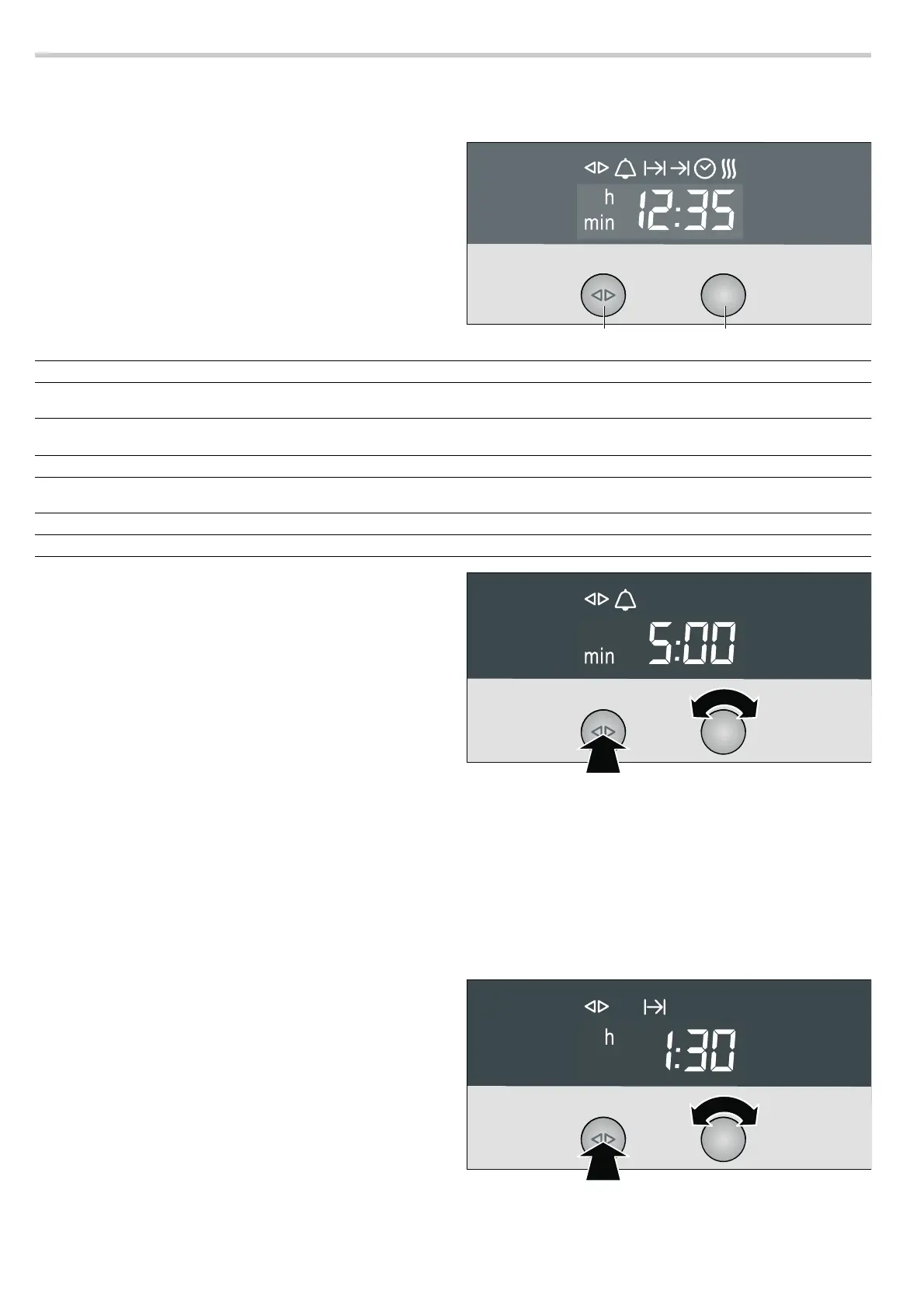
Clock display
Notes
■ Between the times ƒƒ:‹‹ and †:†Š the clock display is
dimmed if you do not make any settings in that period or no
clock function is activated.
■ When using the minute minder Q, cooking time x, end
time
y and preselection mode clock functions, a signal
sounds and the corresponding symbol flashes when the set
time has expired. To stop the audible signal early, press the
clock function button.
■ You can check your settings at any time. Press the clock
function button repeatedly until the corresponding symbol
lights up.
■ If you wish to cancel a setting, turn the set time back to ‹:‹‹
and switch the appliance off.
■ The setting can be corrected using the rotary selector if
necessary.
Switching the clock display on and off
Turn the operating mode selector back to the
Û position and
push it in.
1. Press and hold the clock function button à for a few
seconds.
The clock display is switched off. If a clock function is active,
the associated symbol remains illuminated.
2. Press and hold the clock function button à for a few
seconds.
The clock display switches on.
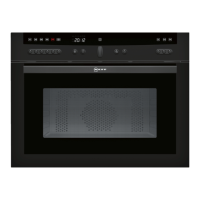
Minute minder
1. Press the clock function button à repeatedly until the KJ
and
Q symbols light up.
2. Use the rotary selector to set the cooking time (e.g. †:‹‹
minutes).
The setting is applied automatically. Afterwards, the clock is
displayed again and the timer counts down.
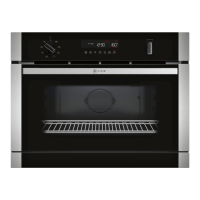
Cooking time
Automatic switch off after a certain period of time.
1. Set the operating mode and temperature.
2. Press the clock function button à repeatedly until the KJ
and
x symbols light up.
3. Set the cooking time using the rotary selector
(e.g.
‚:„‹ hours).
4. Press the ƒ button.
The appliance heats up.
5. Turn operating mode selector to Ûposition and press in.
Once operation time has elapsed, the appliance switches off
automatically.
&ORFNIXQFWLRQEXWWRQ 5RWDU\VHOHFWRU
Clock function Use
Q
Timer You can use the minute minder as an egg timer or a kitchen timer. The appliance does
not switch on or off automatically
x
Cooking time The appliances switches off automatically after a cooking time setting has elapsed
(e.g. ‚:„‹ hours)
y
End of operation
The appliance switches off automatically at a set time (e.g.
‚ƒ:„‹ )
Preset operation The appliance switches on and off automatically. Cooking time and end of operation
have been combined.
3
Clock Setting the clock
f
Rapid heat up Shortens the heat up time


 To Next Page