27Chapter 7 . Camera and gallery
Camera and gallery
Use multiple features of your camera to capture your precious moments.
• Camera at a glance
• Take a photo
• Record a video
• Shooting modes
• Camera and video settings
• Gallery
7. 1 Camera at a glance
Launch your camera
• On the Home screen: Tap
Camera.
• On the Lock screen: Just swipe
up.
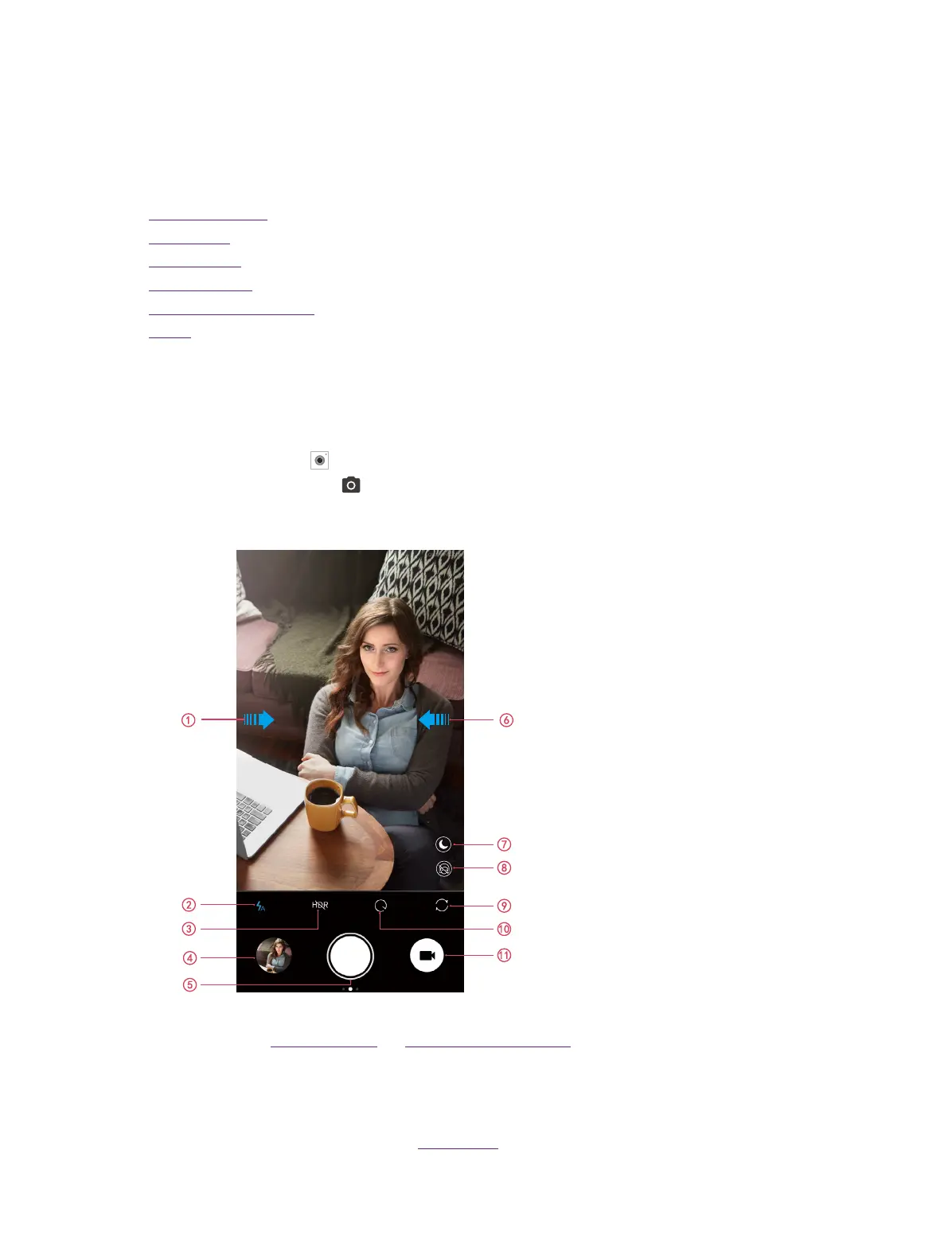
Camera home screen
1. Swipe right on the screen to change shooting modes or configure the camera settings. For more
information, see Shooting modes and Camera and video settings.
2. Flash mode.
3. HDR mode.
4. View images or videos you have taken.
5. Take a photo. For more information, see Take a photo.
7



 To Next Page