7
PC BOARDPC BOARD
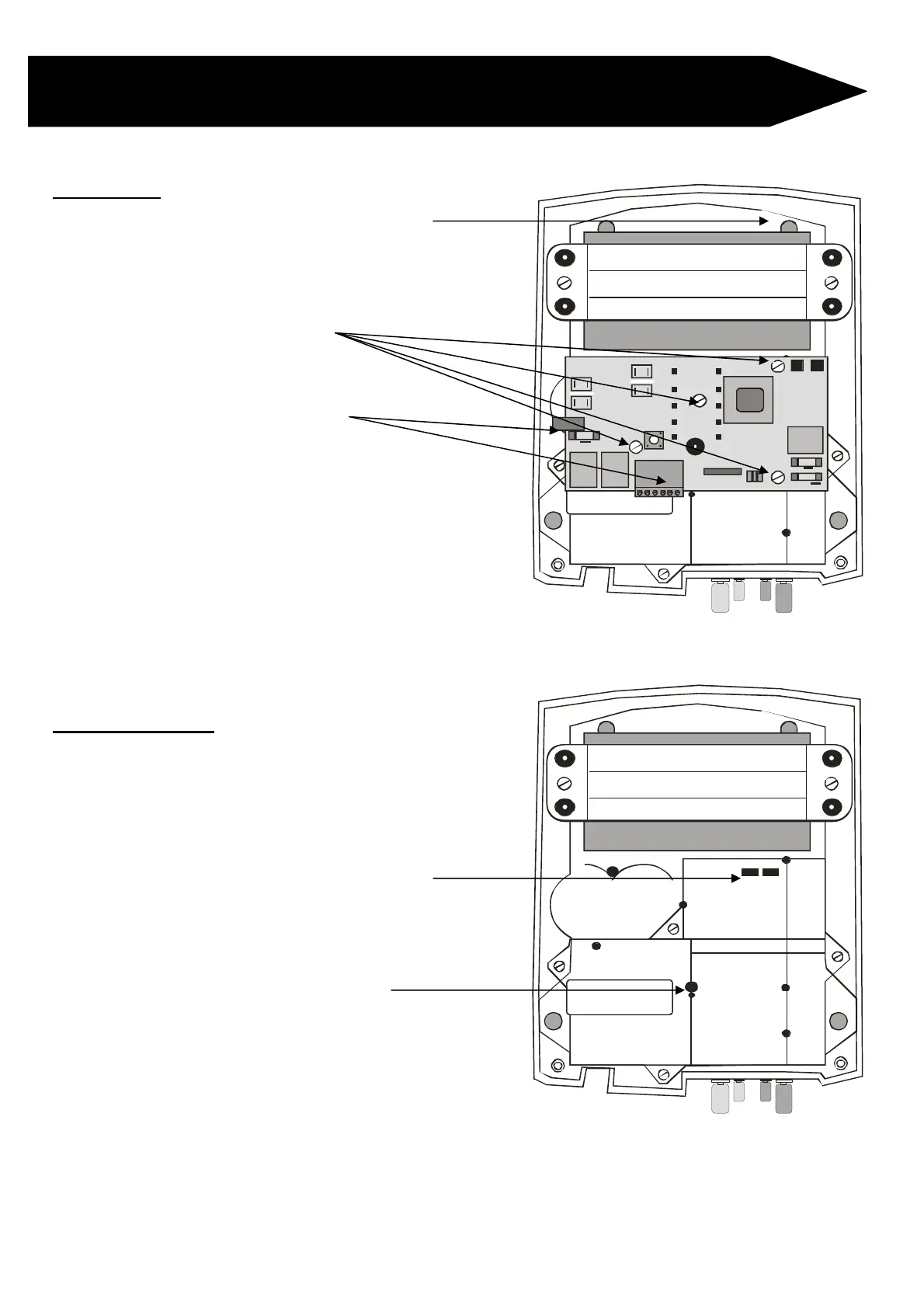
DRUID PC Board Replacement Procedures
STEP 1: Disconnect mains and battery
terminals if connected
STEP 3: Remove all connectors from
PC Board
STEP 4: Gently pull PC Board straight
up to remove (connections on the
back)
STEP 5: Gently push PC Board back
into place
Take care that the spade connectors
are correctly positioned before pushing
the PC Board into place.
Also ensure that the opto-coupler
(looks like LED) is correctly positioned
before pushing the PC Board into place
STEP 6: Reconnect all connectors to
PC Board
STEP 7: Reconnect battery terminals
12V 7AH Battery
12V 7AH Battery



 To Next Page