EasyManua.ls Logo

NEO Adventure - User Manual

NEO Adventure
23 pages
Print Icon
To Next Page IconTo Next Page
Loading...
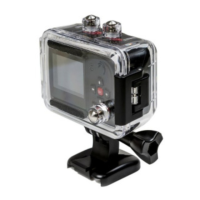
Neo Adventure Camera
Manual
Question and Answer IconNeed help?

Do you have a question about the NEO Adventure and is the answer not in the manual?

Summary

Camera Care and Handling

General Care and SD Card

Avoid physical damage, extreme temperatures, moisture, and use high-speed genuine SD cards.

Waterproof Case and Mounts Care

Waterproof Case Maintenance

Keep seal clean, rinse after salt water use, and avoid seal removal to prevent leaks.

Neo Adventure Camera Features (Part 1)

Physical and Basic Features

Mini size, weight, LCD, view angle, waterproofing, shockproofing, HD resolutions.

Neo Adventure Camera Features (Part 2)

Two-Way Remote Control

Basic Operations: Setup and Power

Initial Setup

Insert micro SD card and battery before turning on the camera.

Basic Operations: Video Recording

Starting Video Recording

Press the VIDEO button to start recording; red indicator flashes.

Basic Operations: Photos and Playback

Photo Settings

Video Settings

Video Settings (Continued)

Advanced Settings Configuration

Uploading Files and Firmware Update

Firmware Update Procedure

Update firmware using a micro SD card with the software copied to its root.

Battery and Remote Control Operations

Summary

Camera Care and Handling

General Care and SD Card

Avoid physical damage, extreme temperatures, moisture, and use high-speed genuine SD cards.

Waterproof Case and Mounts Care

Waterproof Case Maintenance

Keep seal clean, rinse after salt water use, and avoid seal removal to prevent leaks.

Neo Adventure Camera Features (Part 1)

Physical and Basic Features

Mini size, weight, LCD, view angle, waterproofing, shockproofing, HD resolutions.

Neo Adventure Camera Features (Part 2)

Two-Way Remote Control

Basic Operations: Setup and Power

Initial Setup

Insert micro SD card and battery before turning on the camera.

Basic Operations: Video Recording

Starting Video Recording

Press the VIDEO button to start recording; red indicator flashes.

Basic Operations: Photos and Playback

Photo Settings

Video Settings

Video Settings (Continued)

Advanced Settings Configuration

Uploading Files and Firmware Update

Firmware Update Procedure

Update firmware using a micro SD card with the software copied to its root.

Battery and Remote Control Operations

NEO Adventure Specifications

General IconGeneral
Screen Size2.0 inch
Image Resolution12MP
Battery Life90 minutes
Lens170° wide-angle
ConnectivityWi-Fi
Video Resolution4K