Need help?
Do you have a question about the NeoDen K1830 and is the answer not in the manual?
Details the physical dimensions and specifications of the machine.
Identifies key components, ports, and the layout of the machine's working area.
Provides critical warnings and illustrates the machine's startup, production, and shutdown process.
Outlines the procedural steps for creating a programming file for the machine.
Explains how to manage and edit PCB files, including import/export operations.
Details settings related to PCB feeding and orientation, including mag fixture.
Configures PCB ejection and forward position settings for accurate placement.
Covers editing for panelized PCBs, including origin and coordinate settings.
Explains PCB angle detection and manual adjustment for mounting accuracy.
Covers setting and managing coordinate data and PCB mark points for placement.
Covers displaying and managing component information and mounting order.
Describes the interface for assigning feeders, nozzles, and managing footprint libraries.
Details how to set up feeders, including IC tray feeder information and basic feeder information.
Records which type of nozzle is installed on each nozzle head.
Describes the interface used for the mounting process after file selection.
Covers global parameter settings, administrator login, and password changes.
Interface for setting pick offset and testing feeding for each feeder.
Sets up component positions relative to cameras and machine parts.
Covers fiducial and IC camera relative position calibration for nozzles.
Configures various positions and initializes linear encoders.
Sets nozzle zero height and reviews basic machine configuration parameters.
Provides an interface to test individual functions of machine parts.
Covers initial testing procedures, including dry runs and production tests.
Lists inspection items for components, including specification, direction, and polarity.
Provides notes and guidance for starting continuous SMT production.
Introduces the structure of the feeder with labeled parts.
Details the procedure for installing tape and reel components into the feeder.
Illustrates common mistakes during feeder installation.
Describes the size and types of nozzles available for component placement.
Focuses on daily maintenance, operator training, and troubleshooting common problems.
Lists items for daily and monthly inspections of machine components and systems.
Discusses the importance of solder paste printing quality, defects, and solutions.
 General
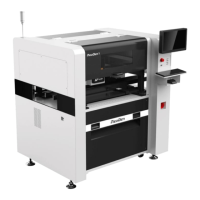
| Machine Type | Pick and Place Machine |
|---|---|
| Placement Head Quantity | 8 |
| Placement Speed | 16000 CPH |
| Min PCB Size | 50 mm x 50 mm |
| Component Range | 0201 |
| Vision System | Upward and downward looking cameras |
| Power Supply | AC 220V, 50/60Hz |
| Air Pressure | 0.5 MPa |

 To Next Page