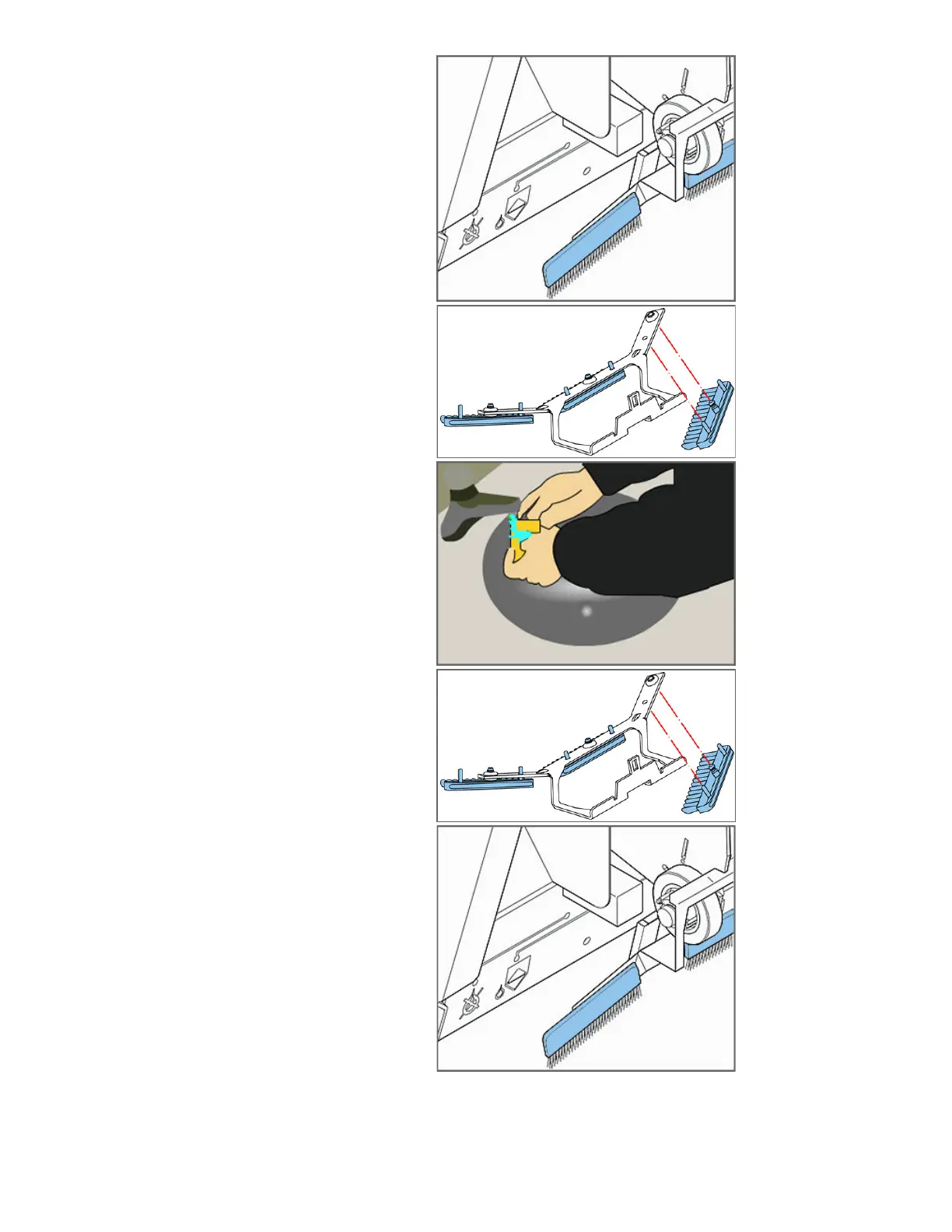
Step 3 - Remove The Moistening Brush Unit
•
Carefully, remove the moistening brush unit.
Step 4 - Remove The Moistening Brushes
•
Carefully, remove the moistening brushes one by one by
pulling them down from the brush holder.
Step 5 - Wash The Moistening Brushes
•
Wash the moistening brushes under warm tap water.
Step 6 - Reinstall Or Replace The Moistening Brushes
•
Re-install or replace the moistening brushes onto the
brush holder.
• Ensure the studs on the brushes are fitted into the
corresponding holes on the brush holder.
Step 7 - Reinstall The Moistening Brush Unit
•
Re-install the moistening brush unit.
2 of 2
S
tep 8 - Close The Machine
• Close the
machine and test it for proper operation.



 To Next Page