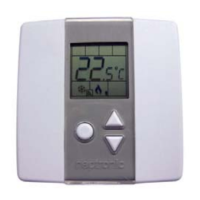
Networkable VAV Controller
Specification and Installation Instructions
www.neptronic.com EVCB Standard Page | 15
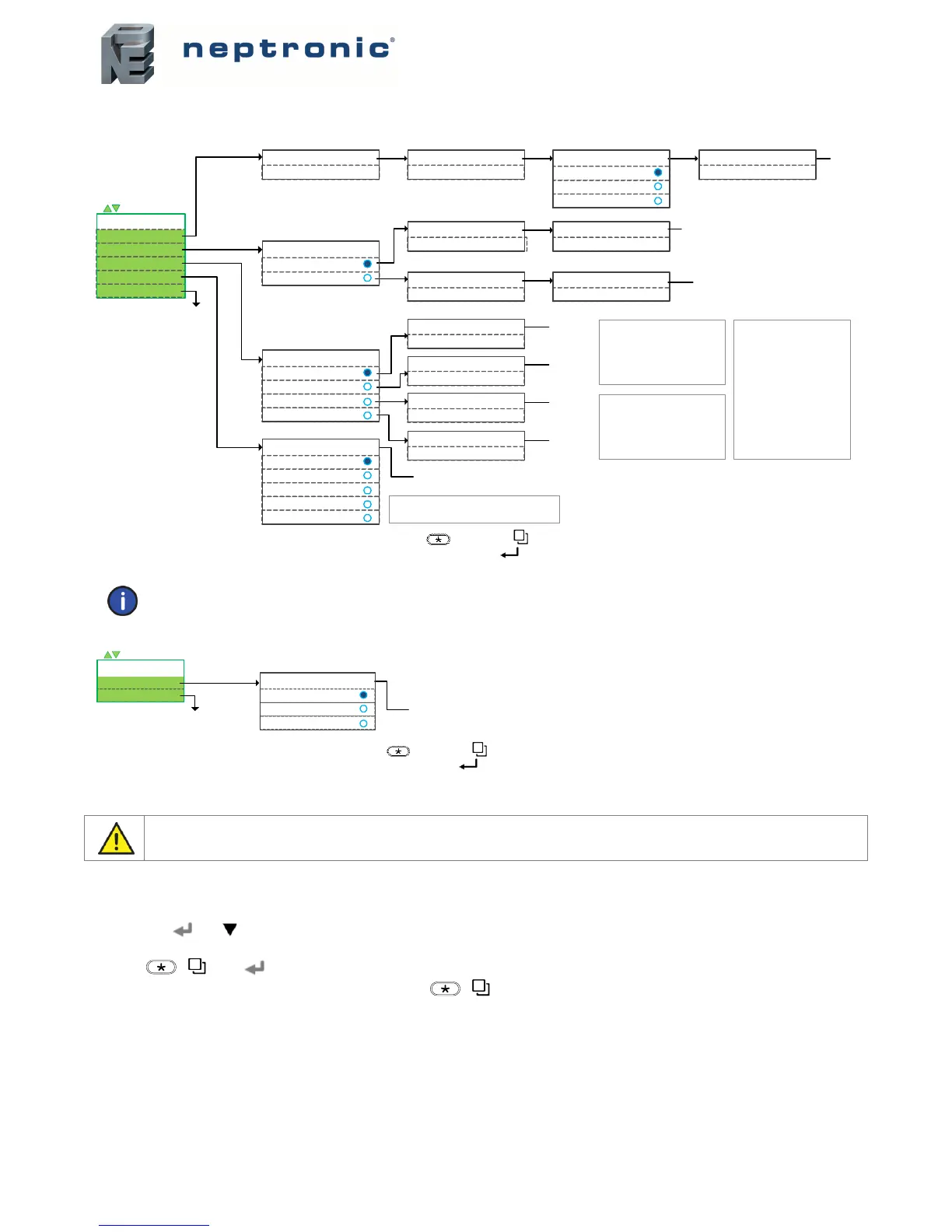
Menu 757 – Airflow Balance Mode
Pressure Independent: models EVCB14NIT0S, EVCB14NIT2S, and EVCB14NIT4S
Note: Refer to EVCB-Airflow Balance Instructions
on Neptronic website for further information on airflow balancing function.
Pressure dependent model EVCB14NDT4S or other models if in pressure dependent mode
Reset to Factory Default Settings
This will erase all actual configurations and replace them with the factory default settings.
1. The Mode Selector jumper (JP1) of the thermostat must be set to the “RUN” position (Operation Mode). Refer to Wiring on
page 6.
2. During the power up sequence of the controller and thermostat (when the firmware versions are displayed), press and hold
both the and buttons.
3. The “Enter Password” screen appears. Enter 372 within 1 minute by using the arrow keys to increase or decrease the value and
the [ /] and buttons to toggle between the digits.
4. Use the arrow buttons to select YES and then press [ /].
Air Flow Scale Select Airflow KFactor
1200
"SEtc"
Airflow Intgral time in Min
0min(0-60 min)
End (exit menu)
mot (motor)
bAL (balancing)
SEtc (settings)
VAV Config
COnf (configuration)
= scroll menu items
Pressur Filter Time In Sec
2sec(1-10 sec)
1
10
100
Maximum Cooling Airflow
1000(MincoolairflowtoKfactor)
Airflow Setting
COOl
HEAt
Minimum Cooling Airflow
200(0tomaxcoolairflow)
Maximum Heating Airflow
1000(MinheatairflowtoKfactor)
Minimum Heating Airflow
200(0to m a x h eat air f l o w)
Go to "bAL"
Airflow Balance
CLOs (close)
Min (minimum flow)
mA (maximum flow)
OPEn (fully opened)
Close Motor
130 (see note)
Minimum Airflow
133 (same as Close Motor)
Maximum Airflow
135 (see note)
Open Motor
135 (same as Maximum Airflow)
Motor Overide
Auto (automatic)
OPEn (open)
CLOs (close)
FLOl (airflow low)
FLOh (airflow high)
Exit menu and return
to normal operation
Rangedependsonairflowscale
frompreviousstep:
(1)=100 ‐9995
(10)=10.0‐999.5
(100)=1.0‐99.9
Adjuststheoffsetoftheairflow
reading.Offsetrangedependson
selectedairflowscaleinConfmenu.
(1)=+/‐500
(10)=+/‐50.0
(100)= +/‐5.00
Displaystheairflowbasedonthe
Kfactor.Rangedependsonairflow
scaleinConfmenu:.
(1)=100‐ 9995
(10)=10.0‐ 999.5
(100)=1.00‐99.95
AV.100 AV.106
MSV.41
AV.101
AV.103 AV.102
AV.105 AV.104
MSV.47
MSV.37
AV.114
AV.114
AV.112
AV.112
"HEAt"
Returns to
run mode
Flowvaluedependsontheactualmodeofthesystem :
Heating=heatingairflow
Cooling =coolingairflow
Go to "mot"
Go to "mot"
Go to "mot"
Go to "mot"
Whenbalancing ,useonlytwoof
thefourmodesavailable ;either:
CloseMotorandOpenMotor
or
MinimumAirflowandMaximum
Airflow (moreprecise)
*** To save any changes, press on TRL and on TDU ***
*** To the previous step without saving, press on TRL and TDU ***
End (exit menu)
mot
§
(motor)
VAV Config
= scroll menu items
Exit menu and return
to normal operation
Motor Overide
Auto (automatic)
OPEn (open)
CLOs (close)
Returns to
run mode
§
= mot (Motor
position) is not
functional on motor
less models such as
EVCB14NDT2. Ignore
the option.
*** To save any changes, press on TRL and on TDU ***
*** To the previous step without saving, press on TRL and TDU ***


 To Next Page
 Loading...