Saturn B/M Enhanced Functions – Chapter 3. Optional3.6
General
A Saturn B/M terminal may be programmed to allow connection of
Credit Card Telephone(s) to selected port(s).
Setting
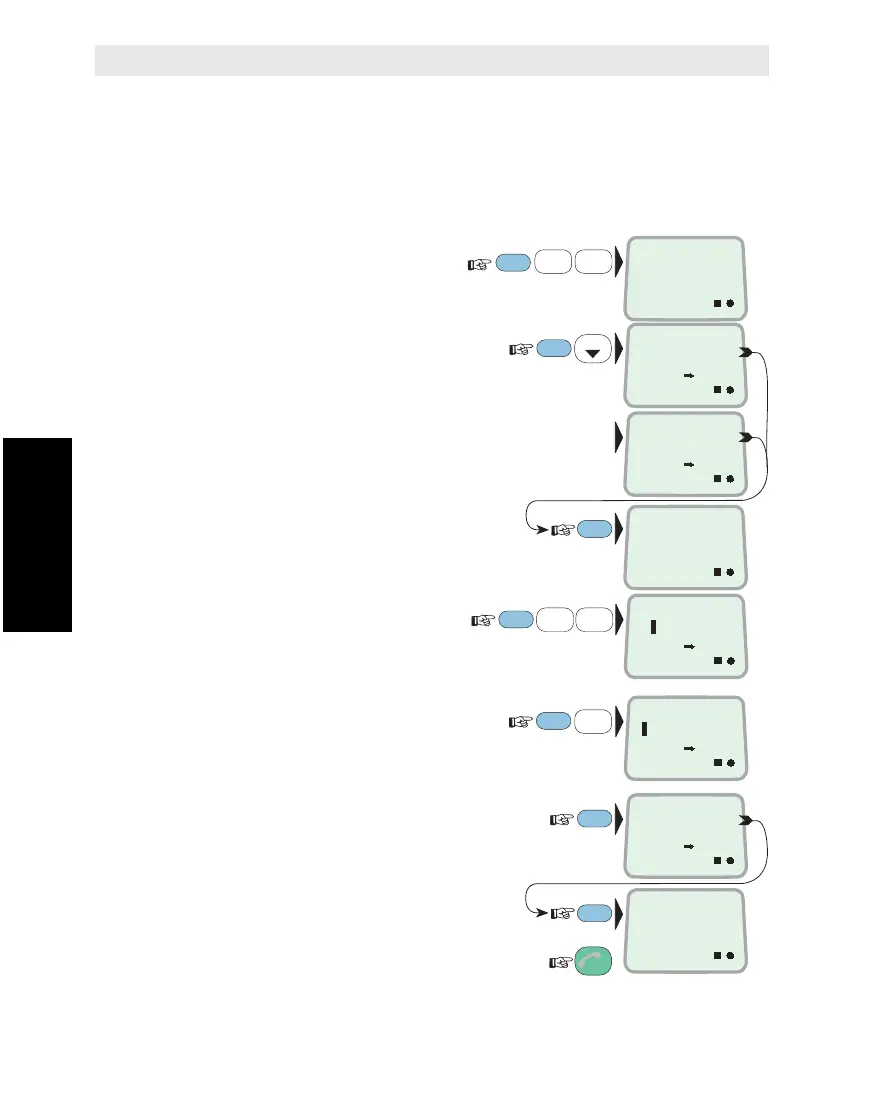
1 Select ENHANCED
SETUP function (89):
2 Scroll down to check which
ports are set for connection
of credit card phone:
If no ports are set:
Current operation status (SETUP
operation requires OWNER level):
If PASSWORD PROTECTED, refer
to "Renter/Owner Level".
3 Select TEL.3 and TEL.5 ports:
1-5=TEL.1 - 5
(Use DEL to deselect ports)
4 Key in "Setup Operation"
access level, e.g. 4:
2=OPERATOR, 3=RENTER, 4=OWNER
5 Verify settings:
and revert to IDLE:
Cryptophone STU III
Credit Card Phone
FUNC
ON
MORE/
HELP
9
LIGHT
YZÆ
8
VWX
TAX
LIST
3
GHI
5
MNO
4
JKL
ENHANCED
SETUP
89
ON
CREDIT CARD
PORTS: 24
ON
CREDIT CARD
PASSIVE
ON
OPER .
– –
ON
WHICH PORTS
35
ENTER
ENTER
ON
CREDIT CARD
PORTS: 35
ENTER
ON
OWN.
– –
ESC
3x
MORE/
HELP
ENTER
ON
SETUP OPE.
4
Credit Card Phone



 To Next Page