EasyManua.ls Logo

Nera Saturn B - Page 39

Default Icon
42 pages
Print Icon
To Next Page IconTo Next Page
To Previous Page IconTo Previous Page
Loading...
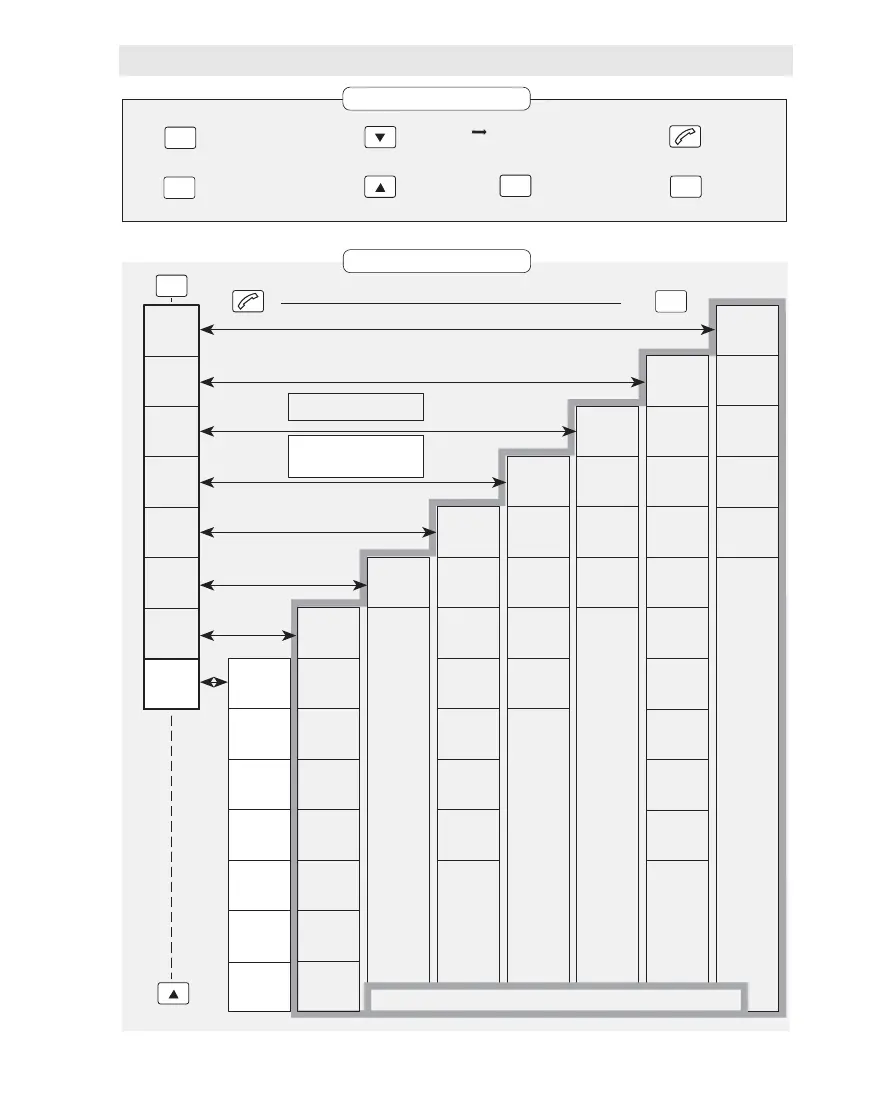
Saturn B/M Enhanced Functions – Appendix
Number lists
and user lev.
1–
Region and
antenna ctrl
2–
Alarms and
messages
3–
System
information
4–
Terminal
config
5–
Bulletin
board data
6–
Installation
commands
7–
Enhanced
functions
8–
Operator level
MES Id
(4)0
MCU program
version
(4)1
ACU type
ACU/PCU ver
(4)2
DSP
version
(4)3
Boot PROM /
handset ver.
(4)4
Charge tone
setup
(8)0 ★★
Traffic log
(8)1 ★★
Traffic log
setup
(8)2 ★★
Precharge
(8)3 ★★
Access codes
(8)4 ★★
Enhanced
setup
(8)9
Active
alarms
(3)0
Info
log
(3)1
Clear
cause log
(3)2
Terminal
status
(3)3
Menus:
Explanation of keys:
Reverts to
previous
position
Deletes
entry
Scrolls
down/
up
through
choices
Displays
additional
information
Arrow in the display
indicates that more
information is available:
Moves to the next
choice, or enters
the selected one
Selects FUNCTIONs,
and displays HELP
page if any
Current
ocean region
(2)0
Geographic
position
(2)1
Nav area
(2)2
IMO SAR
area
(2)3
WMO area
(2)4
ICAO SAR
area
(2)5
Search for
satellite
(2)6
Ant.abs.
pointing
(2)7
Ant.rel.
pointing
(2)8
Read/set
compass
(2)9
Default LES
(5)0
Contrast
adjust
(5)1
Ring volume
adjust
(5)2
Date and
time
(5)3
Stand-alone
LES
(5)4
Distress
LES
(5)5
Distress
test
(5)6
LES
capabilities
(6)0
Configure
ports
(7)0
Incoming
call route
(7)1
Commission
status
(7)2
Antenna
config.
(7)3
Compass
type
(7)4
Calibrate
fluxgate
(7)5
Various
config
(7)7
Short number
list
(1)0
Last number
list
(1)1
Set user
level
(1)2
Set
password
(1)3
Group id
numbers
(1)4
Operator, owner or renter
level; determined by
Enhanced Setup
Functions according to type of Saturn terminal
ENTER
ENTER
LIST
LIST
LIST
MORE/
HELP
DEL
ESC
FUNC
FUNC
ESC
APPENDIX – Overview of Functions