Page
4 Installation and Configuration Manual
Basics of Networking
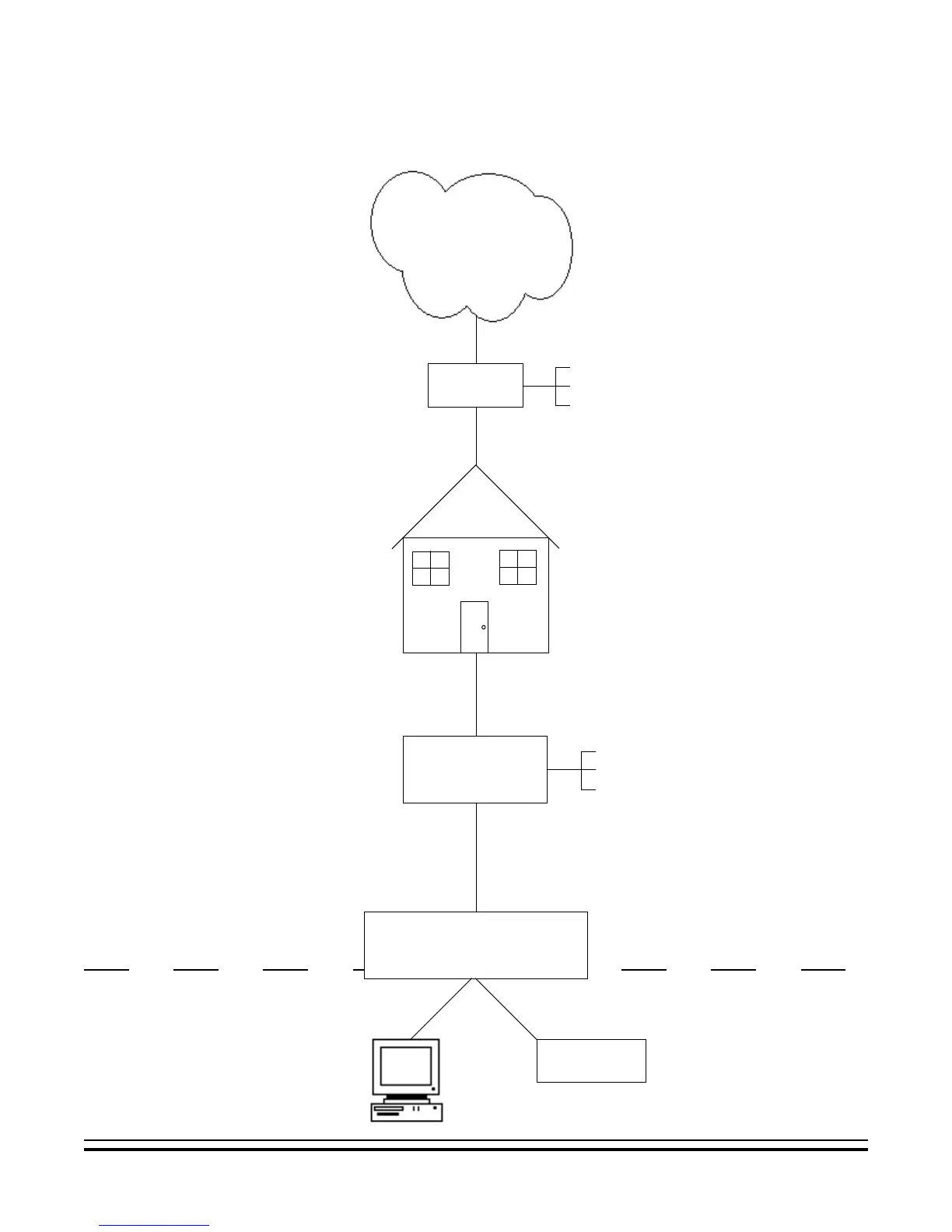
WAN
LAN
The installer must have a basic understanding of Ethernet setup to install and configure the IP232. If you do not
have this basic knowledge, please seek the assistance of a network professional.
The
Internet
ISP
Cable
DSL
Satellite
Location
High Speed
Modem
Cable Modem
DSL Modem
Satellite Modem
Router with Built-In
Dynamic DNS Support
IP232
PC
Technical support from Ness Security
Products, is limited to the
setup and connection of the
IP232 inside the local
network.
Connection to outside the local network
may require assistance from others,
including the Internet service provider
and the network administrator.
If using a DSL modem, the modem may
need to be bridged to allow the IP
address to be passed to the router.
Contact the manufacturer of the modem
for assistance.
Refer to the Notes on
Router Setup located
on page 8.
Local Area Network
Wide Area Network


 To Next Page