Page 5IP232 Installation and Configuration Manual
Installation and Hookup
1.Remove power from the IP232 and serial device before making any connections.
2.Connect the serial port cable from the IP232 to the serial device. Connect a network patch cable from the
IP232 to the LAN (local area network) switch or router.
3.Connect the power cable from the plug-in power supply. Plug the Power Supply into a power point. The
IP232 should power up and attempt to link up with the Ethernet network.
4. Run the Configuration Utility on any PC that is connected to the same network to set up the Bridge (See
Configuration and Setup next).
About USB to RS232 serial adapters:
Not all USB to RS232 serial adapters are created equally. Some work well, others do not. Even those that seem
to work may not support hardware handshaking if it is needed. Ness has tested some adapters and found
that some work well in some applications while others do not. For this reason, Ness can make no
guarantee that the IP232 will work with your USB to RS232 serial adapter. Ness stocks a USB to
RS232 serial adapter (part number 101-231) which has been tested and works with the IP232 in MOST
applications. For more information, visit our website http://www.ness.com.au
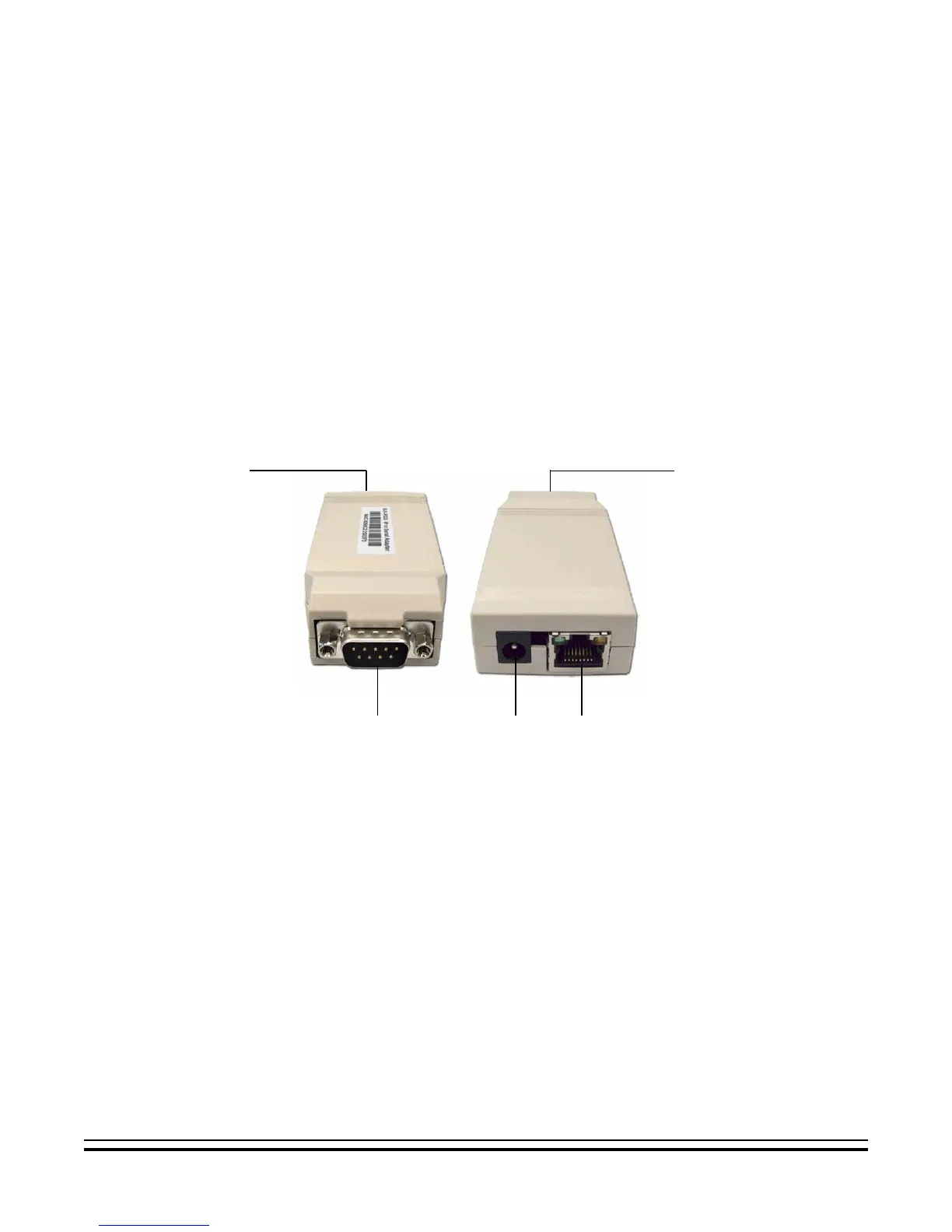
The following connections are required for the IP232 Bridge.
a. Connect the DB9M 9-pin male connector on the IP232 to any standard RS232 serial port (ie. personal
computer, Ness-M1 Control, audio/video distribution system) using the appropriate cable. For connection to a
PC, use a null-modem cable. For connection to most other devices, use a standard straight-through cable,
such as the W040A RS232 Ribbon Cable provided.
b.The 2.1mm barrel type connector is used to connect an Ness Plug-in Power Adapter (included). The
P232 operates from 12 Volts DC and draws approximately 135 mA. The center pin of the barrel connector
is positive.
Any required network equipment, i.e. Ethernet switch, router, cable modem, etc. including
the plug-in power supply for the IP232, must be backed up with an adequately sized UPS
(Uninterruptible Power Supply) in order for the equipment to continue operating during brief
power outages.
c.The RJ45 8-pin network jack is used to connect the IP232 Bridge to a LAN/WAN Ethernet network switch
or router. This requires a standard network 8-pin RJ45 terminated patch cable (not included).
!!
!!
!
a. b. c.
Serial Connector
Network & Power
Connectors


 To Next Page