EasyManua.ls Logo

Ness Guardpost - User Manual

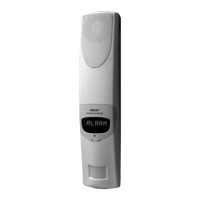
Ness Guardpost
12 pages
Print Icon
To Next Page IconTo Next Page
Loading...
Revision 1
Wireless Security System
Owner's Manual

Other manuals for Ness Guardpost

Questions and Answers

  • C
    Catherine JohnsonAug 16, 2025
    Why is my Ness Security System not reporting SMS messages?
    • P
      Perry RamirezAug 16, 2025
      If your Ness Security System is not reporting SMS messages, ensure the SIM card can send SMS messages by testing it in a mobile handset. Also, verify that PHONE 1 or PHONE 2 are programmed in the system settings.
  • M
    Michael ReyesAug 19, 2025
    What to do if ARM/DISARM or PROGRAM BY SMS is not working on my Ness Security System?
    • A
      Andrew OrtizAug 19, 2025
      If ARM/DISARM or PROGRAM by SMS is not working on your Ness Security System, try the following: * Check that the SIM card can receive SMS messages by testing it in a handset. * Ensure all messages on the SIM card are deleted. * Verify that PHONE 1 or PHONE 2 are programmed.
  • R
    Roberto AdamsAug 22, 2025
    What to do if my Ness Security System radio siren behaviour is not normal?
    • J
      Joseph EspinozaAug 22, 2025
      If your Ness Security System's radio siren behaviour is not normal, ensure that the Guardpost is programmed into the radio siren. Also, make sure no other device other than Guardpost is programmed into the radio siren. If necessary, erase all other devices and reprogram Guardpost into the radio siren.
  • P
    Patricia CookAug 26, 2025
    How to fix a DIALER MODULE FAULT on my Ness Security System?
    • B
      bakerwilliamAug 26, 2025
      To address a DIALER MODULE FAULT on your Ness Security System: * Check the GSM signal strength, ensuring it is greater than level 2. * Verify network coverage by testing the SIM in a mobile handset.
  • R
    Robert HendersonAug 28, 2025
    What to do if my Ness Security System test alarm is not working?
    • B
      Belinda ThomasAug 28, 2025
      If the test alarm on your Ness Security System is not working, allow the abort time to expire before disarming. Also, connect mains power or set the power mode to mains.
  • T
    Trevor LynchAug 31, 2025
    What to do if my Ness Security System radio siren is not working?
    • D
      Deborah SmithAug 31, 2025
      If your Ness Security System radio siren is not working, ensure that the Guardpost is programmed into the radio siren.
  • D
    daniel02Sep 3, 2025
    What to do if my Ness Security System is not reporting audible alerts?
    • E
      Eric GonzalezSep 3, 2025
      If your Ness Security System is not reporting audible alerts, check that the SIM card can make calls by testing it in a handset.
  • J
    Joanne BrownSep 6, 2025
    How to troubleshoot a DIALER FAIL on a Ness Security System?
    • W
      williamsjoseSep 6, 2025
      To troubleshoot a DIALER FAIL on your Ness Security System, reset the unit using the override key or trigger and acknowledge a new alarm.
  • W
    William MarshallSep 9, 2025
    What causes a DIALER SIM FAULT on a Ness Security System and how to fix it?
    • S
      sarah81Sep 9, 2025
      To resolve a DIALER SIM FAULT on your Ness Security System: * Insert the SIM card. * Check the SIM operation by testing it in a mobile phone handset.
  • J
    Jennifer RobinsonSep 12, 2025
    What to do if I have a sensor fail on my Ness Security System?
    • D
      Debra SheltonSep 12, 2025
      If you are experiencing a sensor fail on your Ness Security System, test the sensor operation. You may also need to adjust the supervision time.

Summary

FCC Compliance and Safety Warnings

FCC Statement

Device compliance with FCC rules, including conditions for operation and interference.

Safety Warnings and Precautions

Important safety instructions regarding installation, maintenance, and battery handling.

Guardpost Main Unit Components

System Operation Modes

Arming the System

Explains how to fully arm the system using the remote keyfob.

Stay Modes Activation

Describes the partial arming modes (Stay and Stay2) for enhanced security.

Disarming the System

Covers how to disarm the system or reset alarms using the remote keyfob.

Advanced System Operations

Panic Alarm Activation

How to trigger a panic alarm by holding a button on the remote keyfob.

Emergency Override Key Usage

Instructions for using an override key when remote keys are lost.

Main Unit Battery Management

Radio Key (RK4) Guide

RK4 Keyfob Operation

Explains how to use the RK4 keyfob's four buttons for system control.

Motion Sensors (PIR) Details

Radio Reed Switch (RR1)

Universal Transmitter (RR2)

Radio Panic Button (RPB)

Technical Specifications Summary

Ness Guardpost Specifications

General IconGeneral
BrandNess
ModelGuardpost
CategorySecurity System
LanguageEnglish

Related product manuals