Port Forwarding Configuration Guide – Vodafone MachineLink 11 of 12
November 2019 v. 2.1 vodafone.netcommwireless.com
Verify the DMZ configuration
In the example above, we placed the client machine on 192.168.20.10 in the demilitarized zone. This means that all ports are forwarded
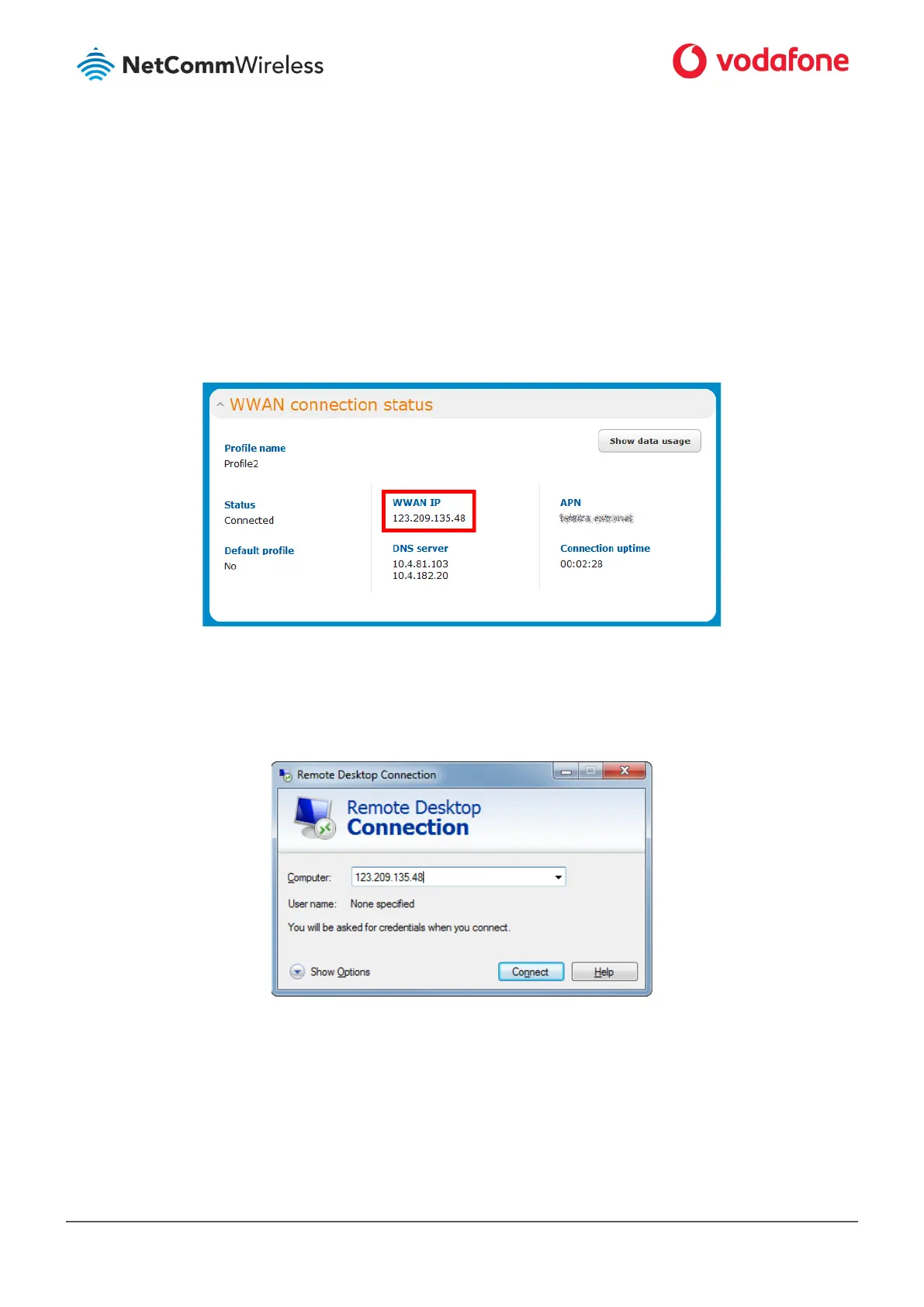
directly to it. To test that it is in the DMZ, we can connect to the WAN IP Address using RDP. The WAN IP Address can be found by viewing
the Status page of the NetComm Wireless M2M Series Router as shown below:
Figure 11: The Status page showing the WAN IP Address
19 Click the Windows Start button then type mstsc and press Enter.
20 Type the WAN IP address of the remote router and click Connect.
Figure 12: RDP Connection screen
21 The remote desktop opens and prompts you to login. If it does not, verify your settings and try again.



 To Next Page