Port Forwarding Configuration Guide – Vodafone MachineLink 8 of 12
November 2019 v. 2.1 vodafone.netcommwireless.com
Verifying the Port Forwarding rule
In the example above, we forwarded port 3389 which is the default port for Microsoft’s Remote Desktop Protocol (RDP). The client machine
(192.168.20.10) is accepting Remote Desktop connections on port 3389 so we can verify the connection by connecting to the client using
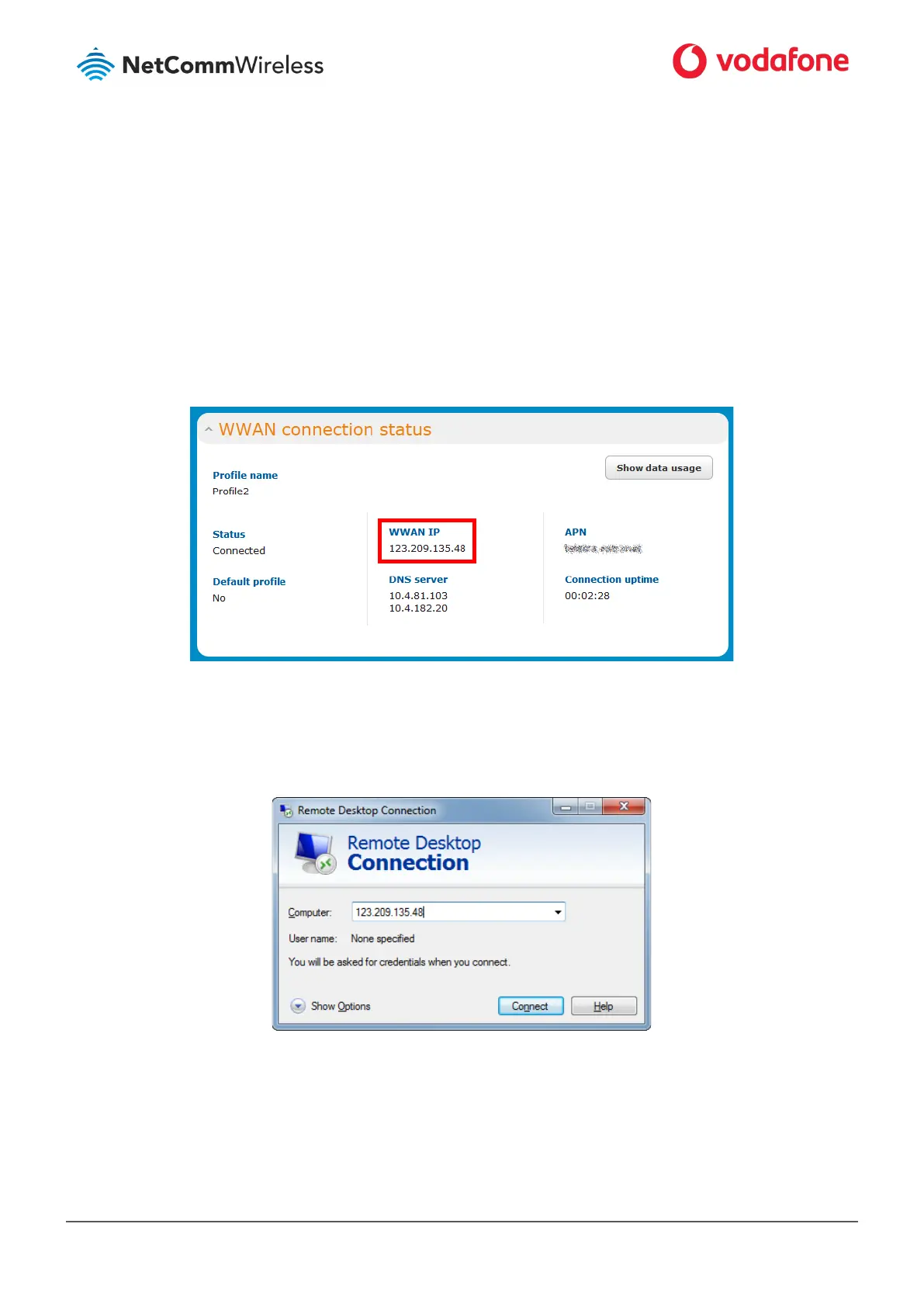
RDP. We need to connect to the WAN IP address of the router and our request is forwarded on to the client (192.168.20.10). The WAN IP
Address can be found by viewing the Status page of the NetComm Wireless M2M Series Router as shown below:
Figure 6: The Status page showing the WAN IP Address
11 Click the Windows Start button then type mstsc and press Enter.
12 Type the WAN IP address of the remote router and click Connect.
Figure 7: RDP Connection screen
13 The remote desktop opens and prompts you to login. If it does not, verify your settings and try again.
14



 To Next Page