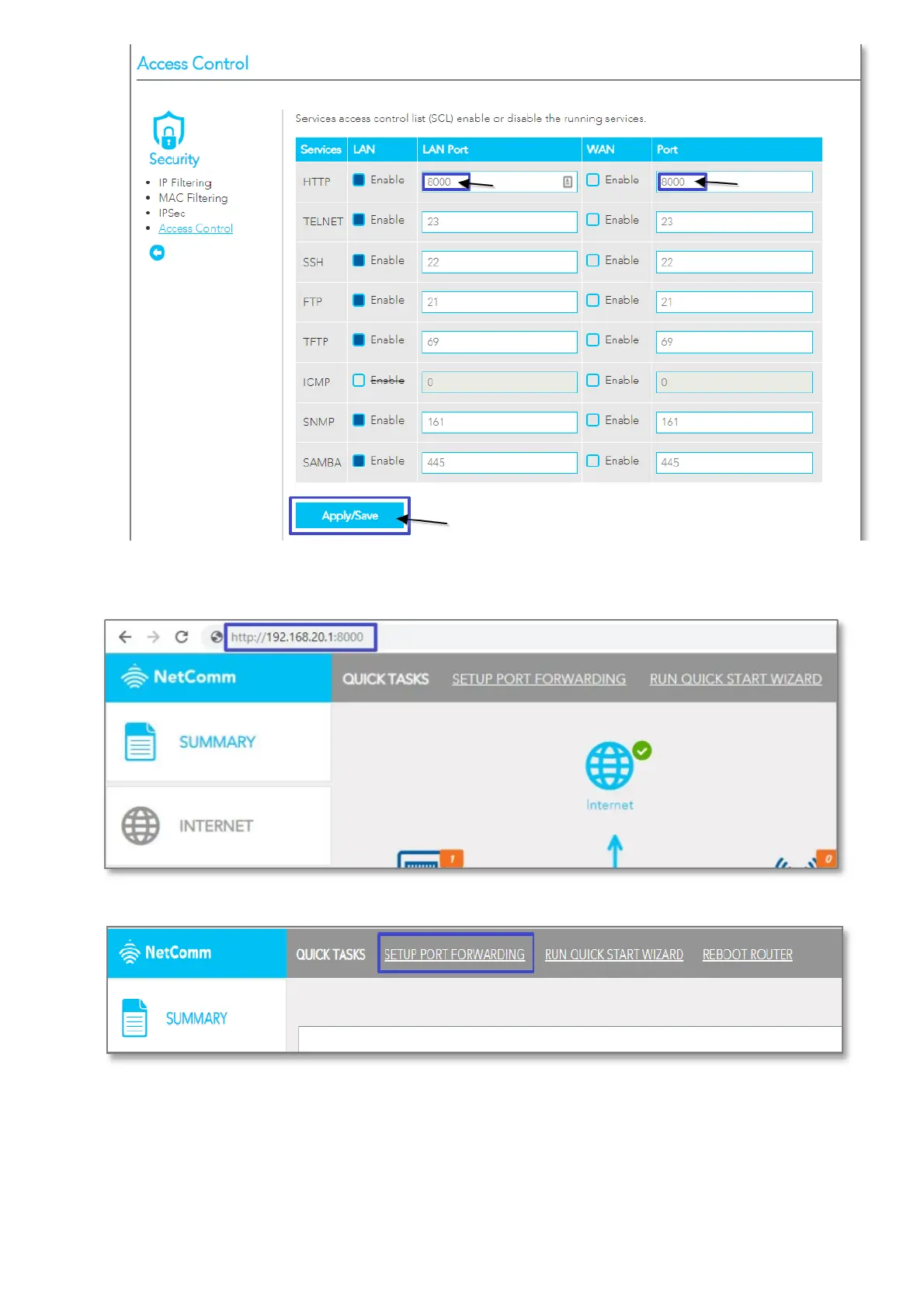
4. Click the Save/Apply button.
5. Open a web browser (such as Internet Explorer, Google Chrome or Firefox), type http://192.168.20.1:8000 into
the address bar and press enter.
6. Click on the SETUP PORT FORWARDING at the top of the page.
7. Click the Add button under Port Forwarding to add a port forwarding rules.
8. Check the Interface currently selected in the Use Interface field is correct.
9. Choose Use Interface ADSL or VDSL depending on your connection type for DSL.



 To Next Page
 Loading...










