Important information: DMZ can only be applied to one (1) device. Port Forwarding is not needed if DMZ was
configured for this IP Address
Adding Port Forwarding Rules for Xbox
Log in to the web interface
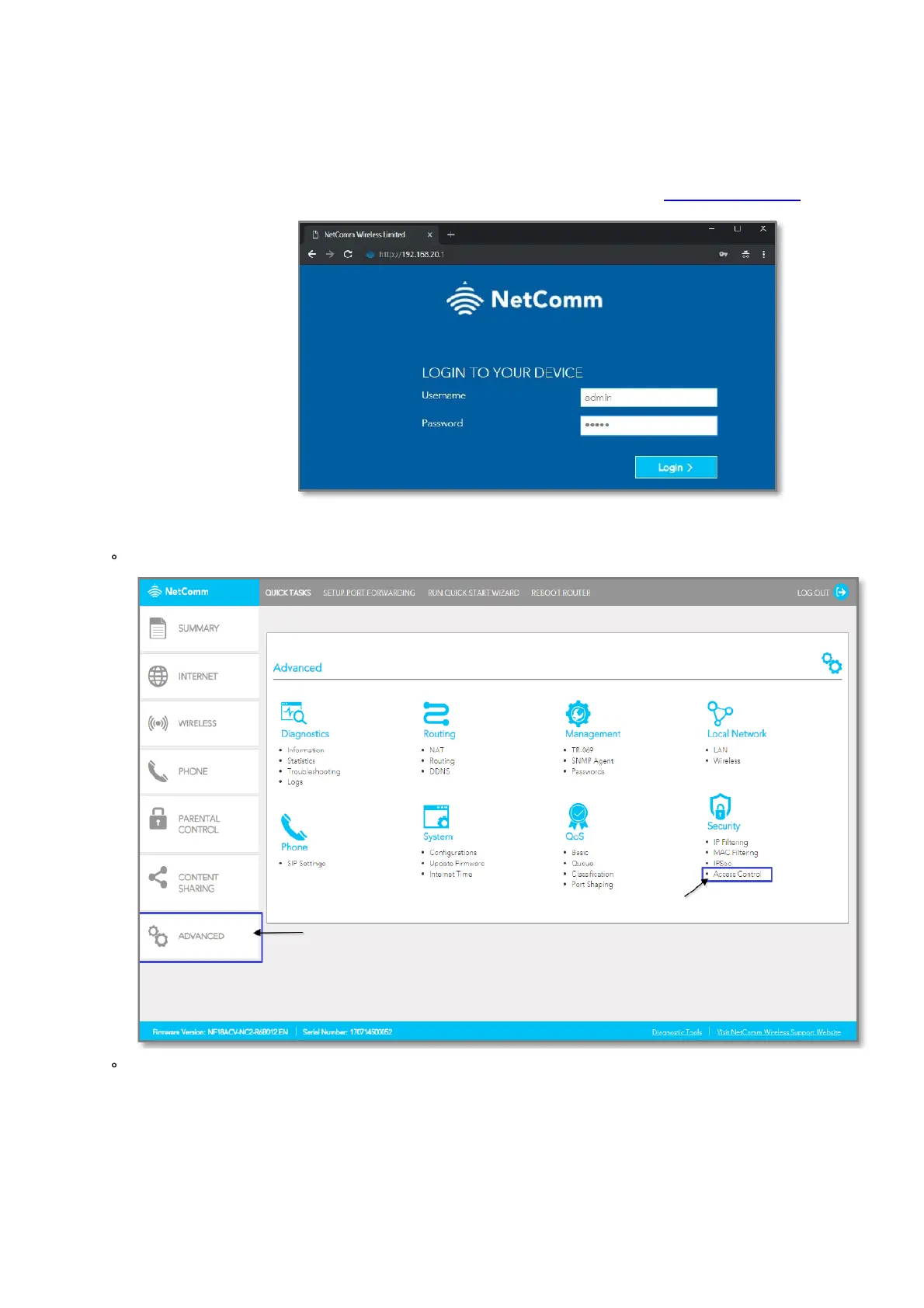
1. Open a web browser (such as Internet Explorer, Google Chrome or Firefox), type http://192.168.20.1 into the
address bar and press enter.
2. At the login screen, type admin into both the Username and the Password fields and click Login.
3. Port 80 is also used to access webpage of the NF18ACV so it needs to be re-configured.
Navigate to ADVANCED and click on Access Control
Change the HTTP Service port number.
It is recommended to change the webpage port number to 8000 as described below (Remember that from
now onwards you can only access the webpage with port 8000.



 To Next Page
 Loading...










