
 Need help?
Do you have a question about the NetComm NTC-140W-02 and is the answer not in the manual?
This document is a Quick Start Guide for the NetComm Wireless NTC-140W Series 4G WiFi M2M Router. It provides instructions for quickly setting up and configuring the device, as well as an overview of its features and mounting options.
The NetComm Wireless NTC-140W Series is a 4G WiFi M2M (Machine-to-Machine) router designed for various applications requiring robust and reliable wireless connectivity. It functions as both an access point and, if configured, a WiFi client, allowing it to connect to the internet via a 4G cellular network and provide WiFi access to other devices. The router is equipped with multiple antenna connectors for cellular, WiFi, and GPS, ensuring strong signal reception and location services. It also includes Ethernet ports for wired connections and a Micro USB 2.0 OTG port for optional external storage or a USB Ethernet dongle. The device supports two system management accounts, Root Manager and Admin, each with different levels of access and control over the router's settings.
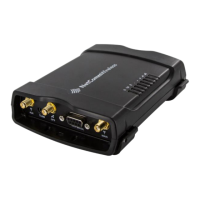
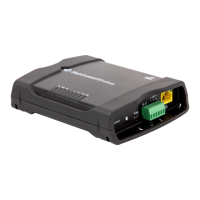
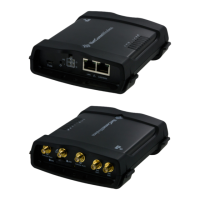
Device Connectivity: The NTC-140W router offers comprehensive connectivity options. It features a SIM card slot for cellular network access, supporting 4G connectivity. For antenna connections, it has SMA female connectors for Cellular Main, Cellular AUX, and GPS antennas, as well as reverse polarity SMA female connectors for WiFi antennas. On the front panel, there's a Micro USB 2.0 OTG port that provides connectivity for optional external storage or a USB Ethernet dongle, supplying up to 0.5A to connected devices. For wired networking, the router includes a LAN port for Ethernet clients and a LAN/WAN port that can function as either a LAN port for clients or a WAN port to bridge another network connection.
Power and Ignition Detection: The device is powered via a Molex Mini-Fit™ receptacle. The included power supply cable has color-coded breakout wires for power (+), ground (-), an I/O terminal, and an ignition input detection terminal. This allows for flexible power integration and ignition-based control, which is particularly useful in vehicular or industrial applications where the router's operation might be linked to an ignition source.
Web Interface Access:
Users can access the router's web-based configuration interface by entering http://192.168.1.1/ or http://my.router/ in a web browser. There are two distinct user accounts:
Username: root and Password: admin.Username: admin and Password: admin.SIM Card Management: The router requires a SIM card for cellular connectivity. The SIM card is inserted into a tray that is ejected by pressing a SIM Eject button with a paper clip. If the SIM card is PIN locked, the router will prompt the user to unlock it via the web interface. Users can enter the SIM PIN and choose to remember it to avoid re-entering it each time the SIM is inserted.
Internet Connection Configuration: Upon SIM insertion, the router attempts to automatically connect to the internet by detecting the correct APN and connection details. If automatic configuration fails, users can manually configure the connection profile through the web interface under the "Networking" option. This involves setting the "Automatic APN selection" toggle to OFF and entering the APN name, username, and password provided by the carrier. The connection status can be verified on the "Status" page, where the "WWAN connection status" should display "Connected."
Wireless LAN (WiFi) Functionality: The NTC-140W operates as an access point by default, with the Wireless LAN enabled. The WiFi Network Name (SSID) and WiFi Security Key are unique to each device and are printed on the back of the router and on a provided Wireless Security Card. To connect a wireless client, users need to turn on the wireless radio on their client device, connect to the router's SSID, and enter the Wireless Security Key when prompted.
WiFi Client Mode: The router can also function as a WiFi client to connect to another access point. This mode can be enabled via the web interface under "Networking" > "Wireless settings" > "Client configuration." Users can scan for available networks, connect to the desired one, and enter the WPA pre-shared key if required. The connection status can be monitored in the "WLAN client connection status" section of the "Status" page.
Signal Strength Monitoring: The router features signal strength LEDs on the front panel, which illuminate to indicate the signal quality. The color and number of illuminated LEDs provide a visual cue. For a more precise reading, the "Status" page on the web interface offers detailed signal strength information. The LEDs update within a few seconds with a rolling average, so it's recommended to allow up to 20 seconds for updates when repositioning the router or antennas.
Reset Button: The router includes a versatile reset button with multiple functions:
Configuration Backup and Restore: The device allows users to back up and restore its configuration settings, which is crucial for maintenance and deploying multiple devices with identical settings. This feature is accessible through the web interface under "System" > "System configuration" > "Settings backup and restore."
Firmware Upgrades: While not explicitly detailed in the quick start guide, the "Root Manager" account has privileges for "firmware upgrades," indicating that the device supports firmware updates to improve performance, add features, or address security vulnerabilities.
Mounting Options: The NTC-140W Series router is designed for flexible installation with several mounting options, facilitating maintenance and optimal placement:
These mounting options ensure that the router can be positioned optimally for signal strength and accessibility, which can aid in maintenance tasks such as antenna adjustments or cable management.
 General
| Model | NTC-140W-02 |
|---|---|
| Device Type | 4G LTE Router |
| Wireless Technology | Wi-Fi 802.11b/g/n |
| Frequency Band | 2.4 GHz |
| Antenna Type | External |
| Power Supply | 12V DC, 1A |
| WAN Ports | 1 x 10/100Mbps |
| Security | WPA, WPA2 |
| Network Compatibility | 4G LTE |
| SIM Slot | Yes |
| LAN Ports | 4 x 10/100 Mbps Ethernet (RJ-45) |
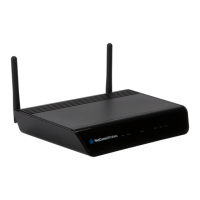
| Antenna | 2 x External detachable antennas |


 To Next Page