4
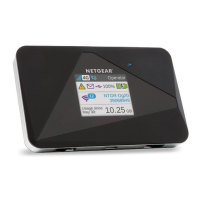
Navigation Button
Press the Navigation button to cycle through the LCD
screens.
Power Button
Press and hold the Power button for two seconds to
power the mobile hotspot on, five seconds to turn the
mobile hotspot o.
LCD Screen
The LCD screen displays icons, data usage, your WiFi
name, and your WiFi password.
Navigation button
Power button

 To Next Page
 Loading...