Quick Start
Ultra-High Speed Cable Modem
Model CM1000v2
Package contents
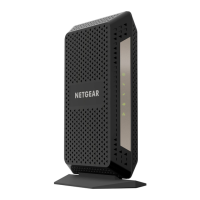
Cable modem
Ethernet cable
Power adapter
BEFORE RETURNING THIS PRODUCT TO THE STORE
FOR ANY REASON, call NETGEAR Technical Support at
1-866-534-9377 or visit
https://kb.netgear.com/000061156/How-can-I-troubleshoot-my-cable-modem.
Cable modem LEDs
LED Description
Power
• Solid green. The cable modem is receiving power and is functioning
normally.
• Off. The cable modem is not receiving power.
• Solid red. The cable modem is too warm and might overheat.
Downstream
• Solid amber. One downstream channel is locked.
• Solid green. Two or more downstream channels are locked.
• Blinking green. The cable modem is scanning for a downstream channel.
• Off. No downstream channel is locked.
Upstream
• Solid amber. One upstream channel is locked.
• Solid green. Two or more upstream channels are locked.
• Blinking green. The cable modem is scanning for an upstream channel.
• Off. No upstream channel is locked.
Online
• Solid green. The cable modem is online.
• Blinking green. The cable modem is synchronizing with the cable provider’s
cable modem termination system (CMTS).
• Off. The cable modem is ofine.
Ethernet
• Solid green. A powered-on device is connected to the LAN port at 1000
Mbps.
• Blinking green. The port is sending or receiving trafc at 1000 Mbps.
• Solid amber. A powered-on device is connected to the LAN port at either
100 Mbps or 10 Mbps.
• Blinking amber. The port is sending or receiving trafc at either 100 Mbps
or 10 Mbps.
• Off. No device is connected to the LAN port.
© NETGEAR, Inc., NETGEAR and the NETGEAR Logo are trademarks of NETGEAR, Inc. Any
non-NETGEAR trademarks are used for reference purposes only.
Visit netgear.com/support to get your questions answered and access the latest
downloads.
You can also check out our NETGEAR Community for helpful advice at
community.netgear.com.
Customer-owned cable devices might not be compatible with certain cable
networks. Check with your cable Internet provider to conrm that this NETGEAR
cable device is allowed on your cable network.
If you are experiencing trouble installing your cable modem, contact NETGEAR at
1-866-874-8924.
Support and Community
The following table lists support contact information for cable Internet providers
that support your cable modem.
Cable Internet
Provider
Support Contact Information
Cox https://www.cox.com/residential/support/home.html
https://www.cox.com/activate
1-888-556-1193
Mediacom https://support.mediacomcable.com
1-855-Mediacom (1-855-633-4226)
Optimum https://www.optimum.net/support/contact-us
https://install.optimum.com/JointInstall
1-877-810-6750
Sparklight https://support.sparklight.com
1-877-692-2253
Spectrum https://www.spectrum.net/contact-us
https://activate.spectrum.net
1-833-267-6094
Xnity https://www.xnity.com/support/articles/activate-purchased-modem
http://xnity.com/activate
1-800-XFINITY (1-800-934-6489)

 Need help?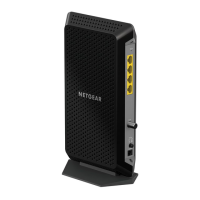



 To Next Page
 General