
 Need help?
Do you have a question about the NETGEAR ProSAFE Plus GS700 and is the answer not in the manual?
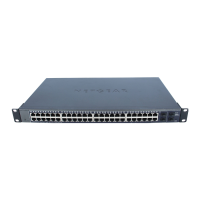
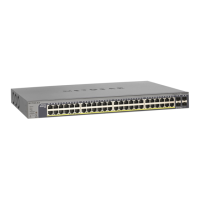
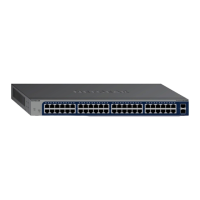
The NETGEAR 48-Port Gigabit Ethernet Smart Managed Plus Switch (GS750E) is a robust networking device designed for both small to medium-sized businesses and advanced home users seeking enhanced network control and performance. This switch offers a blend of plug-and-play simplicity with advanced management features, making it a versatile solution for expanding and optimizing network infrastructure.
At its core, the GS750E functions as a high-performance Ethernet switch, providing 48 Gigabit Ethernet ports for connecting a wide array of network devices such as computers, servers, workstations, and other network-enabled equipment. The "Gigabit Ethernet" designation signifies that each port supports data transfer speeds of up to 1000 Mbps, ensuring fast and efficient communication across the network. This high-speed capability is crucial for applications demanding significant bandwidth, such as large file transfers, streaming high-definition video, and supporting multiple users simultaneously.
Beyond basic connectivity, the "Smart Managed Plus" aspect of the switch introduces a layer of intelligent management. Unlike unmanaged switches that simply forward data, the GS750E allows users to configure and monitor various network parameters, providing greater control over network traffic and security. This includes features typically found in more expensive managed switches, but presented in a user-friendly interface suitable for those without extensive IT expertise. The switch also includes SFP (Small Form-Factor Pluggable) ports, which offer flexibility for fiber optic connections, extending network reach over longer distances or providing high-speed uplinks to other network devices. These SFP ports can accommodate 100M/1G fiber connections, allowing for integration into diverse network environments.
The primary goal of this switch is to provide a reliable, high-speed, and manageable network backbone. It helps in segmenting network traffic, prioritizing critical data, and enhancing overall network security, all while maintaining ease of deployment and operation.
The GS750E is designed with user convenience in mind, offering multiple methods for configuration and monitoring.
Plug-and-Play Operation: For basic network expansion, the switch operates as a plug-and-play device. Users can simply connect their Ethernet cables, and the switch will automatically begin forwarding data without any initial configuration. This makes it ideal for immediate network expansion or for users who prefer a hands-off approach to network management.
Web Browser Access: For users who wish to leverage the "Smart Managed Plus" features, the switch can be configured through a standard web browser. This method provides a graphical user interface (GUI) that simplifies the process of adjusting network settings.
ProSAFE Plus Configuration Utility: For Windows-based computers, NETGEAR provides a dedicated ProSAFE Plus Configuration Utility. This software simplifies the discovery and configuration of Smart Managed Plus switches on the local network.
LED Indicators for Status Monitoring: The front panel of the switch features a series of LED indicators that provide immediate visual feedback on the switch's operational status and port activity.
Physical Installation Flexibility: The GS750E is designed for flexible deployment in various environments.
While the GS750E is designed for reliable operation, certain aspects contribute to its long-term maintainability and support.
Firmware Updates: Like most network devices, the switch's functionality and security can be enhanced through firmware updates. NETGEAR regularly releases updates to address bugs, improve performance, and introduce new features. Users can typically download these updates from the NETGEAR support website and apply them through the web management interface or the ProSAFE Plus Configuration Utility.
Troubleshooting with LED Indicators: As mentioned, the LED indicators are a primary tool for initial troubleshooting. By observing the power, port, and SPD LEDs, users can quickly diagnose common issues such such as power failures, cable disconnections, incorrect link speeds, or lack of network activity on specific ports.
Support Resources: NETGEAR provides comprehensive support resources to assist users with any issues or questions.
Power Cord Localization: The inclusion of an AC power cord localized to the country of sale ensures that the switch can be immediately used upon purchase without needing additional adapters, simplifying setup and reducing potential compatibility issues.
In summary, the NETGEAR GS750E is a versatile and user-friendly Smart Managed Plus Switch that combines high-speed Gigabit Ethernet connectivity with intelligent management features. Its ease of installation, multiple configuration options, clear status indicators, and robust support infrastructure make it an excellent choice for users looking to build or upgrade a reliable and manageable network.
 General
| Model | GS700 |
|---|---|
| Type | Gigabit Ethernet Switch |
| Speed | 10/100/1000 Mbps |
| Power over Ethernet (PoE) | No |
| VLAN Support | Yes |
| QoS Support | Yes |
| Mounting | Desktop or Rackmount |
| Managed | No |
| PoE Ports | 0 |
| Layer | L2 |
| Forwarding Rate | 23.8 Mpps |
| Jumbo Frame Support | Yes, up to 9216 bytes |
| Category | Switch |
| Ports | 16 |
| Switching Capacity | 32 Gbps |








 To Next Page