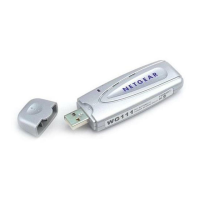
NETGEAR 54 Mbps Wireless USB 2.0 Adapter WG111v3 User Manual
18 Network Connections and Wireless Security
v1.0, April 2007
3. Save your settings in a Profile.
a. Click Save Profile.
All the configuration settings are saved in this profile.
b. Click Apply.
c. Click Close to exit the Smart Wizard, or Cancel to return to the previous settings.
4. Configure the PC network settings.
a. Configure each PC with either a static IP address or with the IPX protocol.
b. Restart the PCs.
5. Verify wireless connectivity between your peer devices.
You can use the ping utility to verify your wireless connection
a. On the Windows taskbar click Start, and then click Run.
b. Assuming the target PC is configured with 192.168.0.1 as its IP address, type
ping -t
192.168.0.1 and then click OK.
c. This sends a continuous ping to the device with the 192.168.0.1 static IP address. The ping
response should change to “reply.”
Figure 16
Figure 17


 To Next Page
 Loading...