Payment Terminals | Page 34 of 54
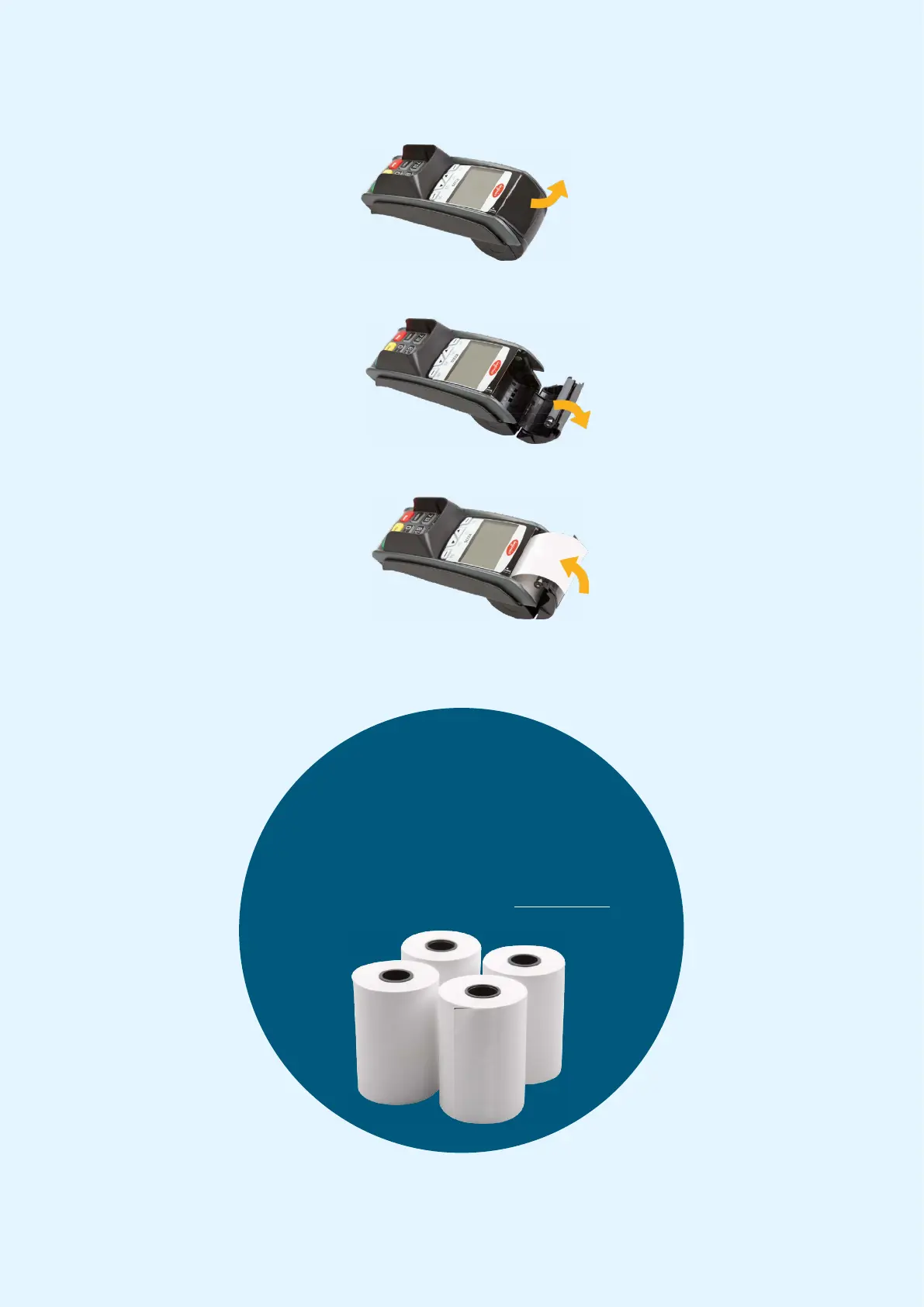
1. Lift the flap in the direction of
the arrow.
2. To open the cover, slide it
downwards in the direction of
the arrow.
3. Insert the receipt roll as
shown. Then close the cover in
the direction of the arrow.
Approx. 5 cm. of the roll
should stick out when the
cover is closed.
The receipt printer is now ready
for use.
9.2 Inserting a Receipt Roll into the Payment Terminal
Out of receipts rolls?
Need a pole for the terminal?
Order accessories for your terminal
by visiting the Webshop at: shop.nets.eu


 To Next Page