DTV
3. DTV
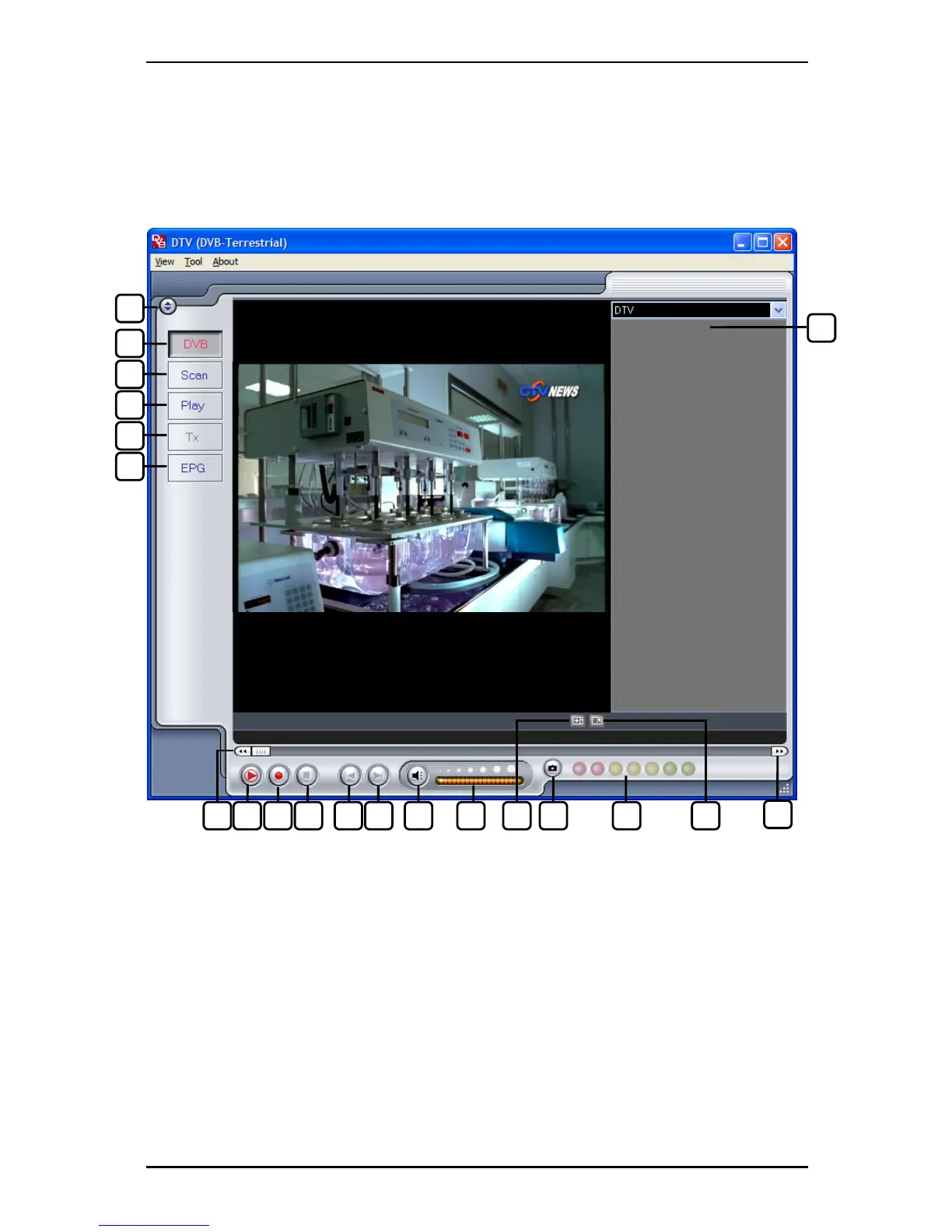
3.1 DTV Interface Overview
20
1
2
3
4
5
6
7 8 9 10 11 12 13 14 16 18 15 17
19
1. Change Skin 11. Skip to beginning
2. Switch to DVB TV 12. Skip to end
3. Open Scan Settings 13. Mute on/off
4. Switch to Play mode 14. Volume bar
5. Open Teletext (when available) 15. Show/hide channel list
6. Open EPG window 16. Snapshot button
7. Rewind 17. Signal Strength Meter
8. TimeShift Start/Play/Pause 18. Toggle fullscreen/windowed viewing mode
9. Record Start 19. Fast Forward
10. Stop 20. Channel list
7



 To Next Page