EasyManua.ls Logo

NEW WIDETECH PAC-10000DB - User Manual

NEW WIDETECH PAC-10000DB
12 pages
Print Icon
To Next Page IconTo Next Page
Loading...
SERVICE MANUAL
220-240V 50Hz
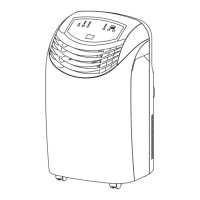
PORTABLE AIR CONDITIONER
NEW WIDETECH
R
WIDETECH
WIDETECH
This manual is for the use of technical personnel entrusted
with maintenance.
Widetech reserves the right to change this dehumidifier's
casing, circuit and parts without notice.
PAC-10000DB
Important points on service, and flow chart for
inspecting and repairing the unit......................... 1
Appearance(out ward)........................................ 2
Troubleshooting.................................................. 3
Functions and control panel................................. 4
Technical specifications................................. 5 - 6
Refrigerator system diagram and schematic wiring
diagram.............................................................. 7
Exploded view.................................................... 8
Parts list....................................................... 9 -11


Questions and Answers

  • F
    Fernando CombsAug 1, 2025
    Why NEW WIDETECH PAC-10000DB doesn't work?
    • E
      Eric ThompsonAug 1, 2025
      Your NEW WIDETECH Air Conditioner might not be working due to several reasons: a power failure (wait for the power to return), the plug not being connected (connect the plug), a timer malfunction (provide repairment), or the main switch not being pressed (press the main switch).
  • R
    Ruben WoodAug 10, 2025
    What to do if NEW WIDETECH PAC-10000DB switches are off constantly?
    • R
      rayandrewAug 10, 2025
      If your NEW WIDETECH Air Conditioner is constantly switching off, it may be due to a malfunction. Turn off the appliance, remove the plug, and contact the service center.
  • H
    Harold KingAug 20, 2025
    Why NEW WIDETECH Air Conditioner works for short period only?
    • J
      Joseph RodriguezAug 20, 2025
      If your NEW WIDETECH Air Conditioner operates only for a short time, it could be because: 1. The set temperature is too close to the room temperature (decrease the setting temperature). 2. Something is blocking the suction vent on the back of the condenser (remove any obstacles). 3. The fan on the condenser is blocked (provide repairment).

Summary

Important Points on Service Operating Safety

Flow Chart for Inspecting and Repairing the Unit

Appearance (Out Ward)

Front Side Appearance

Details the physical aspects and controls visible on the front of the air conditioner unit.

Back Side Appearance and Accessories

Illustrates the rear components and lists the included accessories for the unit.

Troubleshooting

Operation and Controls

Name of the Parts

Identifies and describes the function of each part of the control panel and unit.

Operation Modes and Procedures

Guides on operating the unit in cooling, fan, and auto modes with timer functions.

Technical Specifications

System Diagrams

Refrigerator System Diagram

Diagram showing the layout of the refrigerant circulation system and its components.

Schematic Wiring Diagram

Visual representation of the electrical connections and circuits within the air conditioner.

Exploded View

Parts List

NEW WIDETECH PAC-10000DB Specifications

General IconGeneral
Cooling Capacity10000 BTU/h
TypePortable Air Conditioner
Power Consumption1100 W
Operating Temperature17-35°C
RefrigerantR410A
Air Flow350 m3/h
Noise Level52 dB(A)

Related product manuals