TROUBLESHOOTING
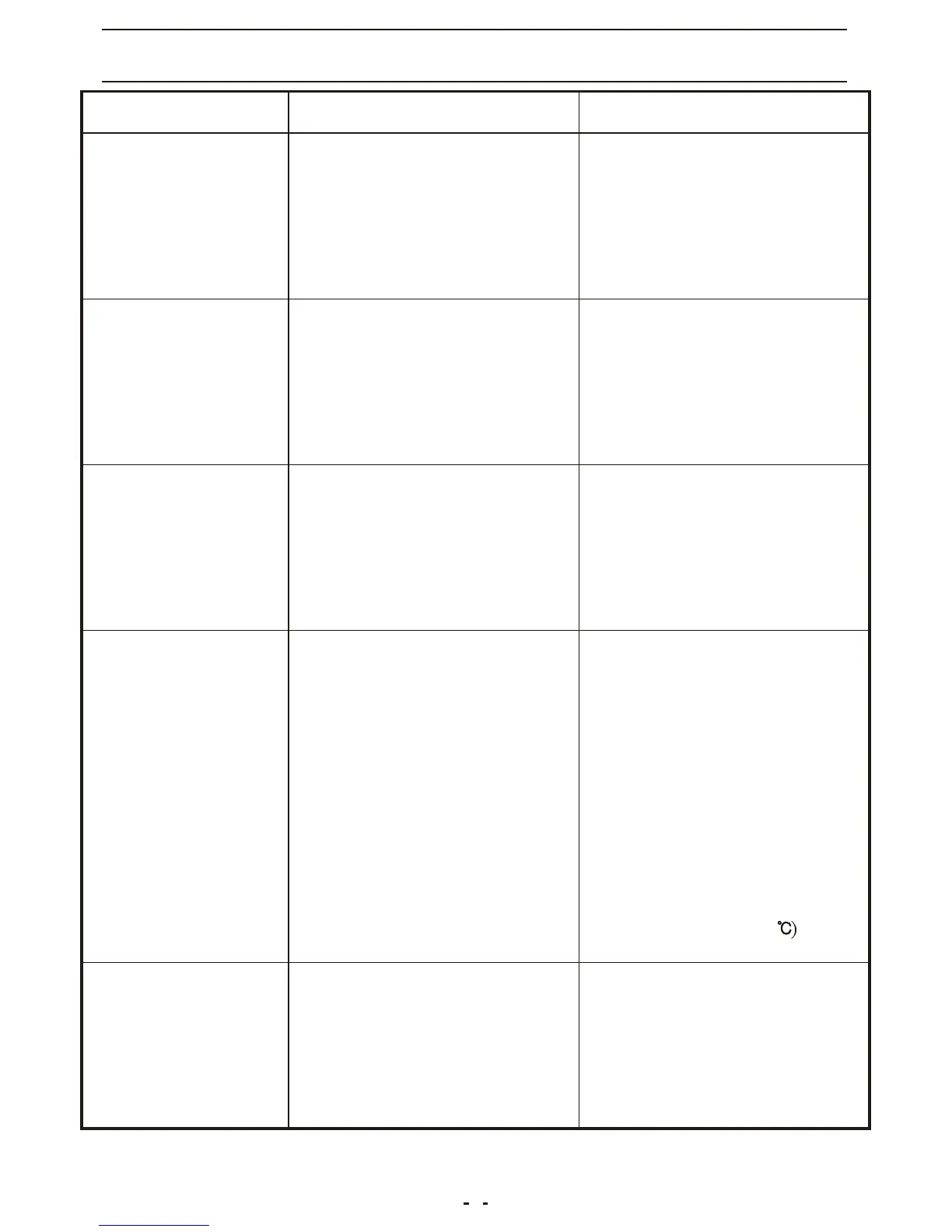
PROBLEM
POSSIBLE CAUSE
REMEDIES
The air conditioner
doesn't work
The air conditioner
works but it does
not cool the room
The appliance is
very noisy and
vibrates violently
The air conditioner
works for short
period only
The air conditioner
switches are off
constantly
-Malfunction
-Decrease the setting
temperature
-Remove any obstacles
-Provide repairment
-There is a window opened
-There is a source of heat
operating in the room
(burner, lamp, etc.), or the
room is crowded
-The air filter is clogged
-The capacity of the air
conditioner is not suitable
for the conditions or size
of the room
-The evaporator is frozen
-The compressor blocking
device has been loosen or
the copper pipe is getting
in touch with the body of
the set
-The set temperature is too
close to the room's
temperature
-There is something blocking
the suction vent on the
back of condenser
-The fan on the condenser is
blocked
-There is a power failure
-The plug is not connected
-The timer is unable to work
-The main switch has not
been pressed
-Close the window
-Remove/switch off the
source of heat
-Decrease the set
temperature
-Clean the filter
-Clean the air filter
-Change the purifier filter,
if necessary
-Do not make the appliance
operating at too low
temperature(below22
-Provide repairment
-Wait for the power return
-Connect the plug
-Provide repairment
-Press the main switch
-Turn off the appliance
remove the plug and
contact the service center
3



 To Next Page