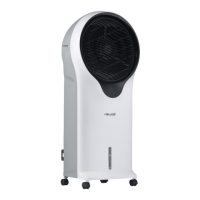
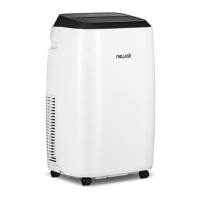
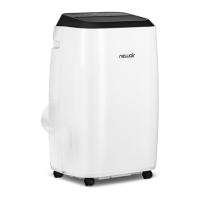
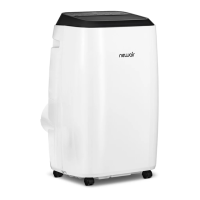
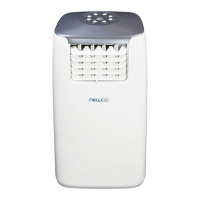
This document is an owner's manual for the Newair Air Cooler, model number NEC1K6WH00. It provides instructions and information in English, French, and Spanish.
Function Description
The Newair Air Cooler is designed for household and indoor use, functioning as an air cooler and humidifier. It offers various fan speeds and modes to create a comfortable environment. The unit features a continuous operation protection, automatically shutting down after 15 hours of continuous use if no buttons are pressed. It also includes a water shortage protection function, which stops the water pump and sounds an alarm if the water level is too low.
Important Technical Specifications
- Model No: NEC1K6WH00
- Rated Voltage: 120V~
- Rated Frequency: 60Hz
- Rated Power: 110W
- Noise: ≤56dB
- Rated Evaporation: ≥2300ml/h
- Product Size: 17.9" W x 12.9" D x 35.4" H
- Net Weight: 18.7 lbs (8.4 Kg)
Usage Features
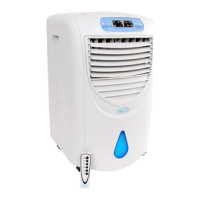
The air cooler is equipped with a touch-button top cap and a display panel. It comes with a remote control for convenient operation.
Control Panel and Remote Control Buttons:
- ON/OFF: Powers the unit on or off. When first powered on, it automatically enters "normal" mode at the lowest fan speed.
- Speed (Hi/Mid/Low): Changes the fan speed. Speeds cycle from low to medium to high and back to low. Holding this button for 3 seconds activates the dry air function, engaging high fan speed for 20 minutes, during which other buttons (except ON/OFF) are inactive.
- Timer (1H-9H): Sets an operating timer from 1 to 9 hours, increasing by hour. The digital display shows the selected time.
- Cooler/Humidifier: Controls the humidifier function.
- Mode: Selects different wind modes: Normal, Nature, and Sleep.
- Normal Mode: Fan speed remains constant unless manually changed.
- Nature Mode: Fan speed cyclically changes from high to medium to low, simulating natural wind. Only the initial selected speed is displayed.
- Sleep Mode: Starts at the last selected speed from the previous mode, then decreases one speed level every 30 minutes. If no timer is set, it continues at low speed in normal mode.
- Oscillation: Controls the fan's left-right swing function.
- Turn off screen button (Remote Control Only): Puts the display screen into a resting state, turning off all indicators. Pressing any button re-engages the screen.
Additional Features:
- Infrared Remote Control: Operates from a distance of ≥6 meters, within a 60° left to right range.
- Standby Memory Function: If the power isn't completely turned off (unit kept in standby mode), the fan will restart in the most recent selected state (excluding sleep mode, drying mode, and timer settings) when turned on again.
- Display Dimming: The display lamp brightness decreases to about 30% after 1 minute without operation.
- Convenient Top Filling: Water can be easily added to the water tank from the top.
- Universal Caster Wheel Design: Allows for easy movement of the unit.
- Cooling Pad Drying Function: Helps dry the cooling pad.
Water Filling:
Before using the cooling/humidifying function, water must be added to the tank. The bobbing bracket should be rotated 90 degrees, the tank pulled out halfway, filled to the maximum indicated level, then pushed back and the bracket returned to its original position. It's crucial to fill at least to the minimum level and not exceed the maximum. Only clean tap water should be used. If an ice pack is included, the water level should not exceed the MAX line.
Ice Pack Usage:
Ice packs can be frozen and placed in the water tank to lower the water temperature below ambient room temperature for several hours, enhancing the cooling effect. The manual warns against opening the ice pack cover or swallowing its contents.
Maintenance Features
Regular cleaning and maintenance are essential for optimal performance and longevity of the air cooler.
General Cleaning:
- Always turn off and unplug the appliance before cleaning to prevent electric shock.
- Wipe the exterior surface with a soft cloth. For dirt beyond dust, use a soft cloth mixed with neutral detergent and water below 122°F. Allow the surface to air dry.
- Never use gasoline, oil, or corrosive detergents/solvents, as these can damage or corrode the outer surface.
Filter Cleaning:
- The air filter should be cleaned at least once every two months to prevent dust accumulation from affecting fan function.
- To clean, remove the power cord, then remove the rear air filter and cooling pad.
- Soak the honeycomb filter assembly in detergent for a few minutes, then wash and dry. Ensure the Outer Dust Filter, Cooling Pad, and Water Tank are correctly installed after cleaning.
Water Tank Cleaning:
- Remove the power cord, turn the water tank lock horizontally, and remove the tank from the unit.
- Rotate the fixing buckle 90° and push down the water pump box assembly to remove it, then remove the water tank.
- Clean the water tank with a damp towel and a small amount of detergent in water, then remove the dirty water.
Storage:
- If the machine will not be used for a long time, disconnect the power, pack the product, and prevent dust from entering the body to avoid mechanical damage.
- Ensure filters are dry and there is no water in the tank before packing.
Safety Information & Warnings:
The manual emphasizes reading all instructions carefully before use. Key warnings include:
- Unplugging the appliance before servicing or cleaning.
- The appliance has a polarized plug; do not defeat this safety feature.
- Do not use with solid-state speed control devices.
- Chemical burn hazard: Keep batteries away from children. The product contains a lithium button/coin cell battery that can cause severe internal burns if swallowed. Secure the battery compartment and seek immediate medical attention if ingestion is suspected. Dispose of batteries safely.
- Do not manipulate the fan's rotating blade by hand.
- Do not insert foreign objects into air inlets or outlets.
- Avoid spraying insecticide or flammable sprays around the product.
- Do not direct cold airflow at children for extended periods.
- Ensure the electrical outlet is free of foreign objects and the plug is fully inserted.
- Stop use immediately and unplug if peculiar smell or sound occurs.
- Do not tilt the appliance or cause it to collide with objects when the water tank is full to prevent splashing. If water enters the machine, unplug immediately and allow to dry for at least 24 hours before restarting.
- Children should be supervised and not play with the appliance. Cleaning and maintenance should not be performed by children without supervision.
- If the supply cord is damaged, it must be replaced by the manufacturer or a qualified person.
- Unplug during filling and cleaning. Do not touch the power cord plug with wet hands.
- Do not fold or place heavy objects on the power cord.
- In case of failure, contact the after-sale service center; do not disassemble the appliance without instruction.
Warranty:
The appliance is covered by a one-year limited manufacturer's warranty from the original purchase date, covering defects in materials and workmanship under normal operating conditions. The purchaser is responsible for removal or transportation costs. Exclusions include power failure, transit damage, improper power supply, misuse, commercial use, acts of God, external influences, dismantled appliances, and excess wear and tear. For warranty claims, the original bill of purchase is required.

 Need help?
 General




 To Next Page