PowerSwap Nucleus Power System Owner's Manual | 3
Storage and Disposal
Operating Guidelines
Storage and Disposal
Storage Instructions:
• DO NOT SHORT TERMINALS.
• This battery should be stored in a cool, dry, and well-ventilated area. Sustained elevated tempera-
tures are the primary reason for premature failure of batteries. Charge batteries at room tempera-
ture. In warm climates, keep chargers in air conditioned rooms for best performance.
• Although our batteries have good self-discharge characteristics, batteries should be stored for long
term storage in a fully charged condition.
• It is always a good idea to submit the battery to a discharge/charge cycle from time to time during
storage.
• Do not store batteries in temperatures above 140
o
F/60
o
C or below -40
o
F/-20
o
C. Do not store in
direct sunlight or near heating equipment.
Disposal Instructions:
• DO NOT INCINERATE. DO NOT DISASSEMBLE.
• Disposal must be in compliance with applicable regulations which vary depending on national, state/
provincial and local basis. This battery contains recyclable materials so recycling is strongly recom-
mended.
PowerDock Operating Instructions
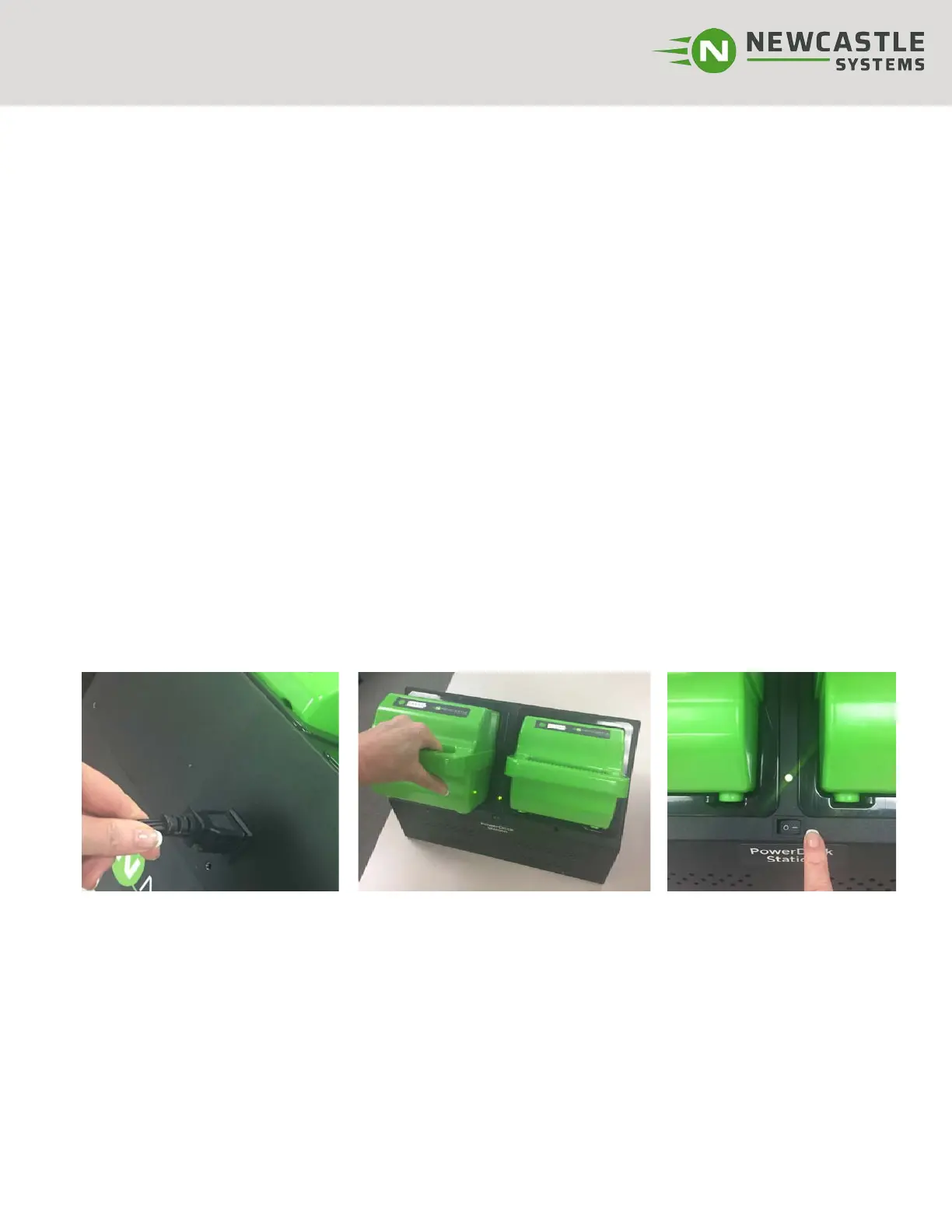
Step 2: Place 1 or 2 fully charged
batteries in PowerDock Station.
Make sure you hear a click as the
battery engages and the LED lights
on the battery are lit. *Batteries
should be inserted firmly, but never
slammed into place.
Step 3: Turn PowerDock Sta-
tion on (-) (switch located as
shown). LED above switch
should light green.
Step 4: Plug your equipment (printer, laptop, etc.) into the cart’s integrated power strip. Confirm that
your power strip is turned on.
When unit is not in use, turn the PowerDock OFF. Batteries will continue to drain if unit is left on.
Tip: Monitor battery status with the LED meter on battery. When batteries become low, alarm will sound
and battery should be swapped with a fully charged one.
Step 1: Confirm the cart’s power
strip is already plugged in. (Lo-
cated on the rear side of Power-
Dock as shown).



 To Next Page