TECHNICAL SUPPORT +1 (781) 935.3450 EXT. 3 4
PowerCharge Operating Instructions
PowerCharge Operating Instructions
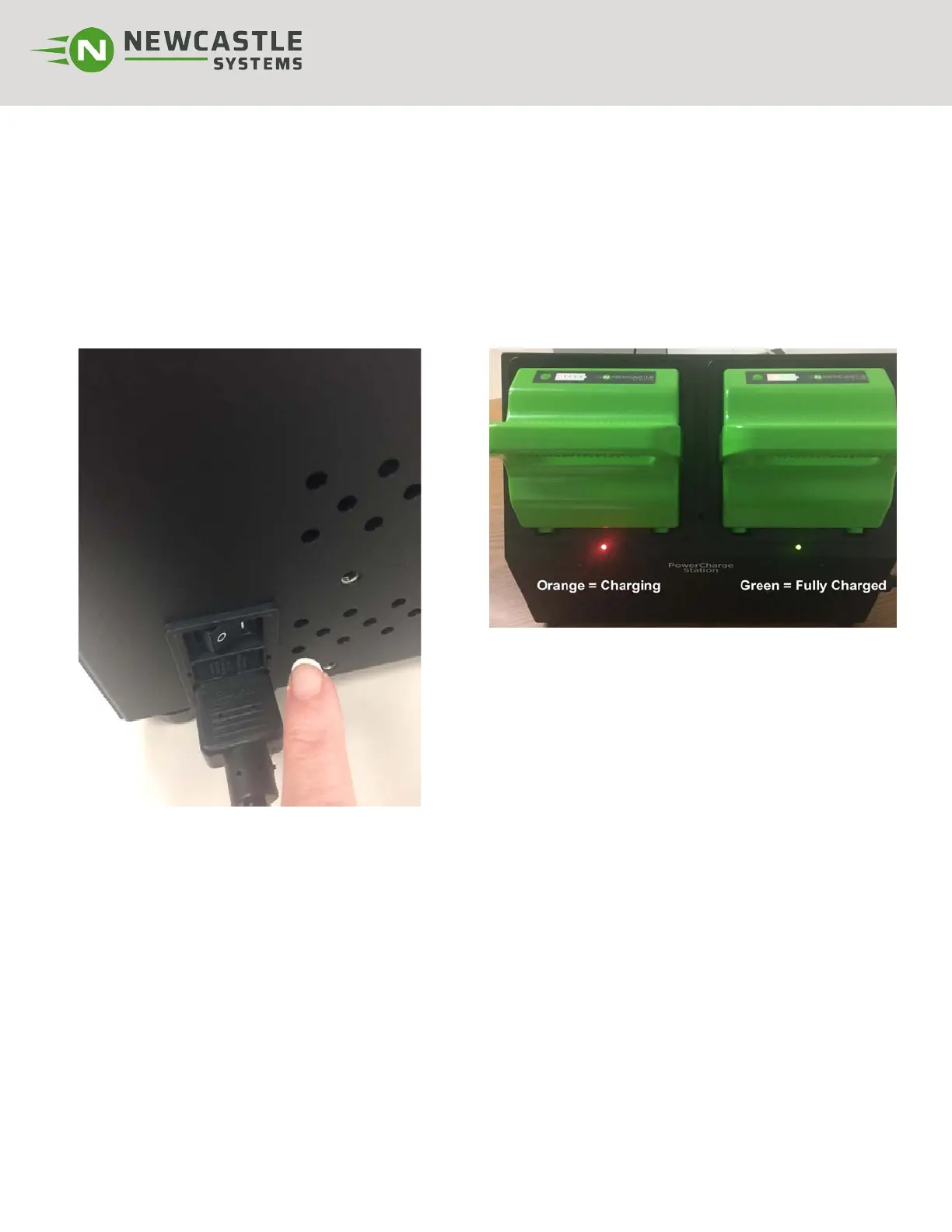
Step 1: Place 1 or 2 discharged batteries in PowerCharge Station. Make sure you hear a click as the bat-
tery engages. *Batteries should be inserted firmly, but never slammed into place.
Step 2: Turn unit ON (“|” position as shown). ON/OFF switch is located at rear of unit as shown below
.
Charging time of the PWC2 takes approximately 8 hours to charge fully depleted batteries. PWC2-FC or
optional FASTCharge is available and can charge batteries in approximately 4 hours.
Replaceable AC Fuse: This is located adjacent to the AC inlet of the PowerCharge to protect from
overload. If fuse blows, replace with equivalent, fast-acting, 250 V, 6.3 A rated 5 mm x 20 mm glass fuse.
CAUTION: installing non-rated fuses could cause equipment damage and void your warranty.
Note: Charger will draw 2.8 A max (5.6 A max. for
PWC2-FC or optional FASTCharge upgrade kit) from
wall outlet when in use.



 To Next Page