Physical Description
User Manual forAZ710 Up Converter
version 1.2
5
SHAPING THE FUTURE OF SATELLITE COMMUNICATIONS
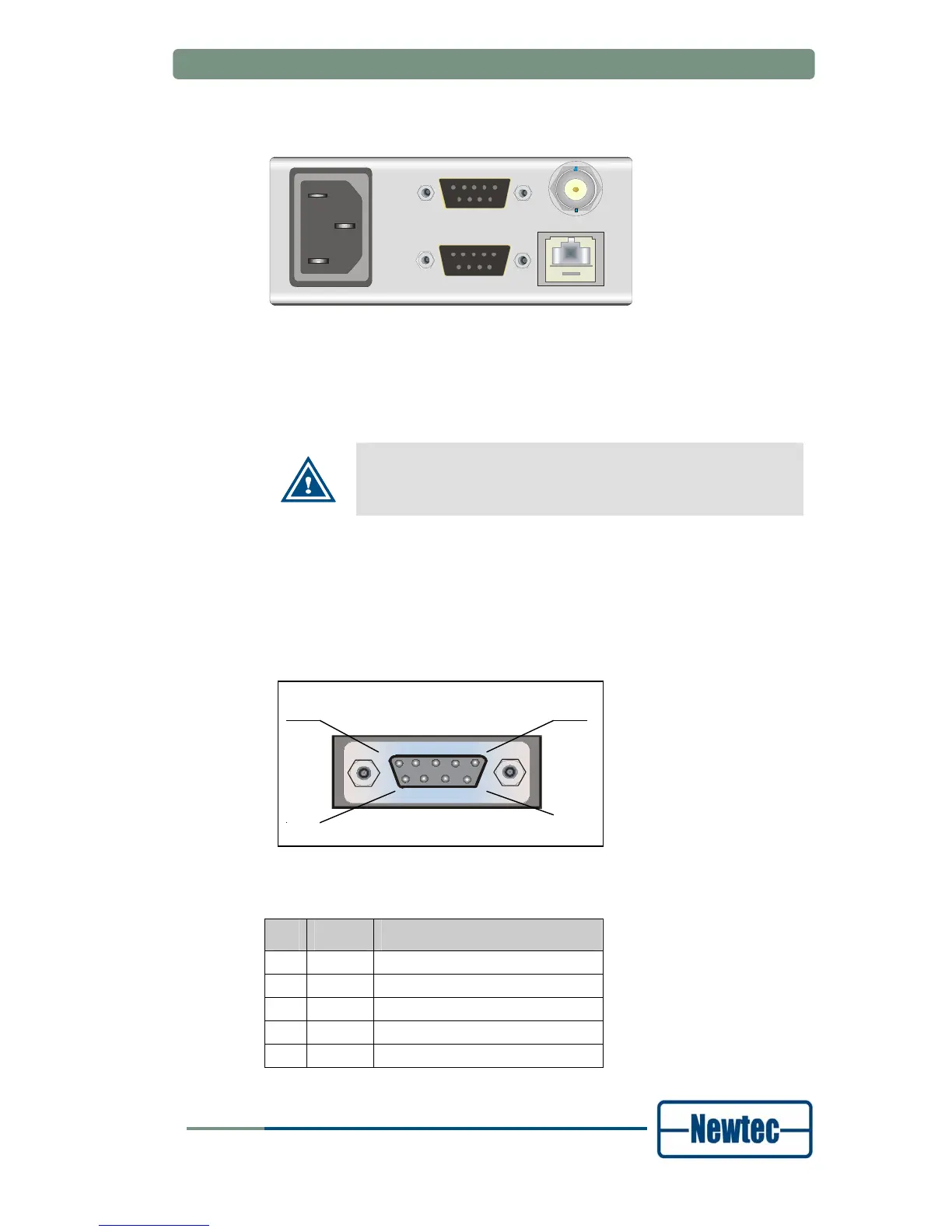
3.2.1 Power supply unit, Monitor &Control and external 10.0 MHz input
ALARM
10/100Base-T
Ref. In
M&C RS232/485
100-260 VAC LINE
Figure 5 - PSU, Monitor and Control and external 10 MHz reference
3.2.1.1 Power socket
This equipment has a protective earthing ground incorporated in the power cord.
Do not insert the mains plug in a socket outlet without a protective
earth contact. Any interruption of the protective conductor, inside
or outside the instrument, is likely to make the instrument
dangerous.
3.2.1.2 Serial Monitoring and Control via RS485/RS232
The AZ710 Up Converter contains the hardware for the RS485 and RS232
interface. Use the front panel or Ethernet to select the serial interface type. You
cannot do this through the serial port itself.
Figure 6 - Serial Monitoring and Control connector
RS485 serial interface:
Pin Name Function
1 GND Shield ground
2 Not connected
3 Tx-A Send Data A (input)
4 Rx-A Receive Data A (output)
5 GND Signal ground
MON & CTRL
5
9
1
6



 To Next Page