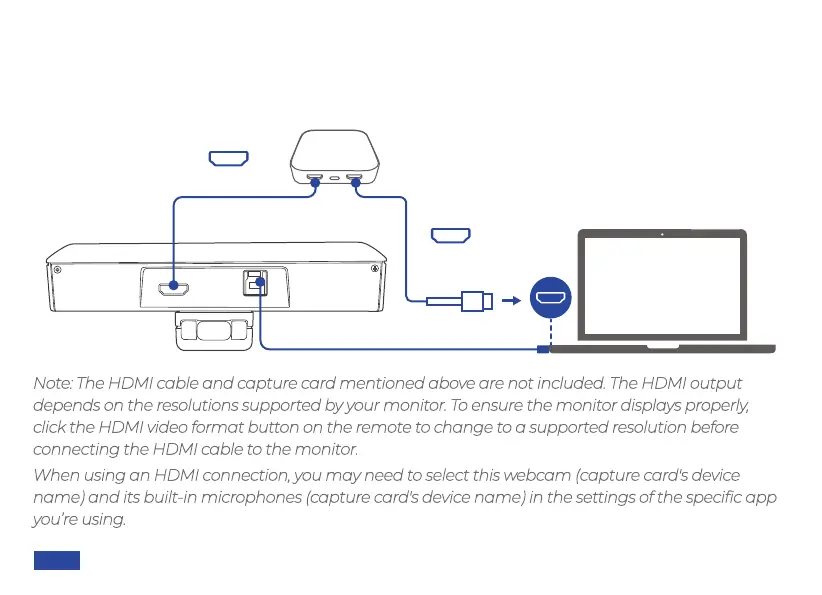
Function 2 - Streaming: Use an HDMI cable to connect the webcam to your capture card (HDMI
In). Then connect the capture card (HDMI Out) to your computer. This will allow you to capture
uncompressed video from the webcam, which represents the highest quality possible.
Note: The HDMI cable and capture card mentioned above are not included. The HDMI output
depends on the resolutions supported by your monitor. To ensure the monitor displays properly,
click the HDMI video format button on the remote to change to a supported resolution before
connecting the HDMI cable to the monitor.
When using an HDMI connection, you may need to select this webcam (capture card's device
name) and its built-in microphones (capture card's device name) in the settings of the specific app
you’re using.
Capture Card
HDMI USB3.0
HDMI Cable
HDMI Cable
US 01EN 11


 To Next Page