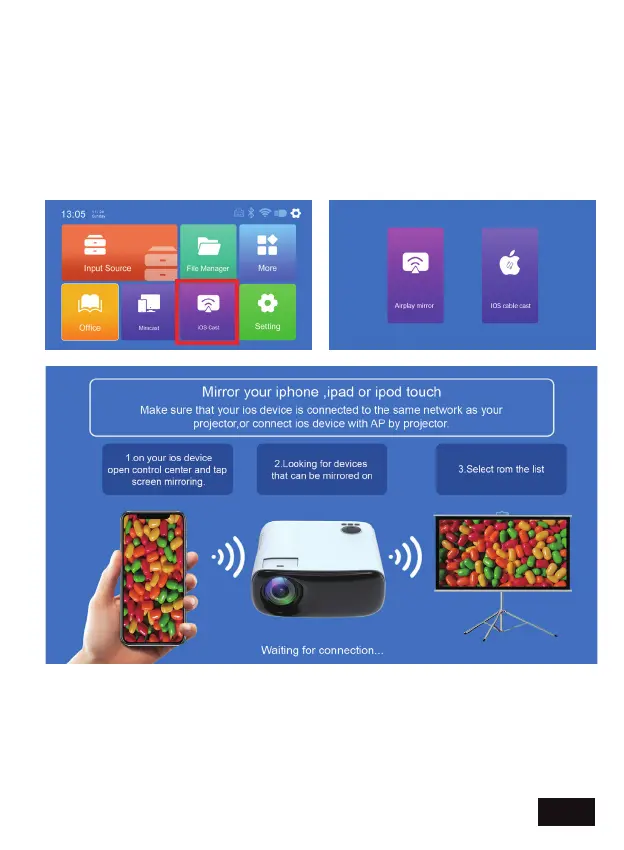
To connect, make sure both devices are connected to the same
network. On the projector, select iOS Cast and then Airplay Mirror from
the options. Go into the control center on the iOS device and click
"Screen Mirroring". In the list of available mirroring devices, select the
device "NexiGo-PJ40" from the list. The connection is now complete.
IOS CAST - Share the screen of your iPhone, iPad, or MacBook
wirelessly using AirPlay.
EN 16


 To Next Page