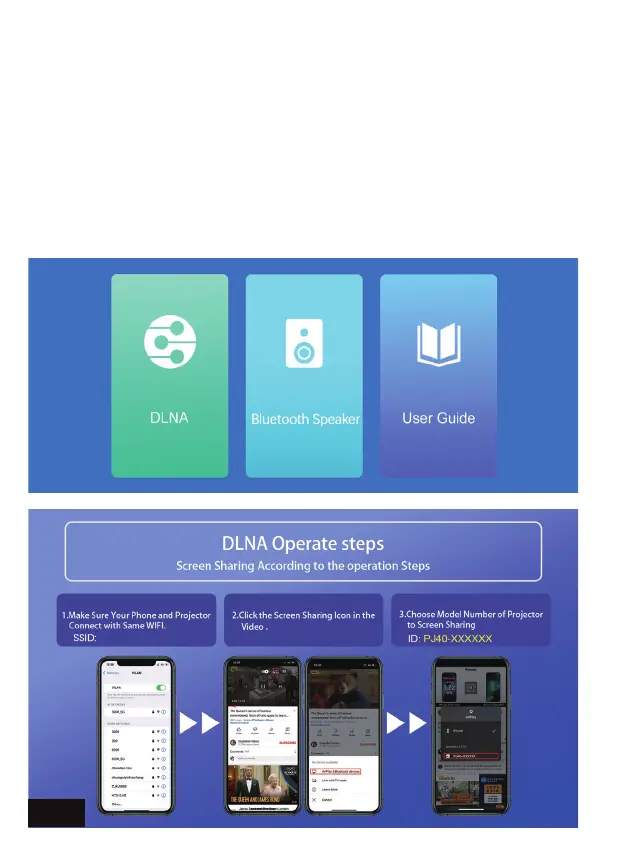
DLNA - Share the display of your device that supports DLNA
connections.
To connect using DLNA, as with the other steps, first ensure that both
devices are connected to the same network. Once that has been
completed, go back to the Home page and select More, and then
DLNA from the list of options. Then, on the device you want to cast
from, open an app that supports casting (ex: YouTube), and then tap
the button on the app that allows you to cast. Select "NexiGo-PJ40"
from the list of options. Press the play button on the video, and it will
now display the video via the projector.
EN 17


 To Next Page