12
System Main Menu
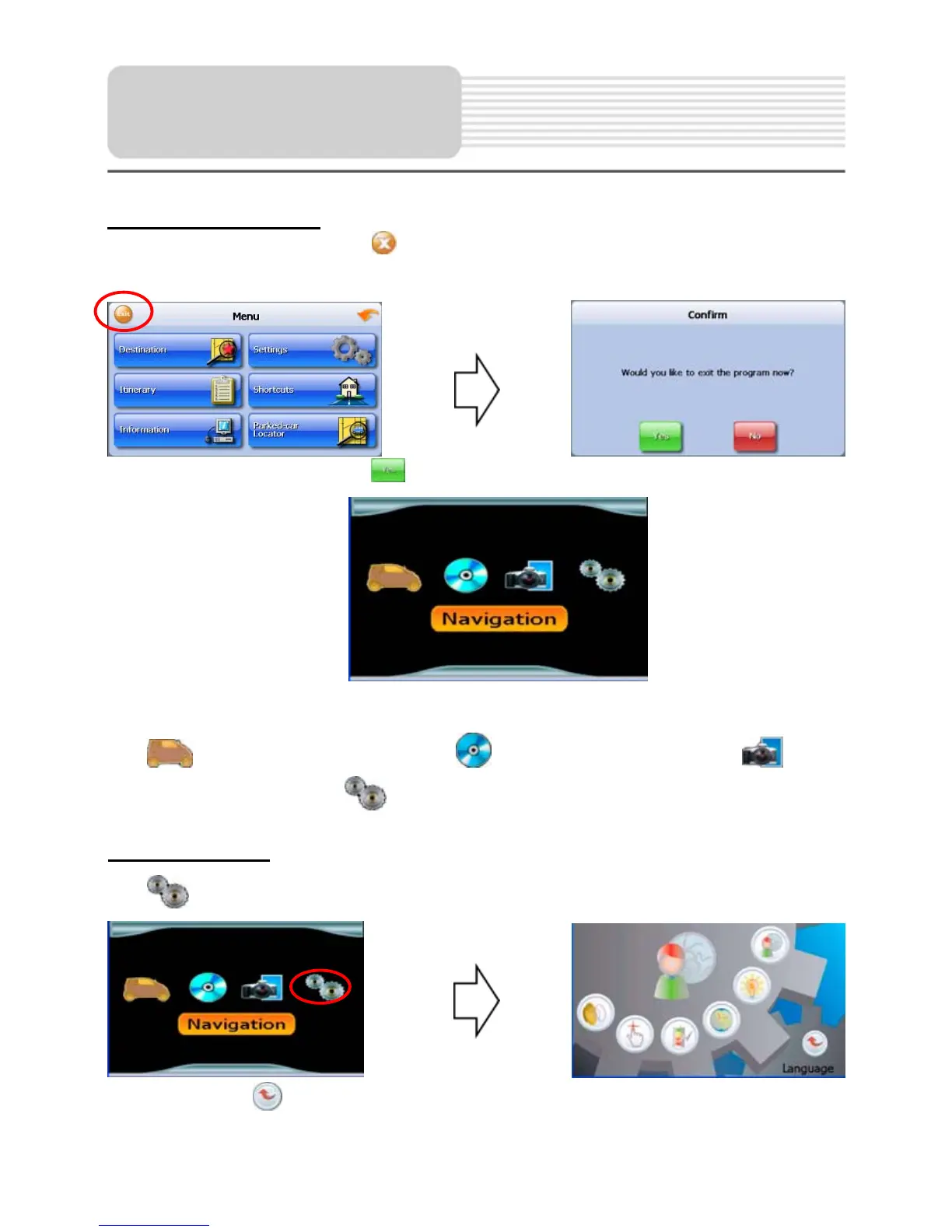
When in navigation mode, tap button in the Menu screen. A confirmation message
appears asking if you want to exit the program now, as shown below.
In the confirmation screen, tap
and the system main menu appears.
In the main menu, there are four items for selecting. Touch the corresponding item to
enter.
Tap
to enter navigation mode; tap to enter the MP3 player; tap to
enter the Photo Viewer; tap
to enter the settings menu.
Settings Menu
Tap to enter the settings menu, the screen will display as below:
In the menu, tap
to return to the main menu.
General Setup


 To Next Page