16
The unit is designed with an SD card slot. You can insert an SD card with MP3 and WMA
files. It supports MP3 and WMA files playback.
Note: Do not store MP3, WWA files in the Flash storage, for the flash storage is
used to store map data, any attempt to open the Flash storage may result in
missing and lost map data.
Warning: For your own safety, do not use the earphones when driving.
Take the following steps to play:
Loading MP3, WMA files:
1. Insert the SD card with MP3, WMA files.
2. Turn the unit on.
Playing Music.
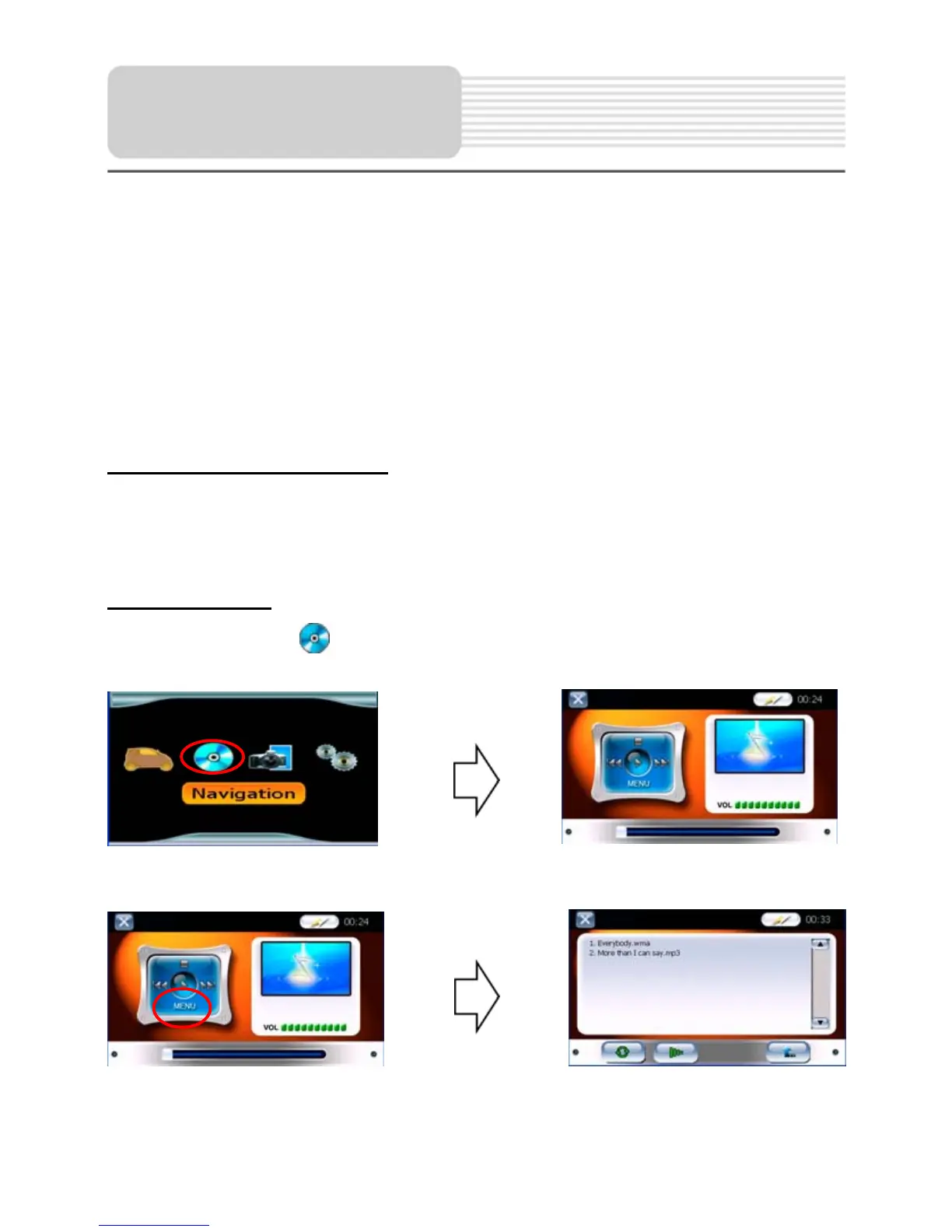
In the main menu, tap to enter the playback menu, as shown below:
In the menu, tap the MENU button to enter the MP3 play list menu, as shown below:
Playing Music


 To Next Page