ENG213
DVD
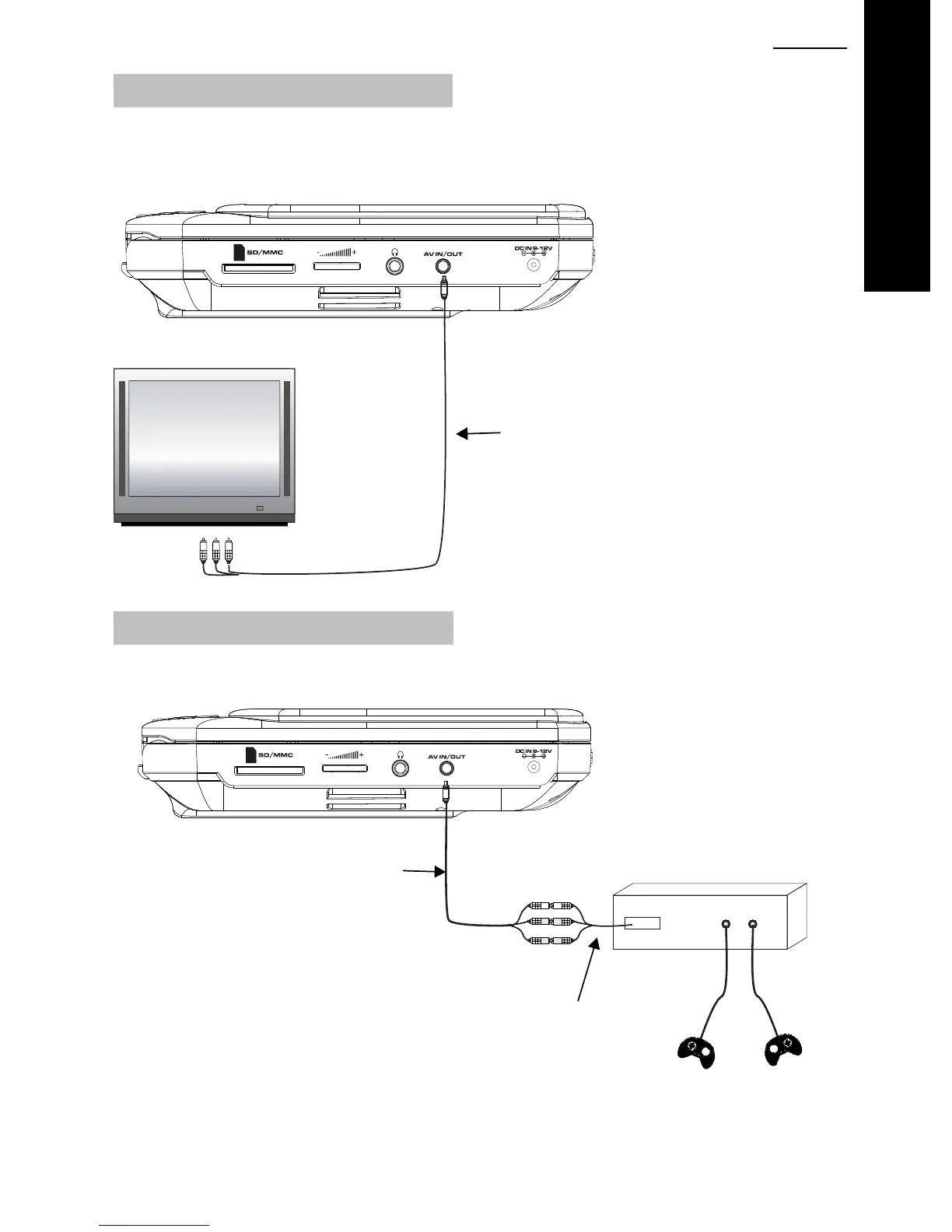
Connecting to an external TV screen
SDV48 series
The unit can be connected to an external TV set. Please see below.
AUDIO-VIDEO CABLE (SUPPLIED)
Yellow = Video
Red = Audio Right
White = Audio Left
Connecting to an external AV source
The unit can be connected to an external AV source, such as a games console. Please see
below.
AUDIO-VIDEO CABLE (SUPPLIED)
GAMES CONSOLE
CONNECTION CABLE
(NOT SUPPLIED)
Press DVD/IN on the remote control to switch between DVD playback and the AV-IN mode.
Once connected correctly, the image and sound will appear on the player.



 To Next Page