22 ENG
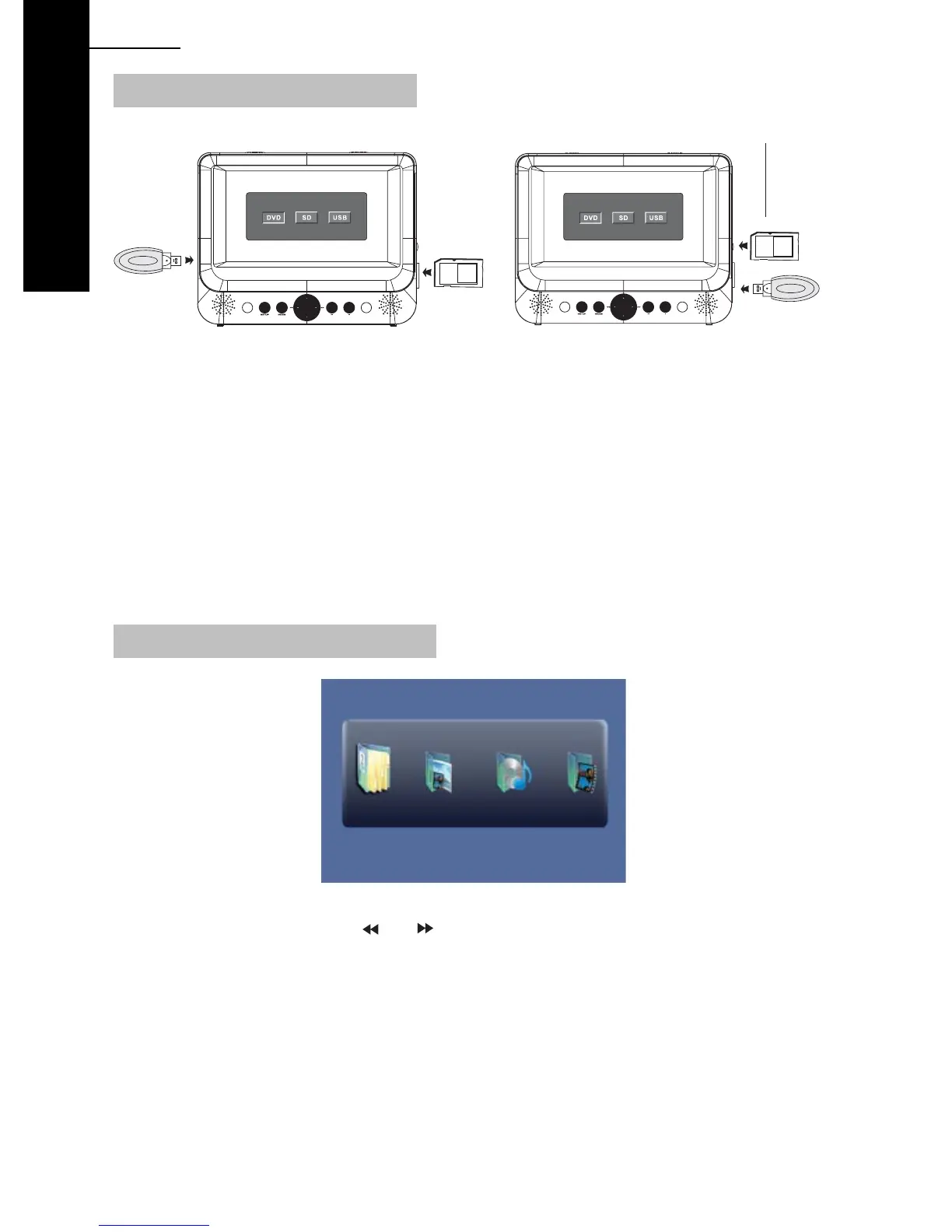
USB and SD/MMC card Playback
USB
SD/MMC
A
B
USB
SD/MMC
PUSH TO LATCH IN.
PUSH TO UNLATCH.
(DO NOT PULL)
SDV48 series SDV49 series
1. In order to play a movie, show photos or play music tracks from a compatible memory
device, please insert as shown above.
2. Press “MODE” and highlight either SD/MMC or USB by using the Left / Right buttons, then
press “ENTER” to select.
NOTE:
1) The USB connector port is for direct connection of USB flash memory sticks only. It is NOT
for PC connection of for any external Hard Drive / alternative device connection.
2) USB sticks or SD/MMC cards must be formatted in FAT or FAT 32.
3) Whilst labeled SD/MMC for the card reading slot, MMC cards will also function perfectly well
also.
USB and SD/MMC Card Main Menu
After a few seconds, the player will show the Main Menu which includes 4 function icons.
You can select one by pressing “
” or “ ” and then press “ENTER” to confirm.



 To Next Page