ENG229
DVD
Video Setup Page
AV-OUT Settings
Screen Settings
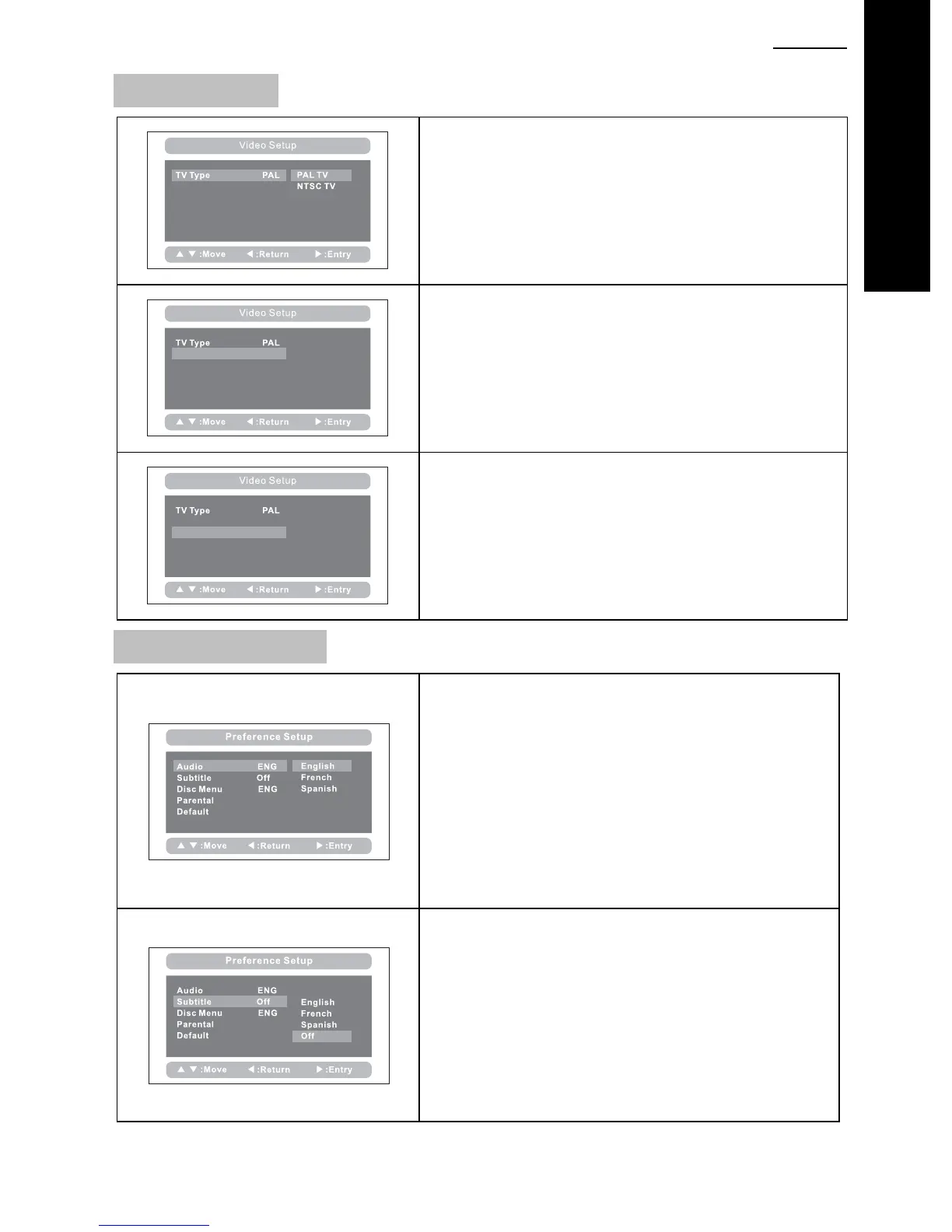
TV Type:
Enter this option to select TV type (PAL, NTSC)
The default is PAL.
AV-OUT Settings
Screen Settings
Set the Video Quality upon the AV OUT or Additional
Monitor in the case of SDV48-AM / SDV49-AM
Settings of Brightness, Contrast, Hue and Saturation.
AV-OUT Settings
Screen Settings
Set the Video Quality upon the integral screen of the
Master DVD player.
Settings of Brightness, Contrast, Hue and Saturation.
Preference Setup Page
Audio
:
You can select your preferred audio language for
DVDs.
(English, French, German, Italian)
Default is English
The audio language depends upon the information
available upon each disc.
You can also change the audio language during
playback by pressing the “AUDIO” button.
Subtitle
Select your preferred language to show the subtitles
upon the screen.
(English, French, German, Italian, Off)
The default is OFF
The subtitle languages depends upon the information
available on each disc.
You can also change the subtitle language during
playback by pressing the “SUBTITLE” button.



 To Next Page