EasyManua.ls Logo

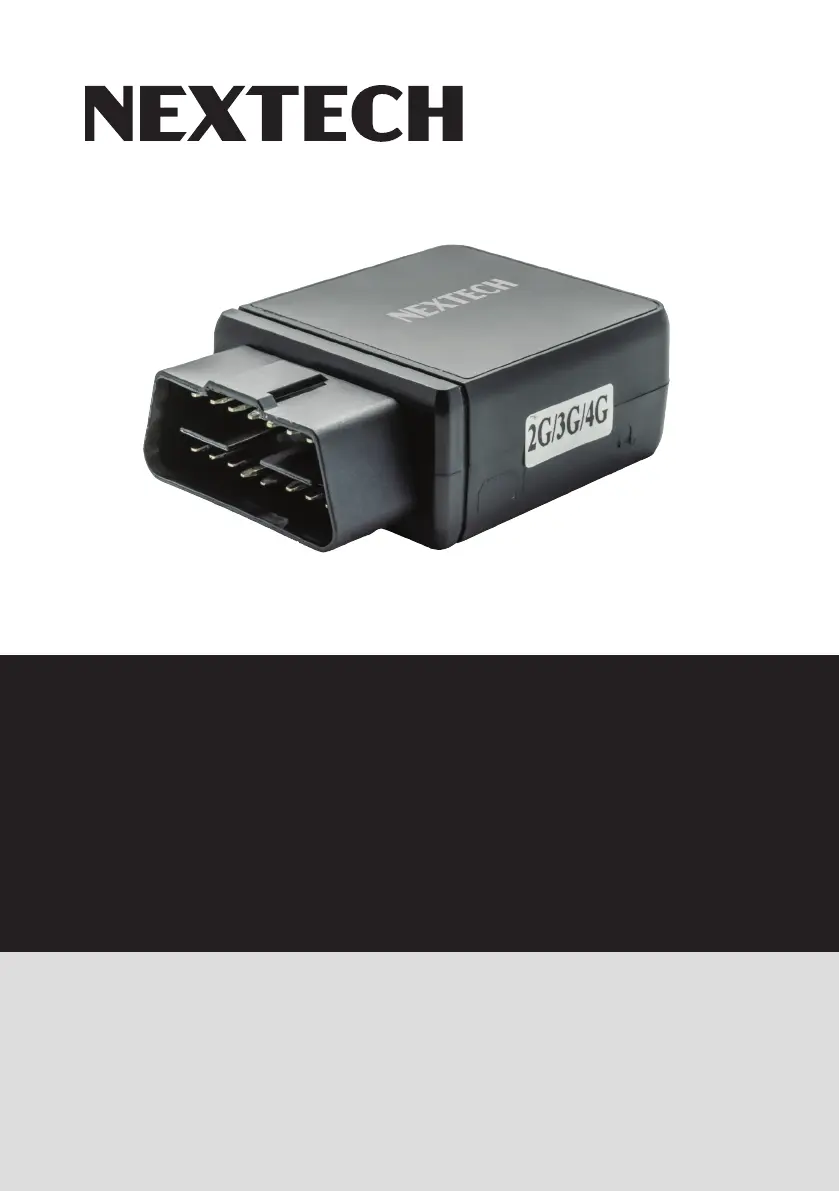
Nextech OBD II - User Manual

Nextech OBD II
20 pages
Print Icon
To Next Page IconTo Next Page
Loading...
Instruction Manual
OBD II 4G/GPS
Tracking Device

Questions and Answers

Summary

Introduction to Nextech GPS Tracker

Product Overview

Device Installation Guide

Install SIM Card

Step-by-step instructions for inserting the Micro SIM card into the tracker.

Power ON;OFF and Tracker Installation

Explains automatic power states and the physical installation process into the OBD port.

Antenna Considerations

Guidance on antenna placement for optimal GPS and GSM signal reception.

Factory Reset and Working Temperature

Instructions for factory reset and device working/storage temperature limits.

Operating the Device

Initial Preparations

Essential steps to prepare the tracker for operation before first use.

SMS Location and Alarm Commands

How to get the tracker's location and arm the shock alarm via SMS commands.

SMS Commands for Disarming and OBD Query

Instructions for disarming the shock alarm and querying vehicle OBD data via SMS.

Website OBD Information Query

Procedure to check vehicle OBD information through the Nextech GPS website.

Tracker Settings Configuration

Set APN and Network Credentials

Configure APN, username, and password for internet connectivity.

Check Tracker Identification

How to find and verify the unique ID of the tracker device.

Server IP and Authorized Numbers Management

Set the server IP address and manage authorized phone numbers.

Change Password and Alarm Notification Settings

How to change the tracker password and configure SMS/call alarms.

Upload Interval and Settings Check

Configure data upload frequency and check current tracker status.

Tracker Reset Procedures

Instructions for soft reset and restoring the tracker to factory settings.

Platform Operation Notes

Troubleshooting Common Issues

LA9039 Model Specifications

Product Warranty Information

Summary

Introduction to Nextech GPS Tracker

Product Overview

Device Installation Guide

Install SIM Card

Step-by-step instructions for inserting the Micro SIM card into the tracker.

Power ON;OFF and Tracker Installation

Explains automatic power states and the physical installation process into the OBD port.

Antenna Considerations

Guidance on antenna placement for optimal GPS and GSM signal reception.

Factory Reset and Working Temperature

Instructions for factory reset and device working/storage temperature limits.

Operating the Device

Initial Preparations

Essential steps to prepare the tracker for operation before first use.

SMS Location and Alarm Commands

How to get the tracker's location and arm the shock alarm via SMS commands.

SMS Commands for Disarming and OBD Query

Instructions for disarming the shock alarm and querying vehicle OBD data via SMS.

Website OBD Information Query

Procedure to check vehicle OBD information through the Nextech GPS website.

Tracker Settings Configuration

Set APN and Network Credentials

Configure APN, username, and password for internet connectivity.

Check Tracker Identification

How to find and verify the unique ID of the tracker device.

Server IP and Authorized Numbers Management

Set the server IP address and manage authorized phone numbers.

Change Password and Alarm Notification Settings

How to change the tracker password and configure SMS/call alarms.

Upload Interval and Settings Check

Configure data upload frequency and check current tracker status.

Tracker Reset Procedures

Instructions for soft reset and restoring the tracker to factory settings.

Platform Operation Notes

Troubleshooting Common Issues

LA9039 Model Specifications

Product Warranty Information

Nextech OBD II Specifications

General IconGeneral
BrandNextech
ModelOBD II
CategoryAutomobile Accessories
LanguageEnglish

Related product manuals